Reviewer Comments and Completed Reviews
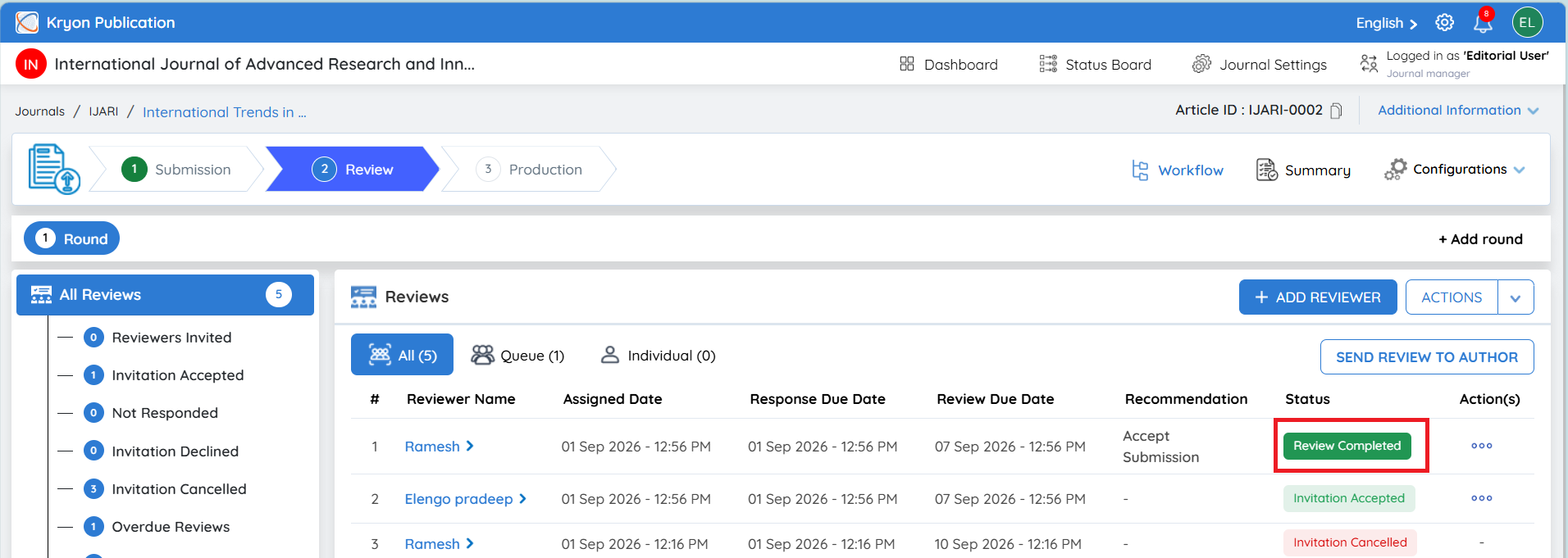
Once a reviewer completes and submits the review, the review status is updated to Review Completed. The editorial user will also receive an email notification informing them that the reviewer has completed the review.
The All Reviews section provides an overview of the reviewers, their recommendations, and their current review status. In the screen shown, three reviewers have completed their reviews.
One reviewer has recommended Accept Submission, while two reviewers have recommended Revision Required.
Viewing the Complete Reviewer Comments
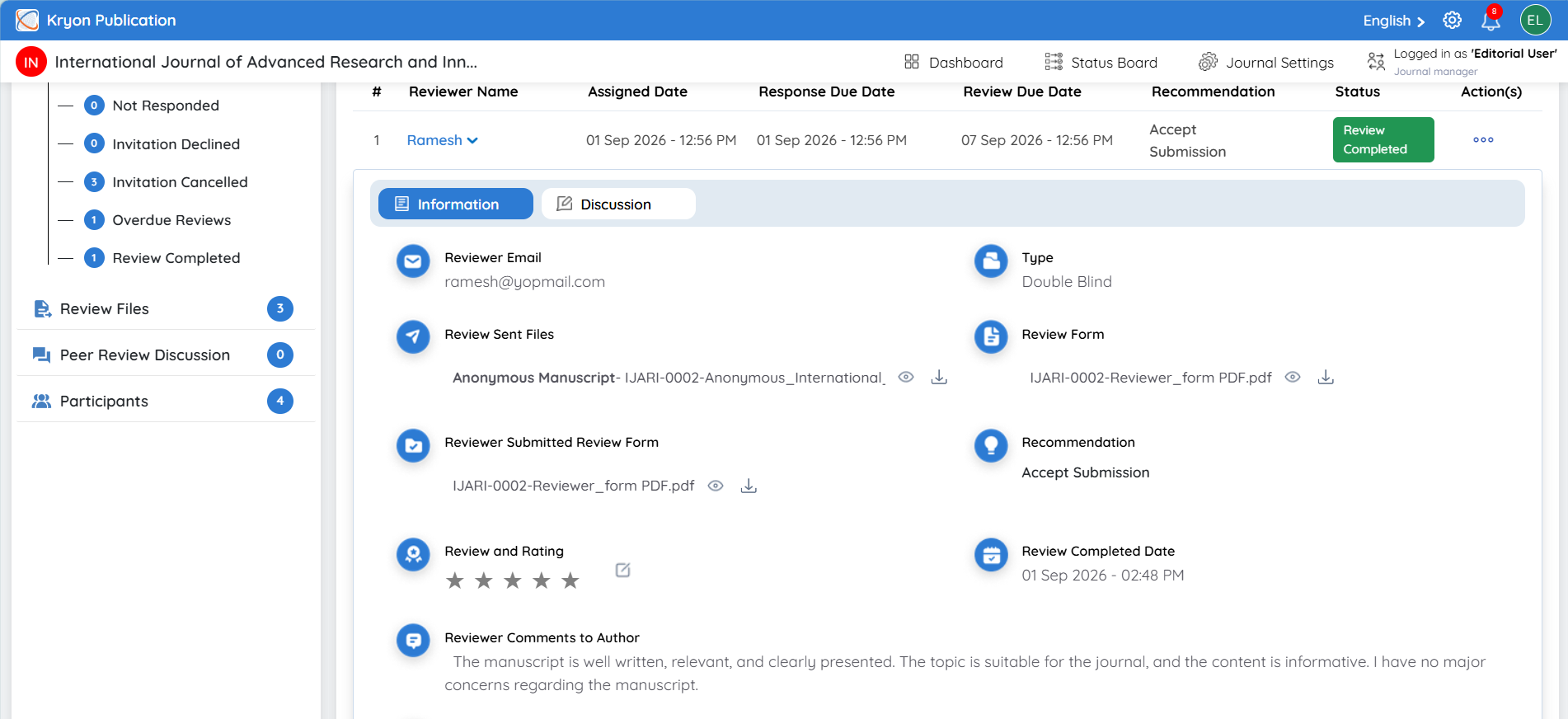
To view the complete review details, click the Reviewer Name. The reviewer information expands below the reviewer record, allowing the editorial user to review the complete evaluation.
The following information is displayed:
-
Reviewer Email – Displays the email address of the reviewer.
-
Type – Displays the review model used for the assignment, such as Double Blind.
-
Review Sent Files – Displays the files that were shared with the reviewer. The editorial user can view or download these files.
-
Reviewer Form – Displays the review form assigned to the reviewer. Click the View/Preview icon to review the submitted form.
-
Recommendation – Displays the reviewer's final recommendation, such as Revision Required or Accept Submission.
-
Review Completed Date – Displays the date and time when the reviewer submitted the completed review.
-
Reviewer Comments to Author – Displays the reviewer's detailed feedback intended to be shared with the author. This may include comments about language and style, methodology, experimental validation, clarity, organization, conclusions, or other revisions required.
-
Reviewer Comments – Displays additional comments provided by the reviewer as part of the evaluation.
-
Reviewer Certificate – Once available, the reviewer certificate is displayed and can be viewed or downloaded.