Review and Rating
The Review and Rating section allows the editorial user to rate the reviewer based on their performance during the review process.
The rating can be provided after considering factors such as the quality of the review, relevance of the feedback, completeness of the evaluation, and overall usefulness of the reviewer comments.
To provide or modify the rating, click the Edit icon beside Review and Rating, select the appropriate star rating, and save the changes.
The rating can help the editorial team evaluate reviewer performance and make informed reviewer selections for future manuscripts.
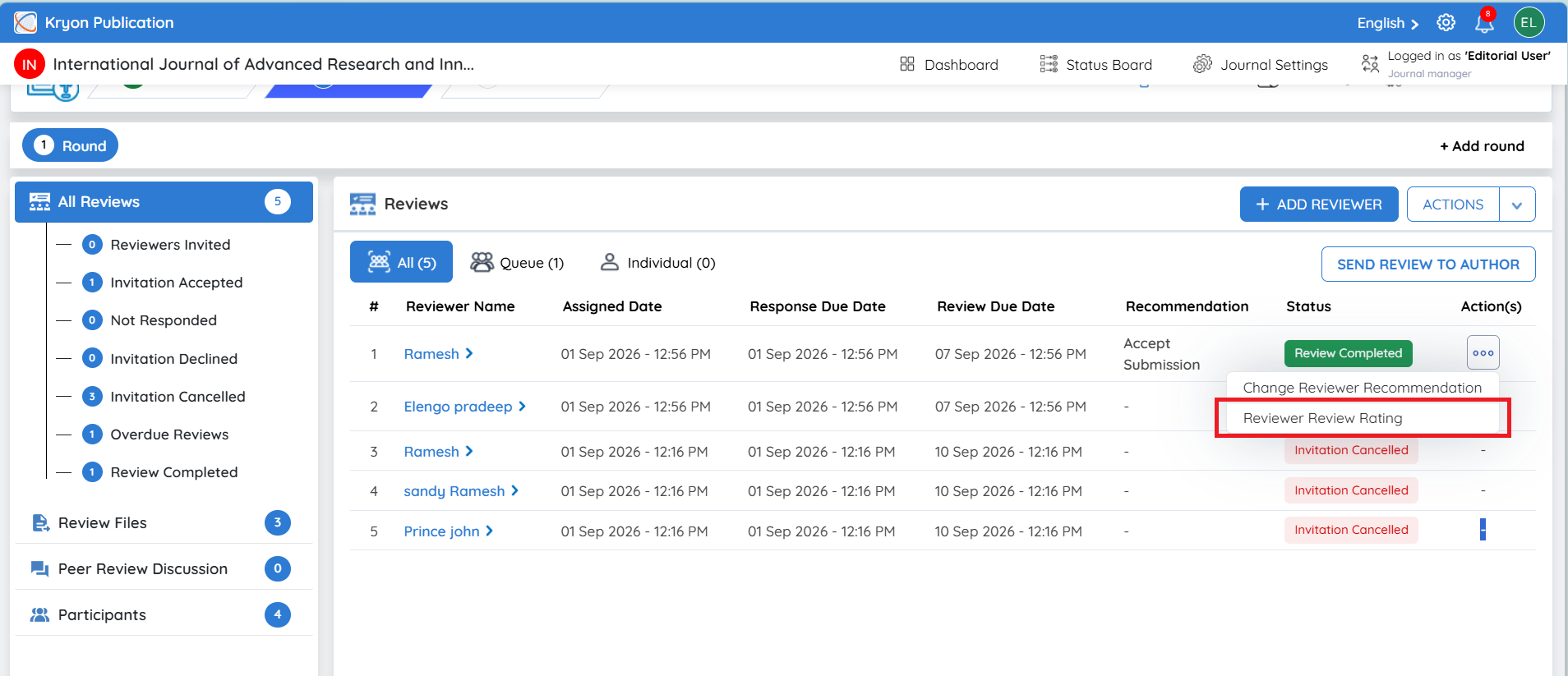
Additional Actions for a Completed Review
Once a review is completed, click the three-dot Action(s) menu beside the reviewer to access additional options:
- Change Reviewer Recommendation
The Change Reviewer Recommendation option allows the editorial user to modify the recommendation submitted by a reviewer when required.
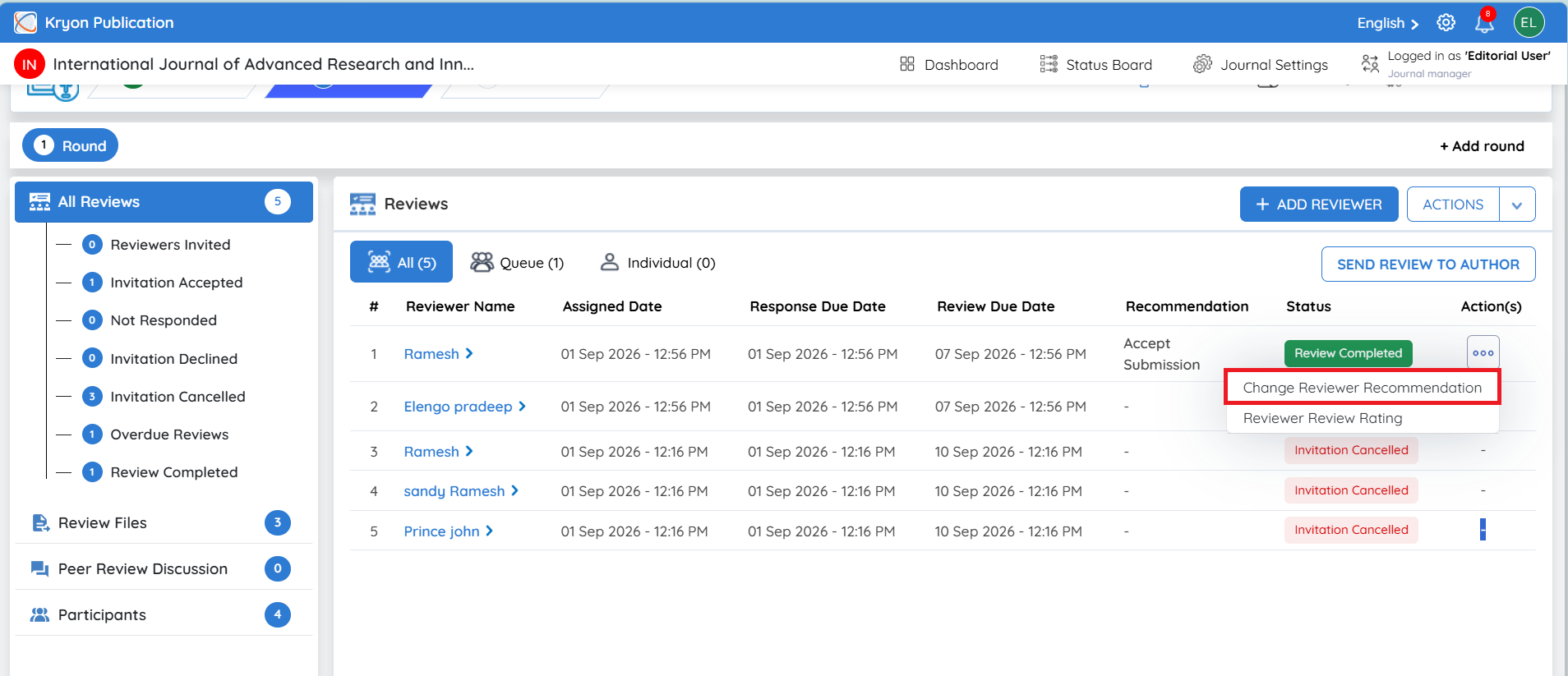
Steps to Change the Recommendation
-
Click the three-dot Action(s) menu beside the completed reviewer.
-
Select Change Reviewer Recommendation.
-
The Recommendation Change window will open.
-
Select the required recommendation from the Recommendation dropdown.
-
Verify the selected recommendation and click Submit.
-
The reviewer’s recommendation will be updated in the manuscript review record.
-
Once the recommendation is changed, the reviewer will receive an email notification informing them that their recommendation has been modified.
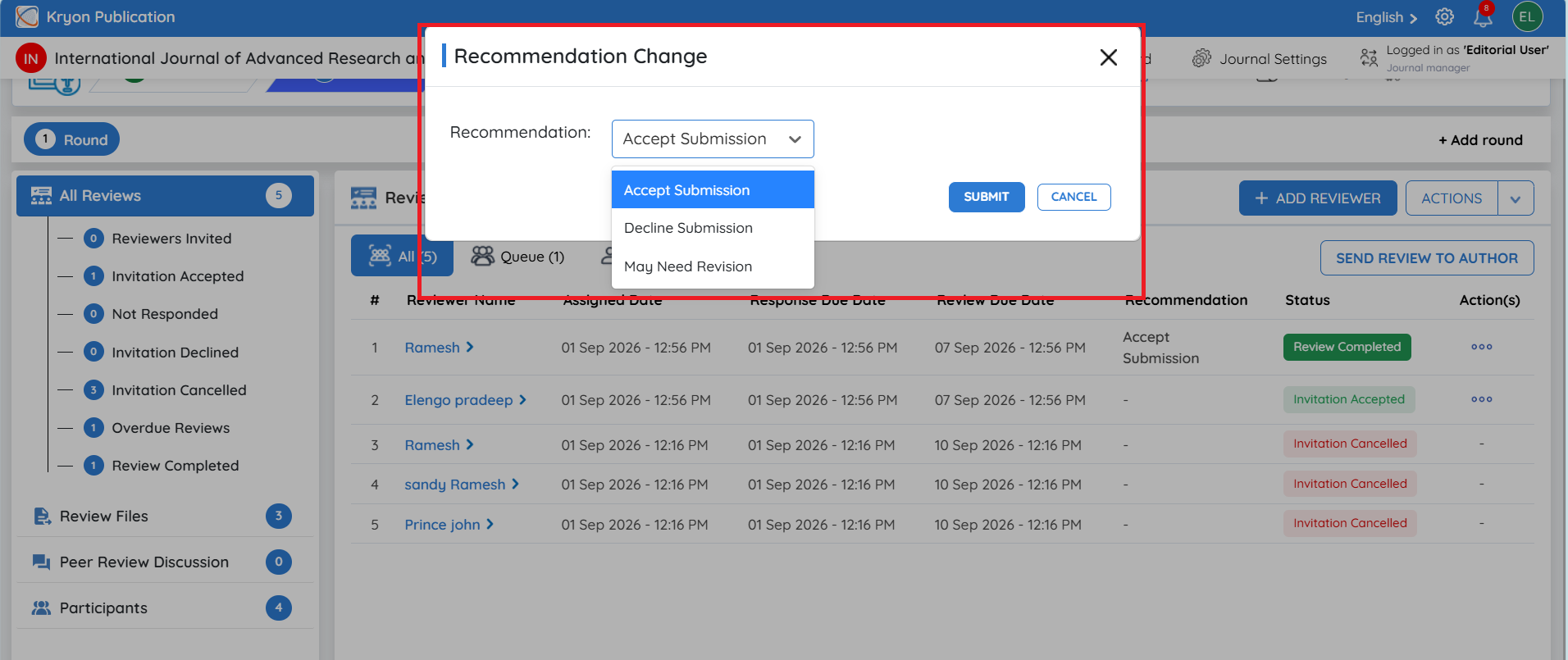
This option should be used only when an editorial user needs to update the reviewer’s recorded recommendation.
-
Reviewer Review Rating – Allows the editorial user to provide or update the reviewer's rating.
-
View Form Responses – Opens the reviewer's submitted responses in the assigned review form.
Once the editorial user has reviewed the completed evaluations and comments, they can proceed with the appropriate next step in the editorial workflow.