Managing Review Rounds
Once the editorial user clicks Accept & Send to Review and completes the required checks, the manuscript moves from the Submission Stage to the Review Stage.
The Review Stage provides the editorial team with the tools required to manage reviewers, review files, peer-review communication, manuscript information, and review-related configurations.
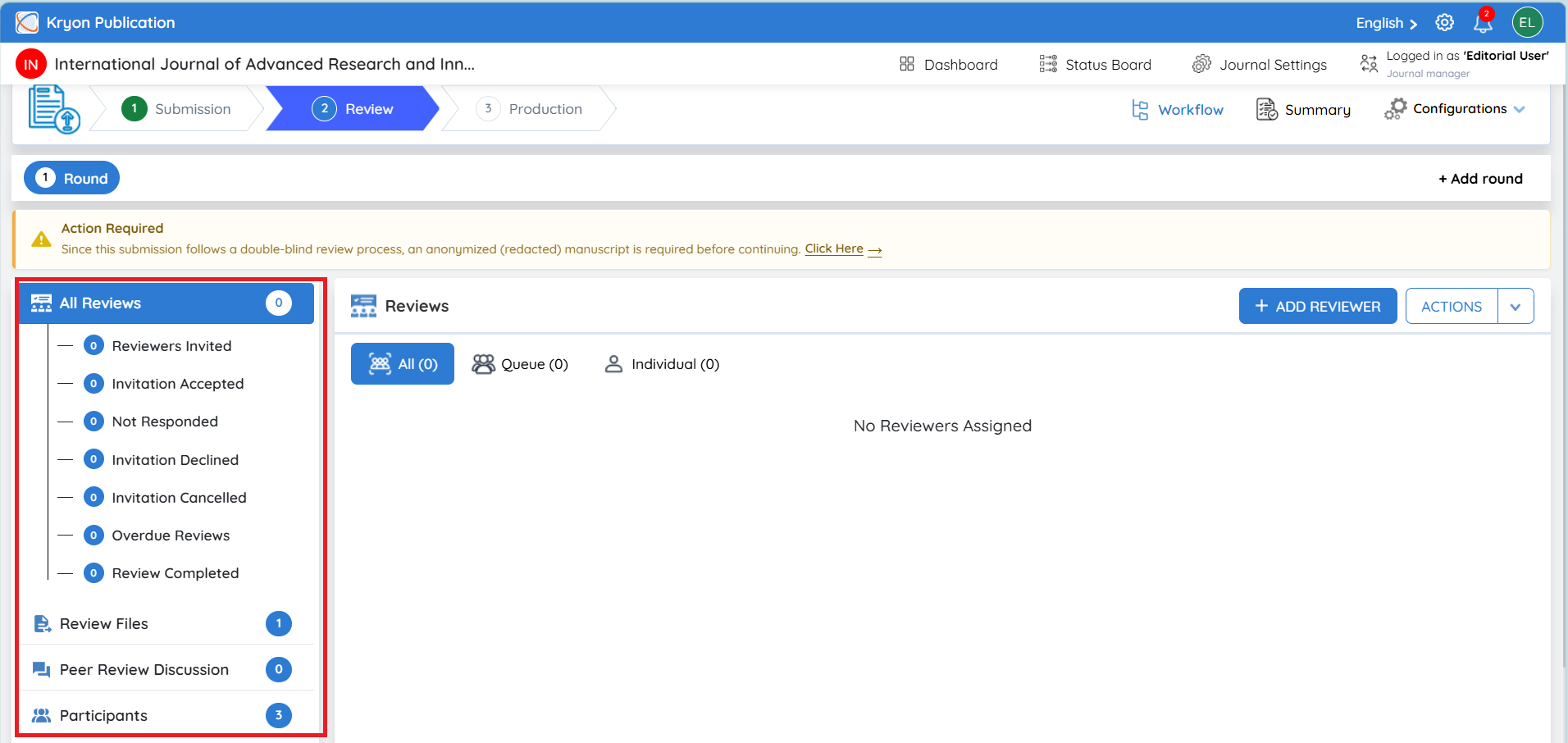
Left-Side Review Panel
The left-side panel provides a quick overview of the manuscript's peer-review activity. The number displayed beside each option indicates the number of records currently associated with that category.
All Reviews provides an overall view of all reviewers and review activities for the current review round. Reviewer activity is further grouped into different statuses:
-
Reviewers Invited – Reviewers who have been invited to review the manuscript.
-
Invitation Accepted – Reviewers who have accepted the review invitation.
-
Not Responded – Invited reviewers who have not yet responded.
-
Invitation Declined – Reviewers who declined the invitation.
-
Invitation Cancelled – Review invitations cancelled by the editorial team.
-
Overdue Reviews – Accepted reviews that have passed their review due date without submission.
-
Review Completed – Reviewers who have successfully submitted their review.
This allows the editorial user to quickly monitor reviewer progress throughout the review round.
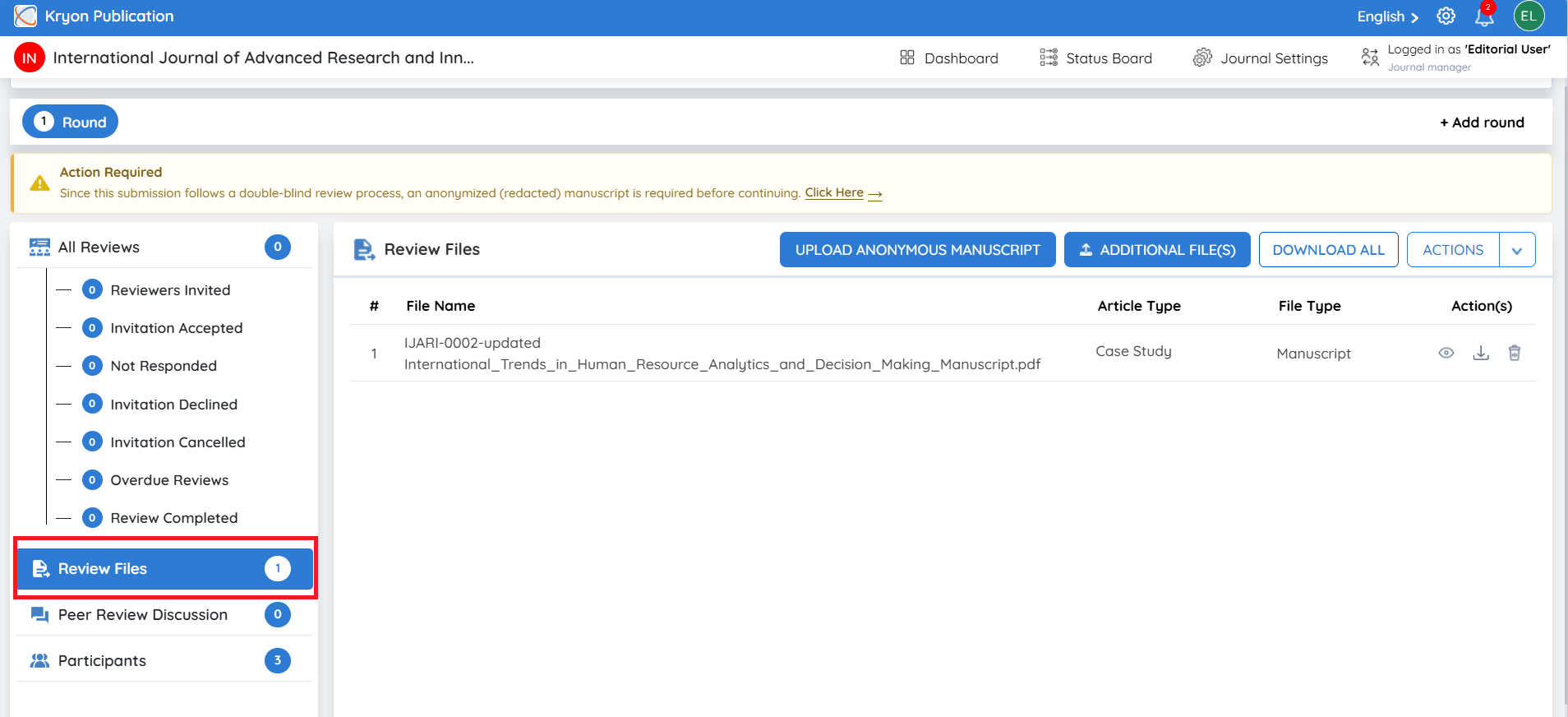
Review Files Section
The Review Files section allows editorial users to access and manage the manuscript files that are required during peer review.
Files moved from the Submission Stage are displayed here so the editorial team can verify which documents will be made available as part of the review process.
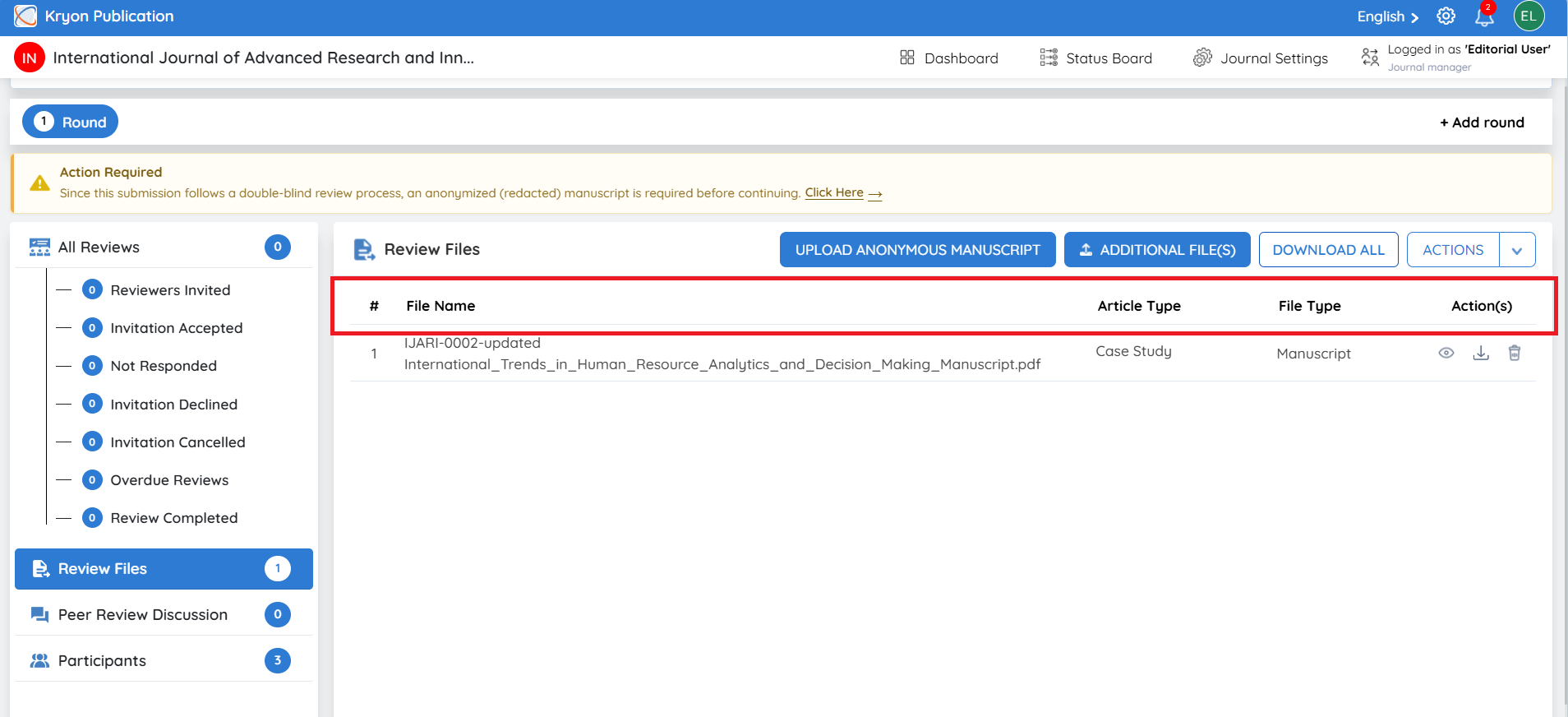
File Details Displayed
Each file record may contain the following information:
- File Name – Displays the name of the manuscript or supporting document.
- Article Type – Displays the article category associated with the submission, such as Research Article, Review Article, or Case Study.
- File Type – Identifies the purpose of the file, such as Manuscript, Source Files, or another configured file type.
- File Format – Identifies the format of the uploaded document, where displayed.
- Action(s) – Provides the available options for viewing, downloading, deleting, or otherwise managing the file.
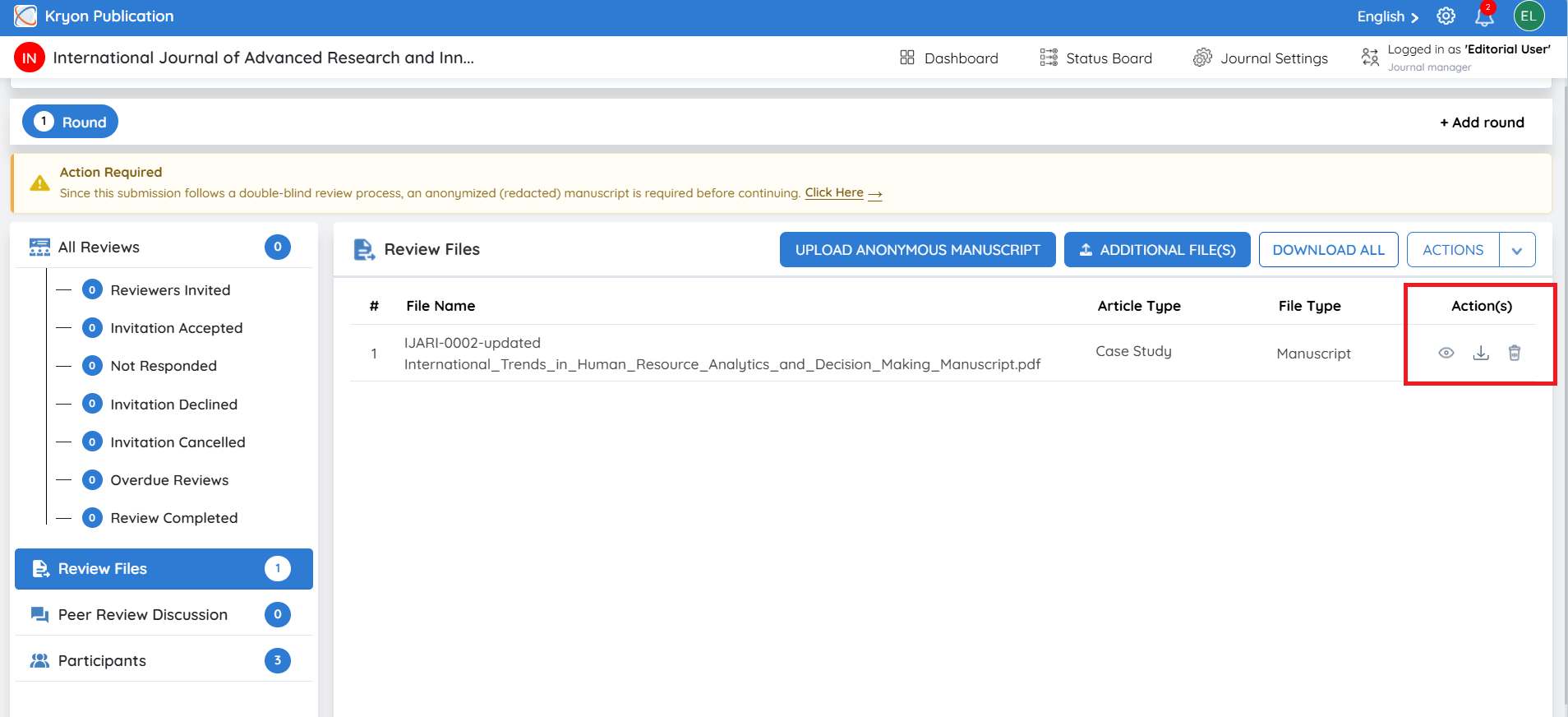
File Management Options
Editorial users can perform different file-management actions depending on the file and workflow configuration.
- View – Preview the file directly from the system, where supported.
- Download – Download an individual manuscript or supporting file for verification or editorial use.
- Delete – Remove a file when it is no longer required or when an incorrect file has been added.
- Download All – Download the available review files together for convenient offline access.
- Additional File(s) – Upload additional material required for the review process, such as figures, tables, supplementary material, or supporting documents.
Editorial users should verify that the correct manuscript version and supporting documents are available before assigning reviewers.