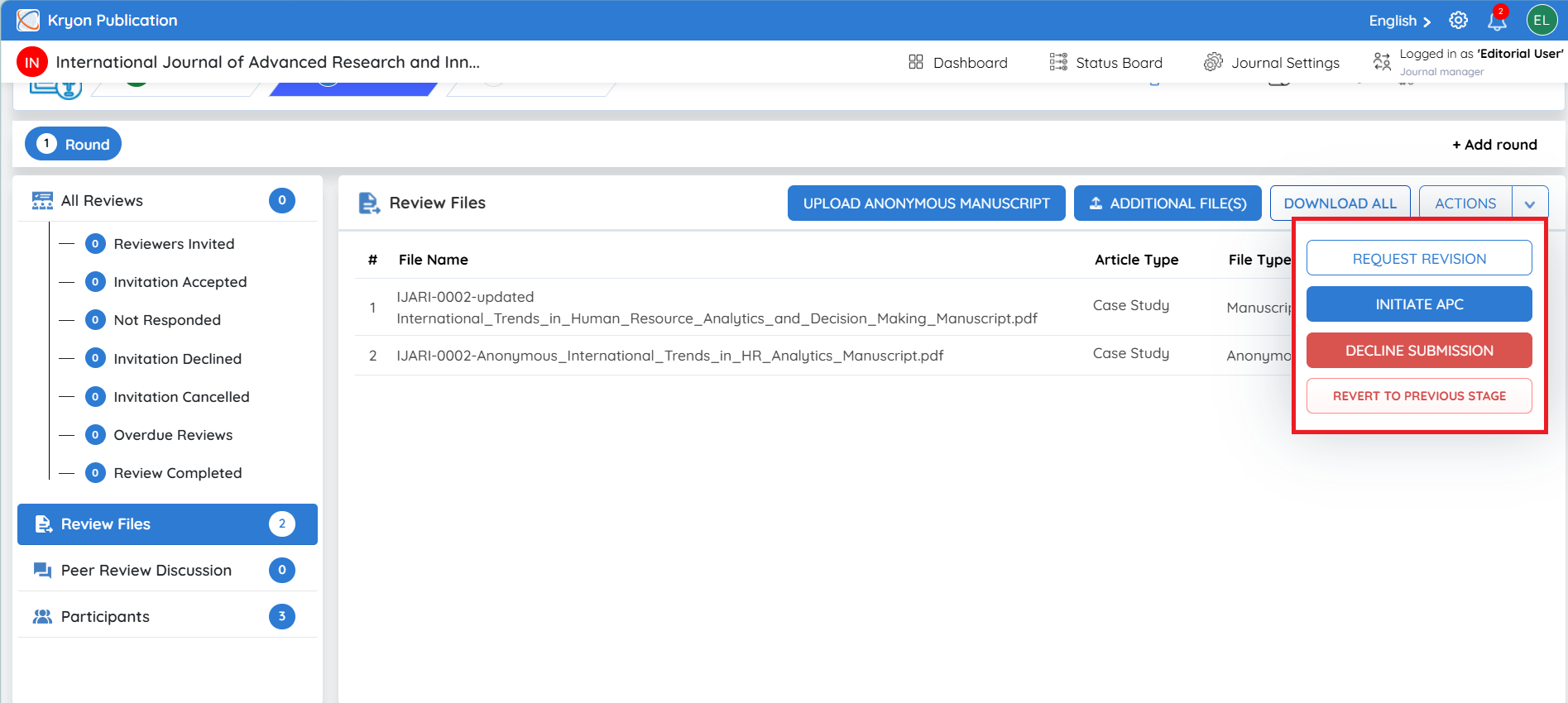
Action Tab
The Actions menu provides editorial decision options during the Review Stage. The available actions may be used based on the manuscript's review progress and the editorial decision.
Request Revision – Used when the manuscript requires further corrections or improvements. The editorial user can send revision instructions to the author and request an updated manuscript.
Initiate APC – Used when the manuscript is ready to proceed with the Article Processing Charge (APC) workflow. The APC process can be initiated directly from the Review Stage when applicable.
Decline Submission – Used when the editorial decision is to decline the manuscript. The editorial user can provide the reason for declining before confirming the decision.
Revert to Previous Stage – Moves the manuscript from the Review Stage back to the Submission Stage when additional submission-level checks or actions are required before continuing with peer review.