Initiating Another Review Round
Adding a New Review Round
A new review round allows the editorial team to continue the peer review process when further evaluation of the manuscript is required. Each round maintains a separate review cycle, helping the editorial team track reviewer feedback and manuscript revisions across multiple rounds.
When to Add a New Review Round
A new review round may be added when:
-
The author submits a revised manuscript after addressing reviewer comments.
-
The revised manuscript requires another evaluation by the same or different reviewers.
-
Additional subject experts are required to assess the manuscript.
-
Further clarification, corrections, or improvements are needed before the editorial team can make a final decision.
Steps to Add a New Review Round
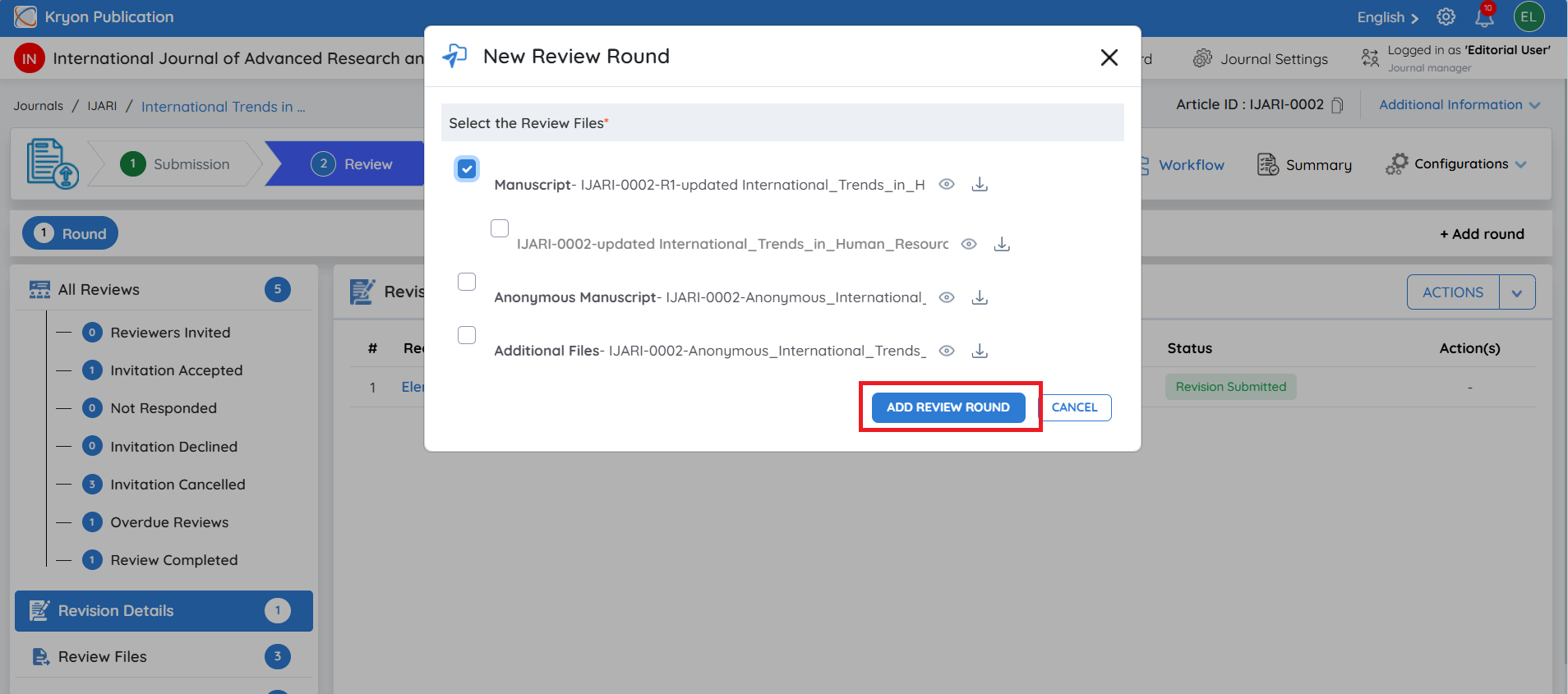
Step 1: Click Add Round
From the Review Stage, click + Add Round at the top-right of the Review Workflow.
This option creates another review cycle for the same manuscript.
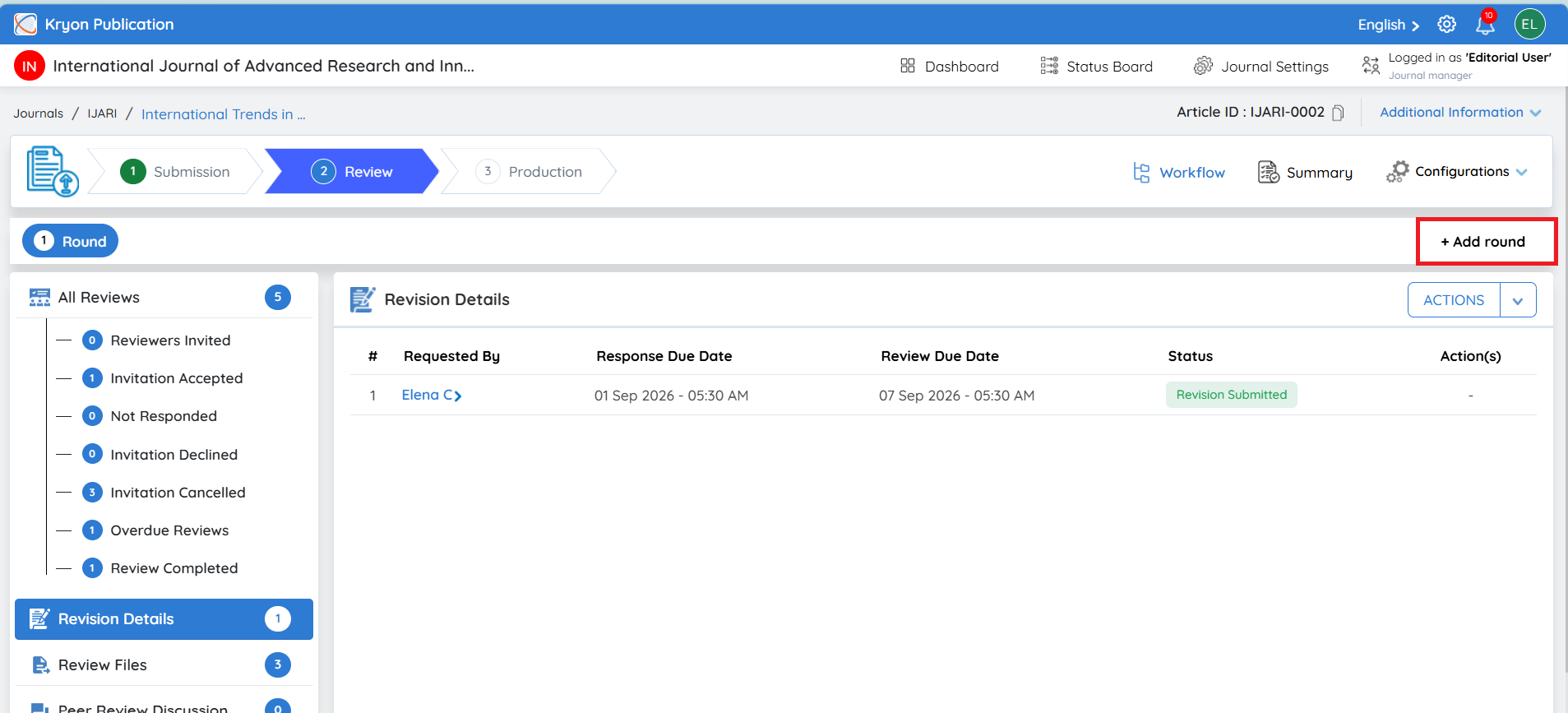
Step 2: Select the Review Files
Select the latest manuscript and any supplementary or supporting files that should be included in the new review round.
Ensure that the latest revised version is selected so reviewers receive the correct files for evaluation.
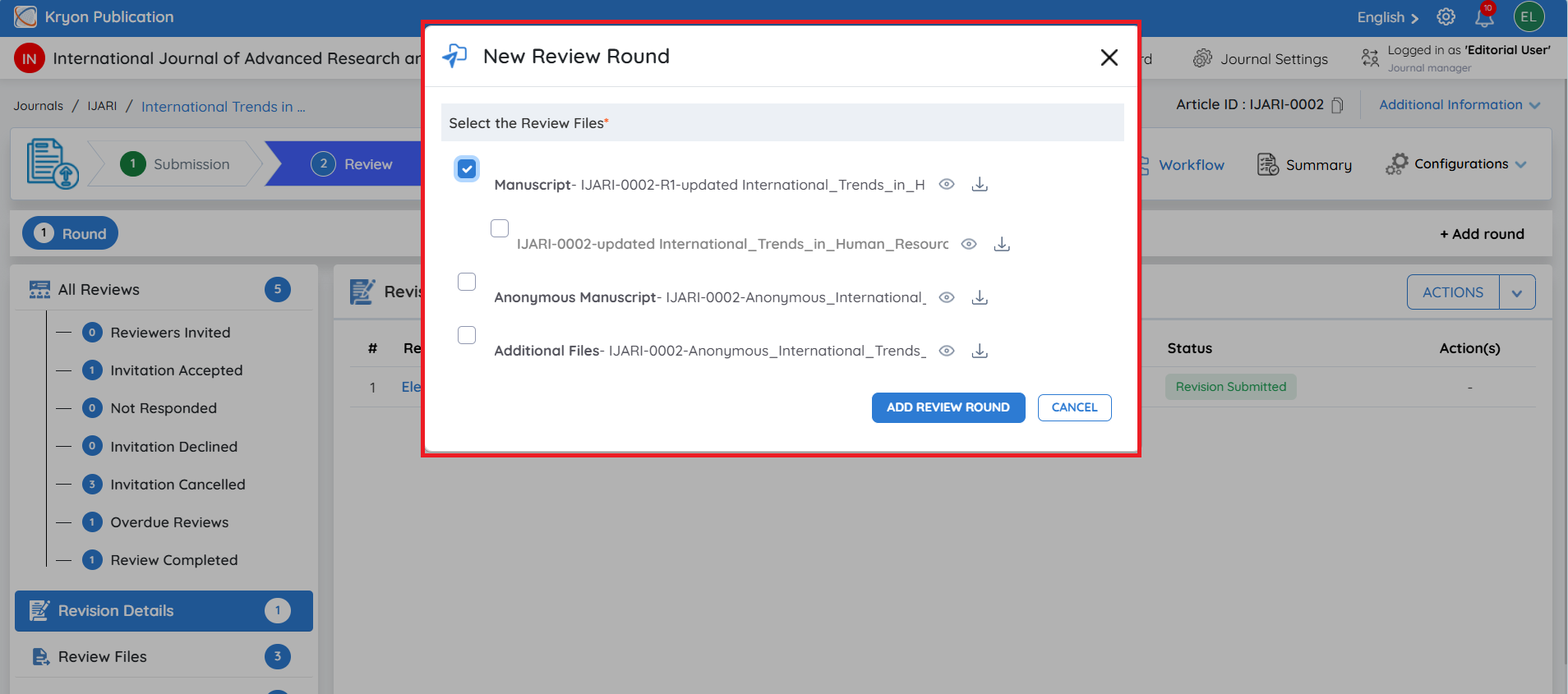
Step 3: Add the Review Round
After verifying the selected files, click Add Review Round.
The system will create the next review round, such as Round 2. The editorial user can then add reviewers and continue the peer review process for the revised manuscript.
Each review round is maintained separately, allowing the editorial team to track reviewer assignments, responses, feedback, and decisions for each stage of the review cycle.
The same process described above can be followed to add and manage reviewers in the new review round.