Configuration Section
The Configurations section provides settings that apply specifically to the current manuscript during the Review Stage.
These configurations are manuscript-specific and do not modify the general settings of the journal.
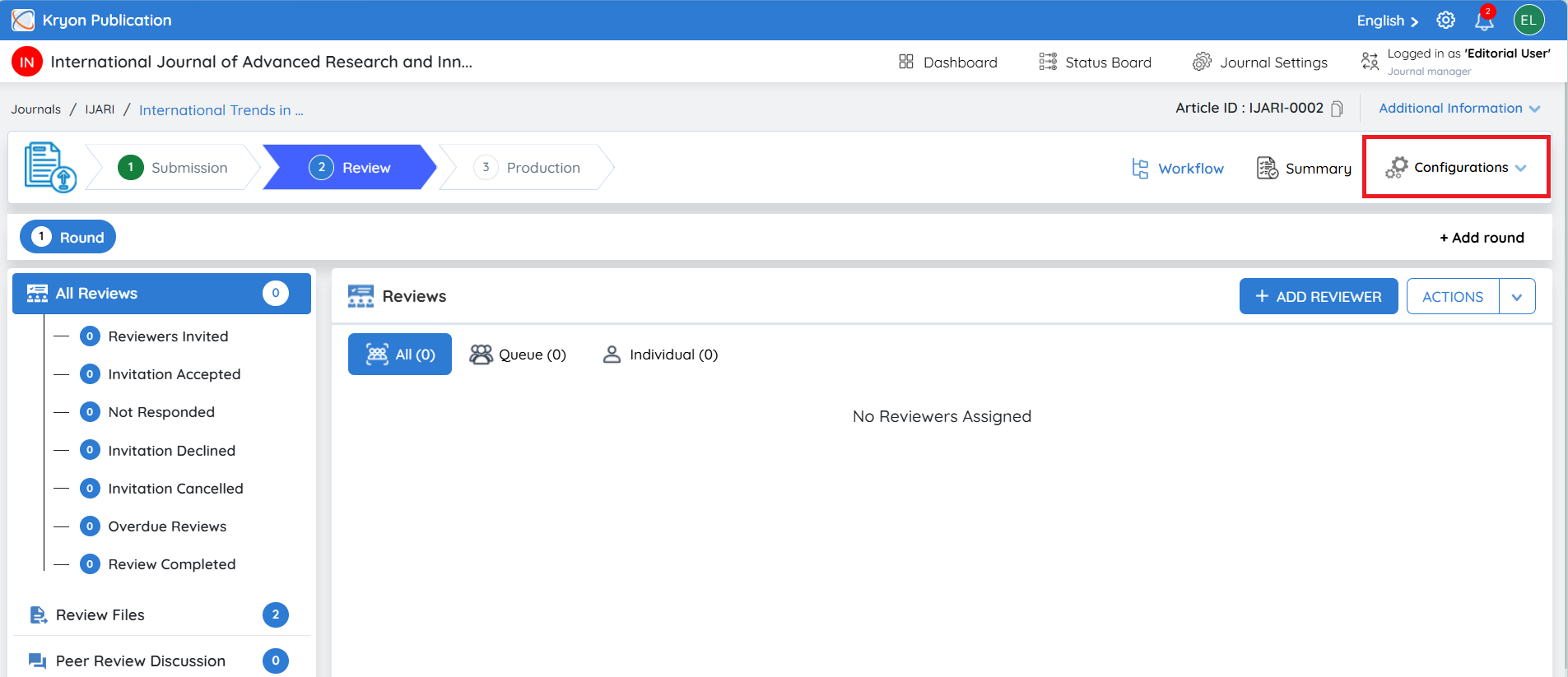
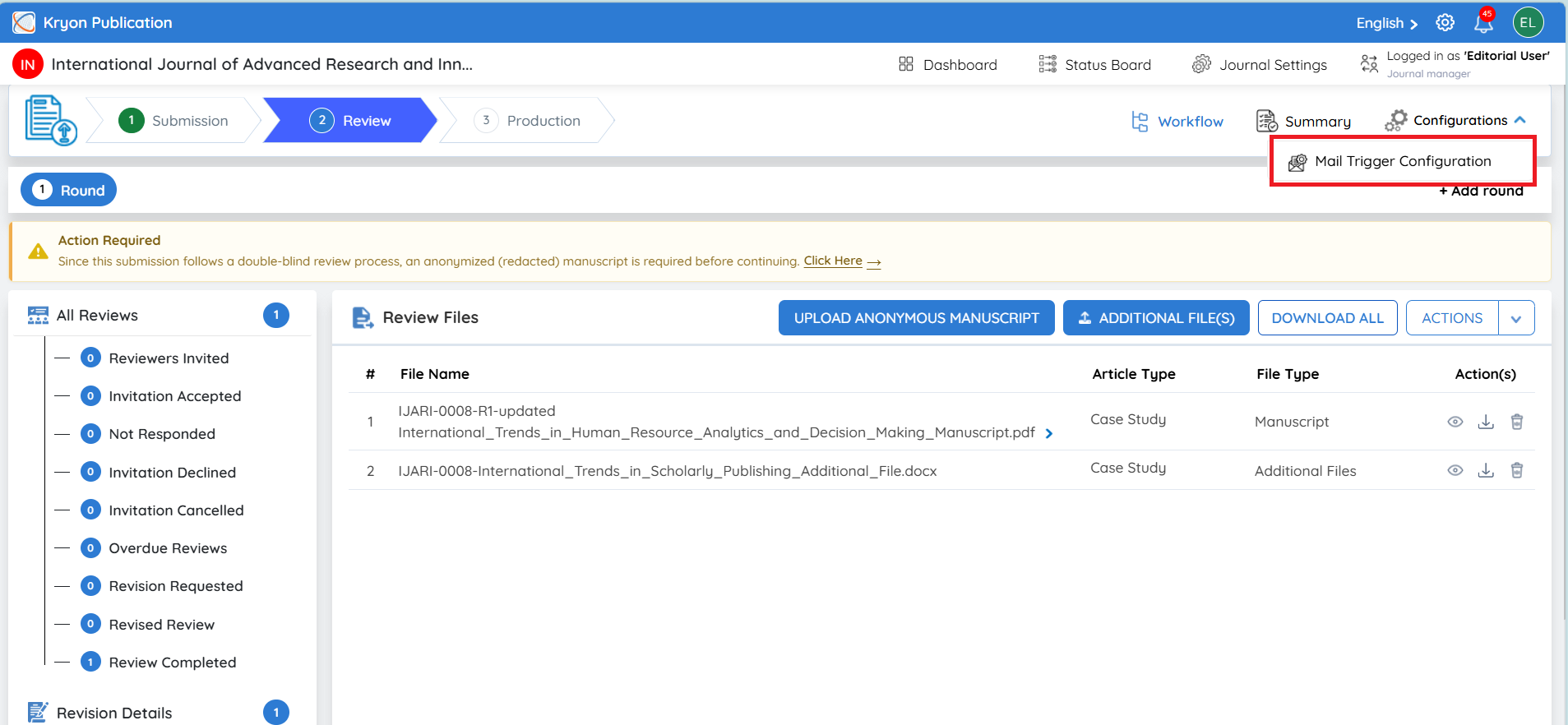
Mail Trigger Configuration
The Mail Trigger Configuration allows the editorial user to manage automated reminder and escalation emails specifically for the current manuscript.
This helps the editorial team monitor pending reviewer and author activities without manually following up at every stage.
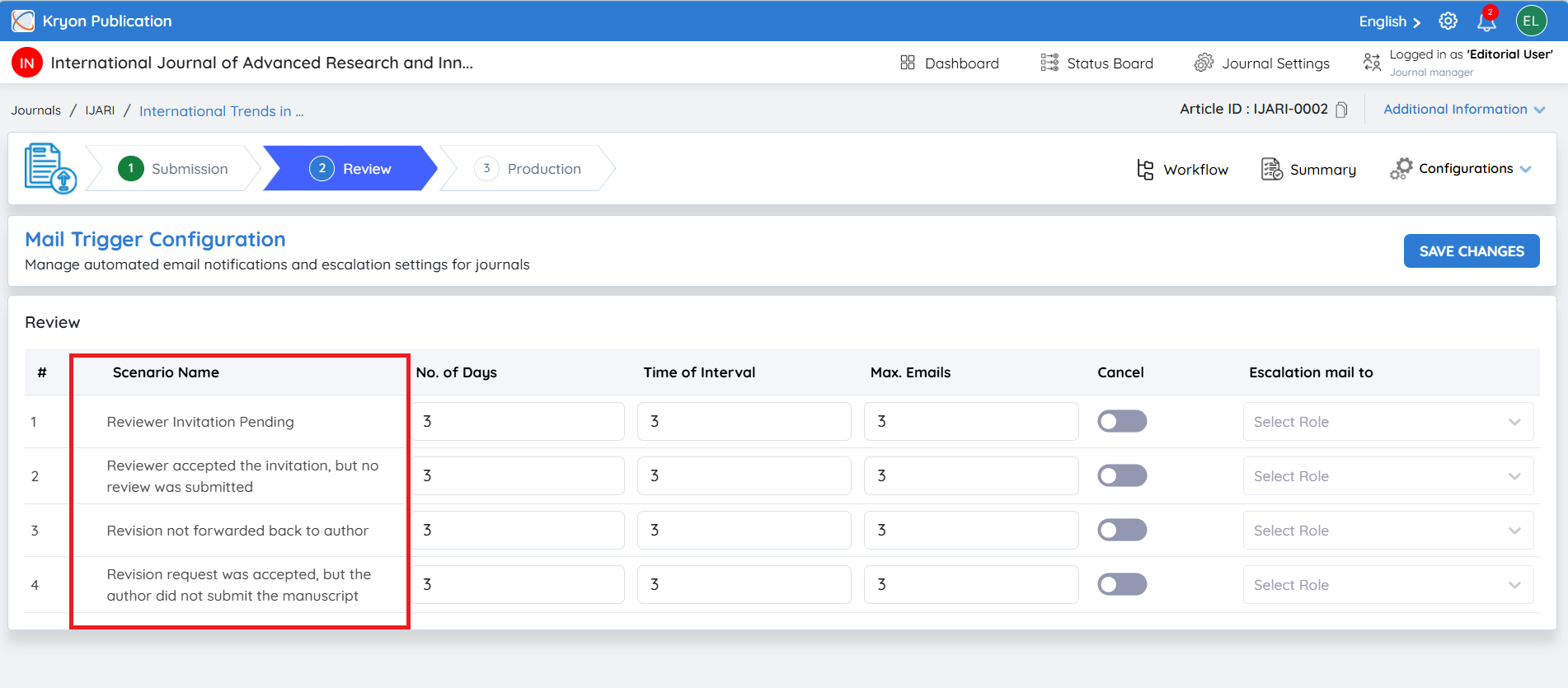
The available scenarios include:
Reviewer Invitation Pending
-
Applies when a reviewer invited to the current manuscript has not responded to the invitation.
-
Reminder emails can be triggered based on the configured schedule.
Reviewer Accepted the Invitation, but No Review Was Submitted
-
Applies when a reviewer has accepted the invitation but has not submitted the review for this manuscript.
-
Automated reminders can be sent until the review is completed or the configured maximum number of emails is reached.
Revision Not Forwarded Back to Author
-
Applies when a revision-related action for the manuscript is pending and has not yet been forwarded to the author.
-
This helps the editorial team identify and follow up on pending revision activities.
Revision Request Was Accepted, but the Author Did Not Submit the Manuscript
-
Applies when the author has accepted a revision request but has not yet submitted the revised manuscript.
-
Automated reminders can be configured to follow up with the author.
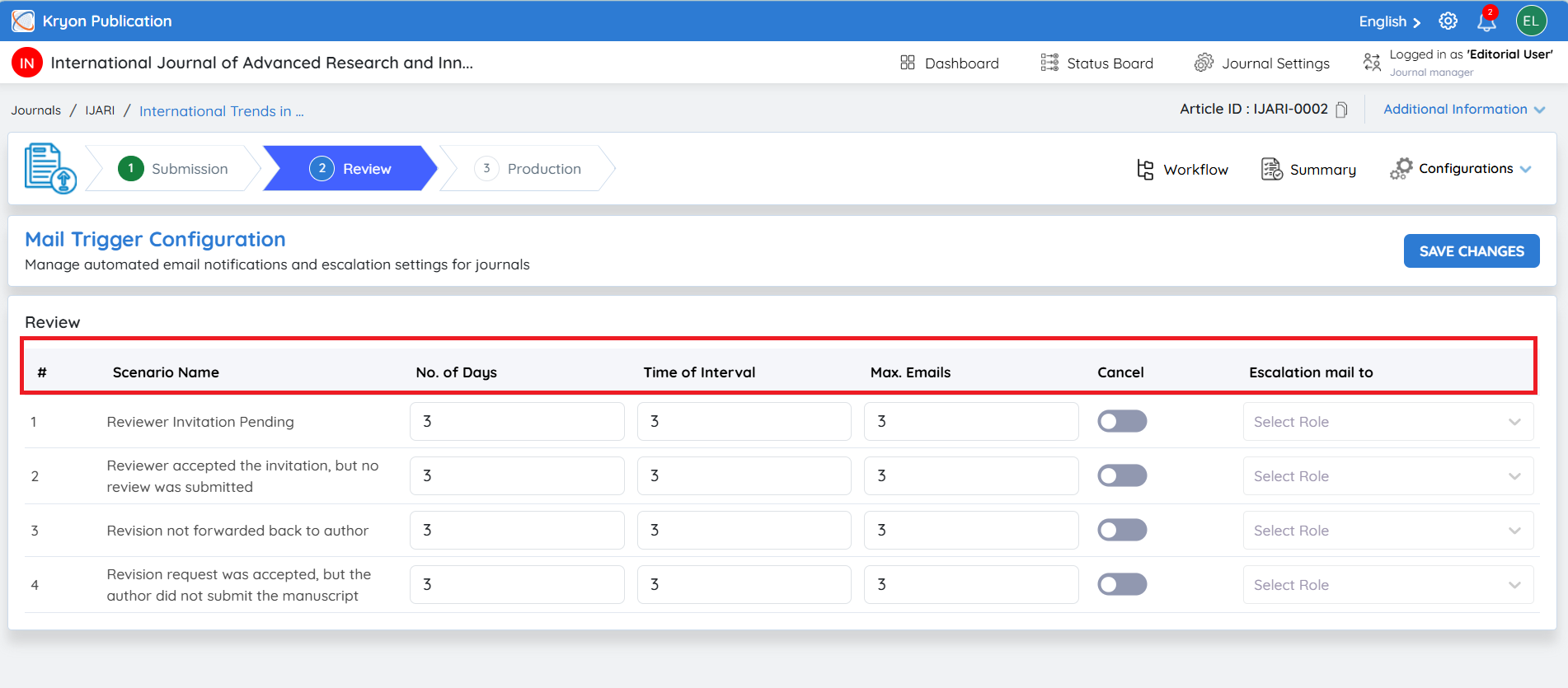
Configuration Fields
For each scenario, the editorial user can configure:
-
No. of Days – Defines when the first reminder should be triggered.
-
Time of Interval – Defines the interval between subsequent reminder emails.
-
Max. Emails – Defines the maximum number of reminder emails that can be sent.
-
Cancel – Allows the corresponding mail trigger to be disabled for this manuscript.
-
Escalation Mail To – Specifies the role that should receive an escalation notification when further attention is required.
After configuring the required settings, click Save Changes.
Important: Changes made under Configurations from this manuscript's Review Stage apply only to the current manuscript and its review workflow. They do not change the default configuration or mail-trigger settings for other manuscripts in the journal.