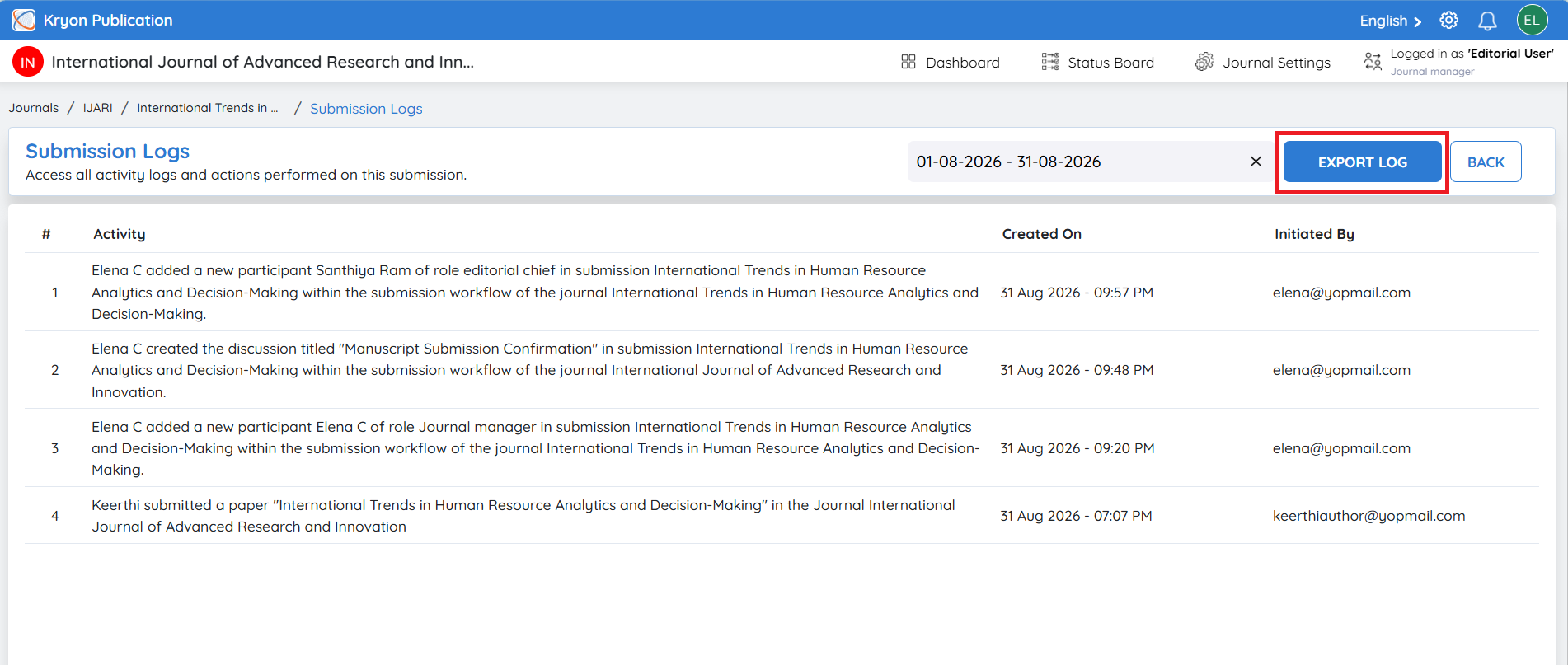
Submission Logs
The Submission Logs page provides a detailed audit trail of every activity performed on a manuscript throughout its lifecycle. It records all workflow actions performed by authors, reviewers, editors, journal managers, and system processes, ensuring complete transparency and traceability.
Each log entry includes:
-
Activity – Description of the action performed.
-
Created On – Date and time the activity occurred.
-
Initiated By – User who performed the action.
Benefits of Submission Logs
-
Maintains a complete audit trail of manuscript activities.
-
Provides full transparency into workflow actions.
-
Helps editors monitor the progress of a submission.
-
Assists in troubleshooting workflow-related issues.
-
Supports compliance, reporting, and quality assurance requirements.
Export Submission Logs
Editors can export submission logs for reporting or record-keeping purposes.
To export the logs:
-
Select the required Date Range.
-
Click Export Log.
-
The system downloads the submission log containing all activities within the selected date range.
This feature is useful for generating audit reports, reviewing workflow history, and maintaining submission records.