Participants
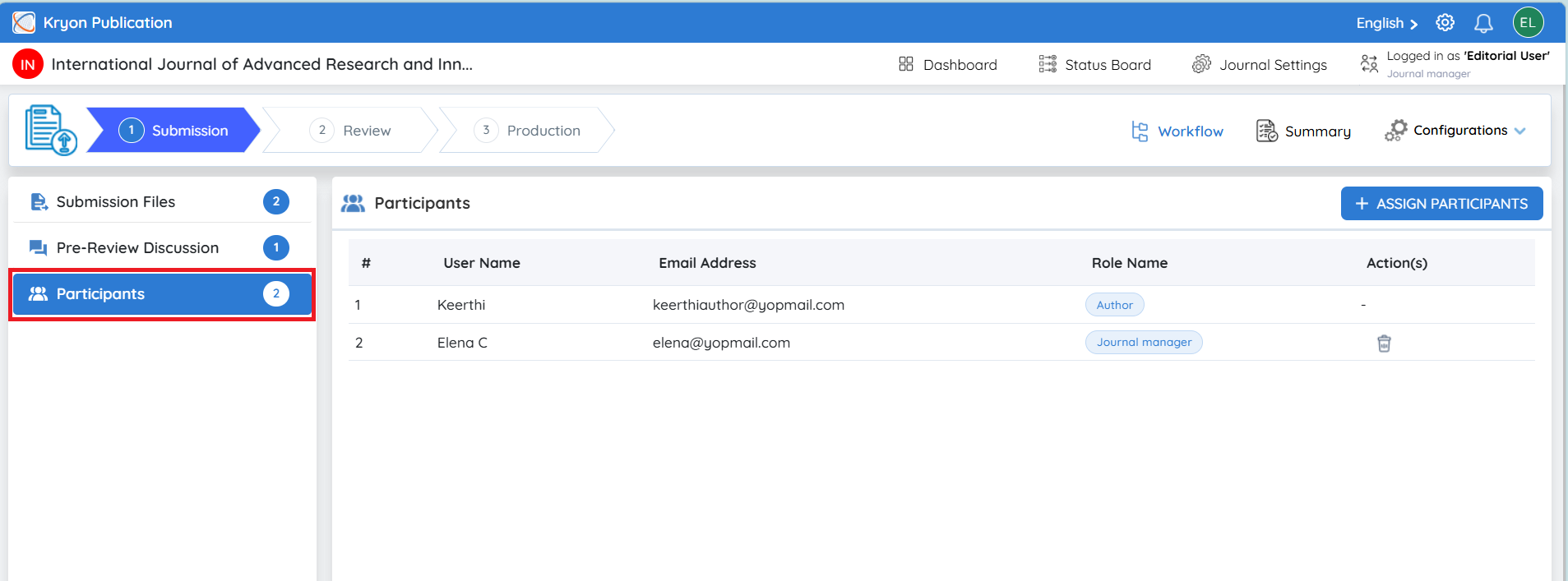
The Participants section allows editors to assign additional editorial users to a manuscript so that different members of the editorial team can collaboratively manage the submission throughout its lifecycle. Instead of a single editor handling every stage of the publication process, responsibilities can be distributed to users based on their roles, expertise, and workflow requirements.
This feature supports role-based collaboration while maintaining clear accountability for every stage of the manuscript. Each participant is granted access only to the workflow stage(s) assigned to them, ensuring a secure and well-organized editorial process.
For example, once a manuscript has successfully passed the Pre-Review Screening and is ready to enter the Review stage, the Editor-in-Chief or Journal Manager may assign an Associate Editor to manage the peer review process.
The assigned participant can then handle tasks such as:
-
Assigning reviewers.
-
Monitoring the review progress.
-
Communicating with reviewers.
-
Managing revision requests.
-
Coordinating with authors during the review stage.
-
Performing other editorial responsibilities assigned to their role.
This flexible participant assignment mechanism enables journals to manage manuscripts efficiently while supporting collaborative editorial workflows.
Assigning a Participant
To assign a participant:
-
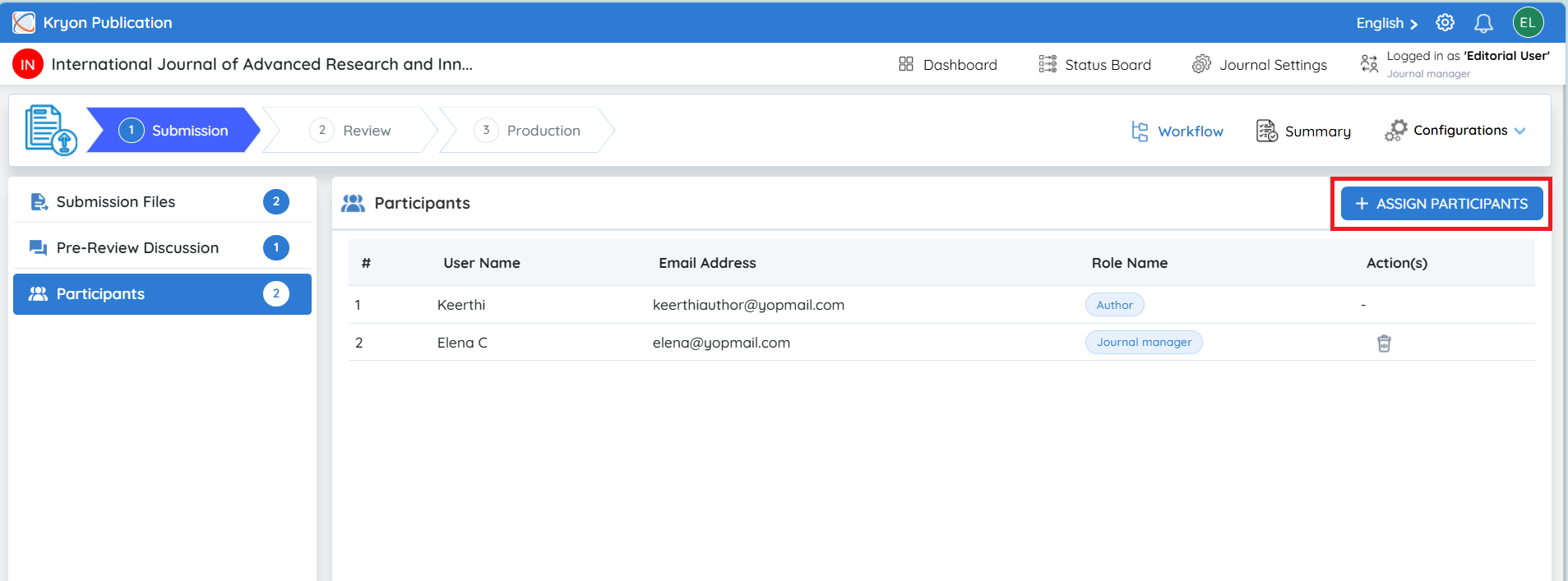
Click Assign Participants.
-
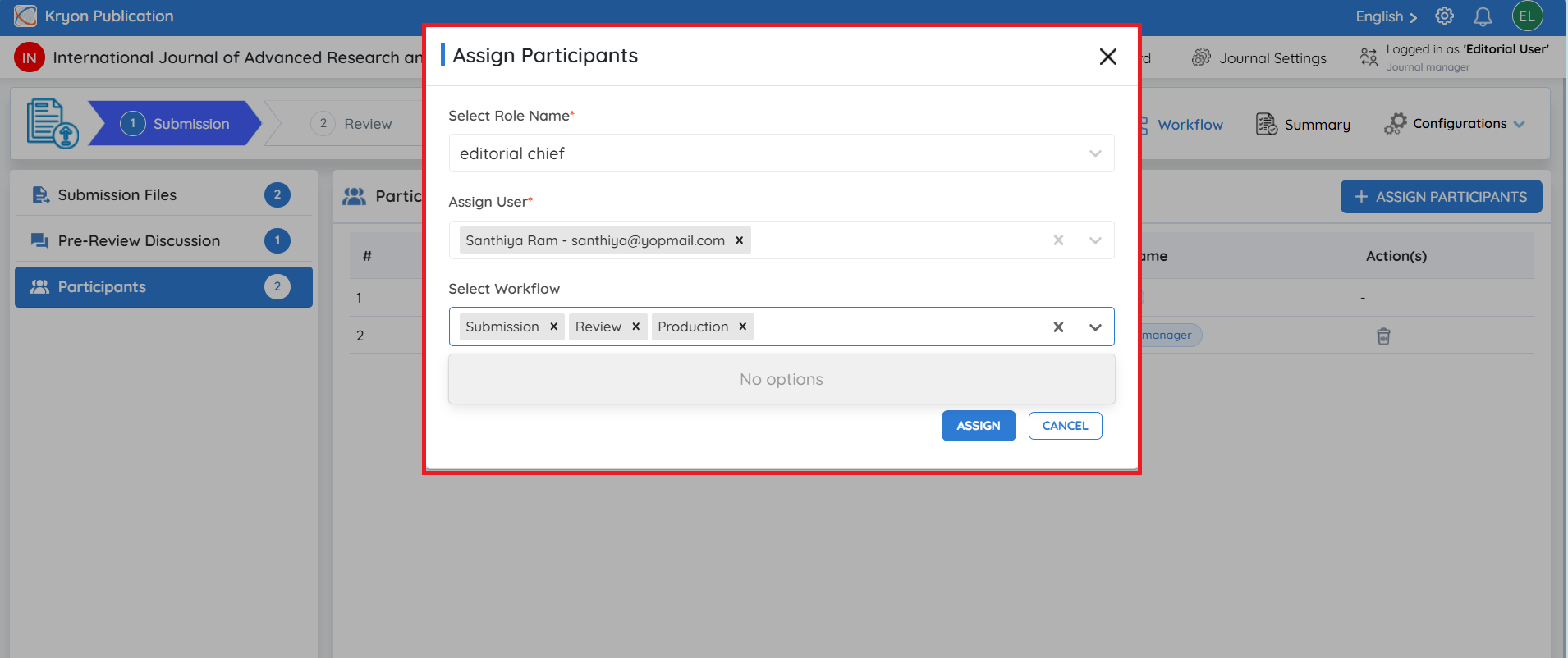
From the Select Role Name drop-down, choose the editorial role to assign.
Examples include:
a. Editor-in-Chief (EIC)
b. Journal Manager
c. Associate Editor-in-Chief
d. Editorial Board Member
-
Under Assign User, select the user who will manage the manuscript.
-
In Select Workflow, choose the workflow stage(s) for which the participant should have access.
Available workflow stages include:
a. Submission
b. Review
c. Production
For example:
-
Submission – Performs initial editorial screening, manuscript checks, plagiarism verification, and author communication.
-
Review – Manages reviewer invitations, monitors peer review, evaluates reviewer recommendations, and coordinates revisions.
-
Production – Oversees copyediting, typesetting, proofreading, metadata validation, DOI assignment, and publication.
- Click Assign.
The selected user will immediately be added as a participant for the chosen workflow stage(s) and will receive access email notification to manage the manuscript accordingly.
Multiple participants can be assigned to a manuscript based on the journal's workflow and editorial requirements. Participants only receive access to the workflow stage(s) assigned to them, ensuring role-based collaboration and controlled access throughout the editorial process.
Summary
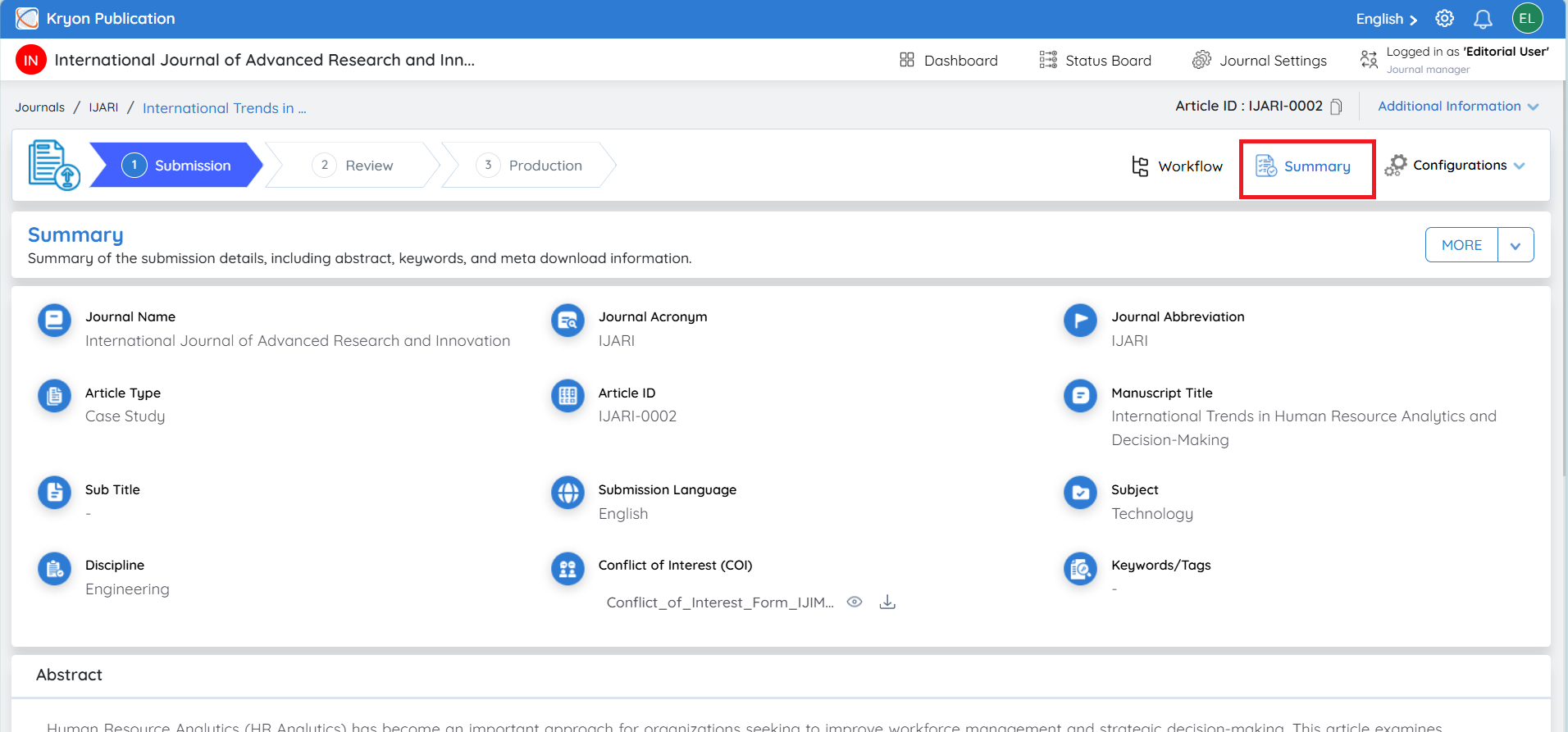
Click the Summary tab to view all information submitted by the author in a single page.
The Summary page provides a complete overview of the manuscript, including:
-
Journal Name
-
Journal Acronym
-
Journal Abbreviation
-
Article Type
-
Article ID
-
Manuscript Title
-
Subtitle
-
Submission Language
-
Subject
-
Discipline
-
Conflict of Interest (COI) document
-
Keywords/Tags
-
Abstract
-
Contributor Details
-
Corresponding Author Information
-
Author Verification Status
This page enables editors to quickly review all submission metadata before proceeding with editorial evaluation.
Contributor Information
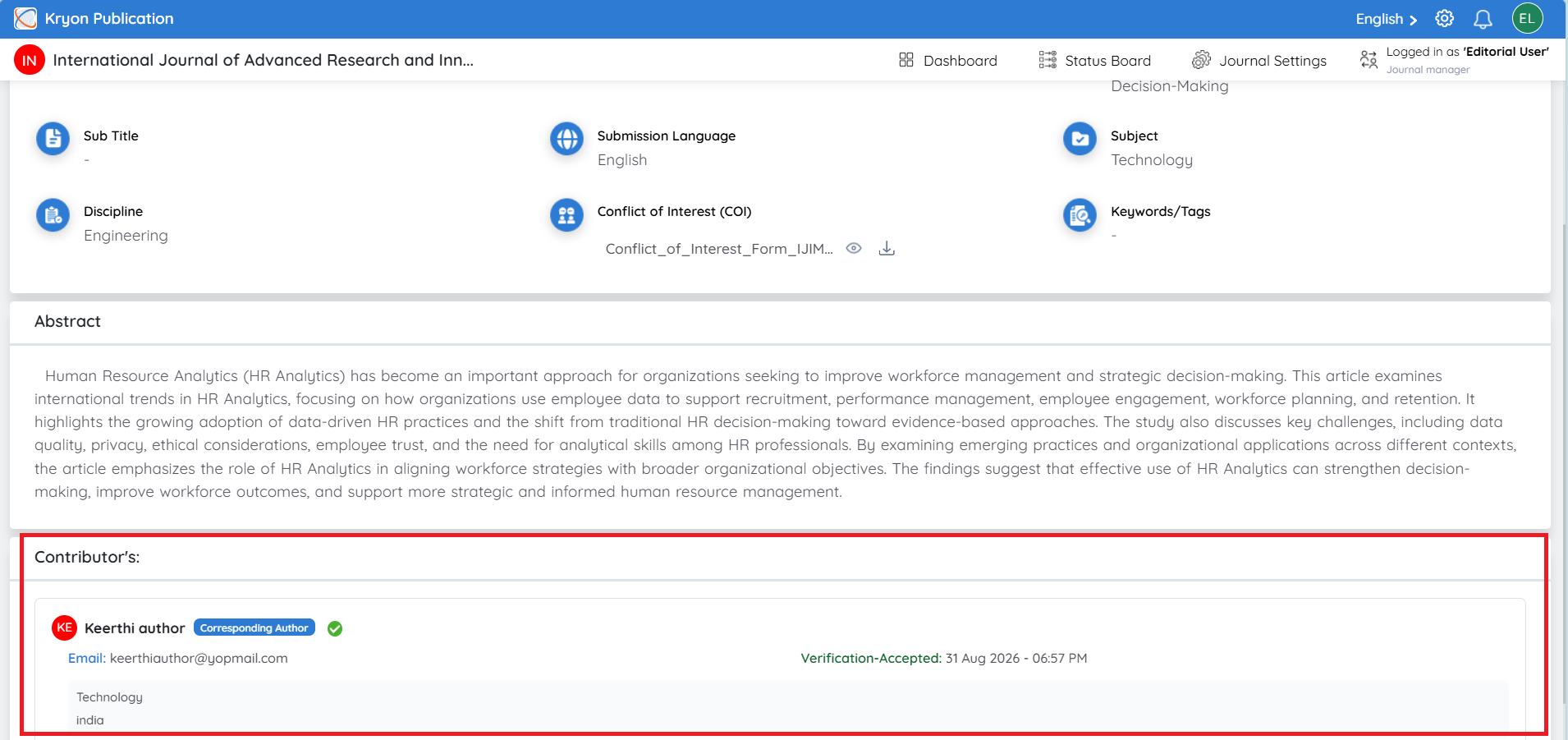
The Contributors section displays information about all authors associated with the manuscript.
Information includes:
-
Author Name
-
Corresponding Author identification
-
Email Address
-
Verification Status
-
Position
-
Affiliation details
This allows editors to verify author information before moving the manuscript forward in the workflow.
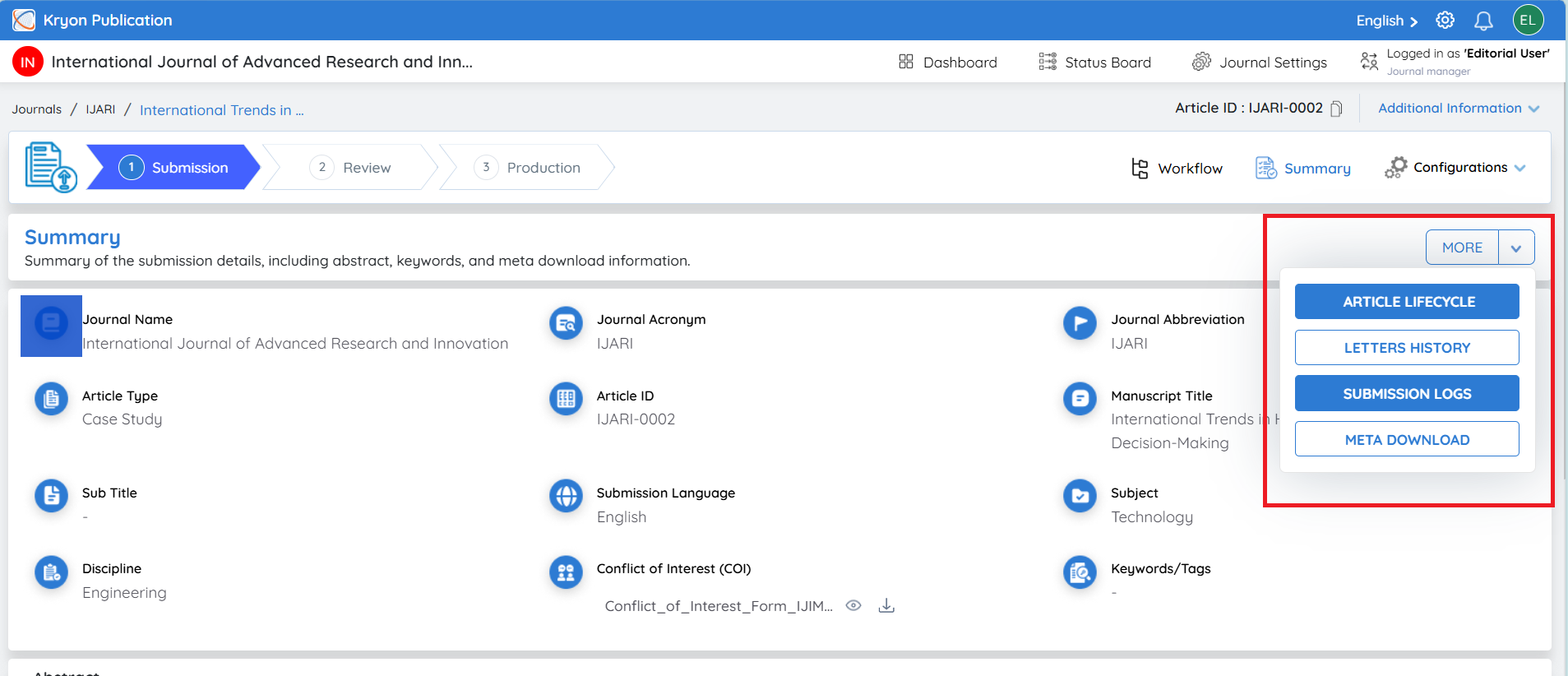
More Options
Click the More button to access additional submission information and reports.
The available options include:
-
Article Lifecycle
-
Letters History
-
Submission Logs
-
Meta Download
The Article Lifecycle, Letters History, Submission Logs, and Meta Download options are available throughout the editorial workflow, from the Submission stage through the Production stage. These options provide editors with continuous access to manuscript history, communication records, activity logs, lifecycle metrics, and metadata, enabling efficient tracking and management of the submission at every stage of the publication process.