Mail Trigger Configuration
The Mail Trigger Configuration option allows editors to customize automated email reminder and escalation settings for the current manuscript only, without affecting the journal's global mail trigger configuration.
This is useful when a particular submission requires different reminder intervals or escalation rules due to special circumstances.
To configure mail triggers for the current submission:
-
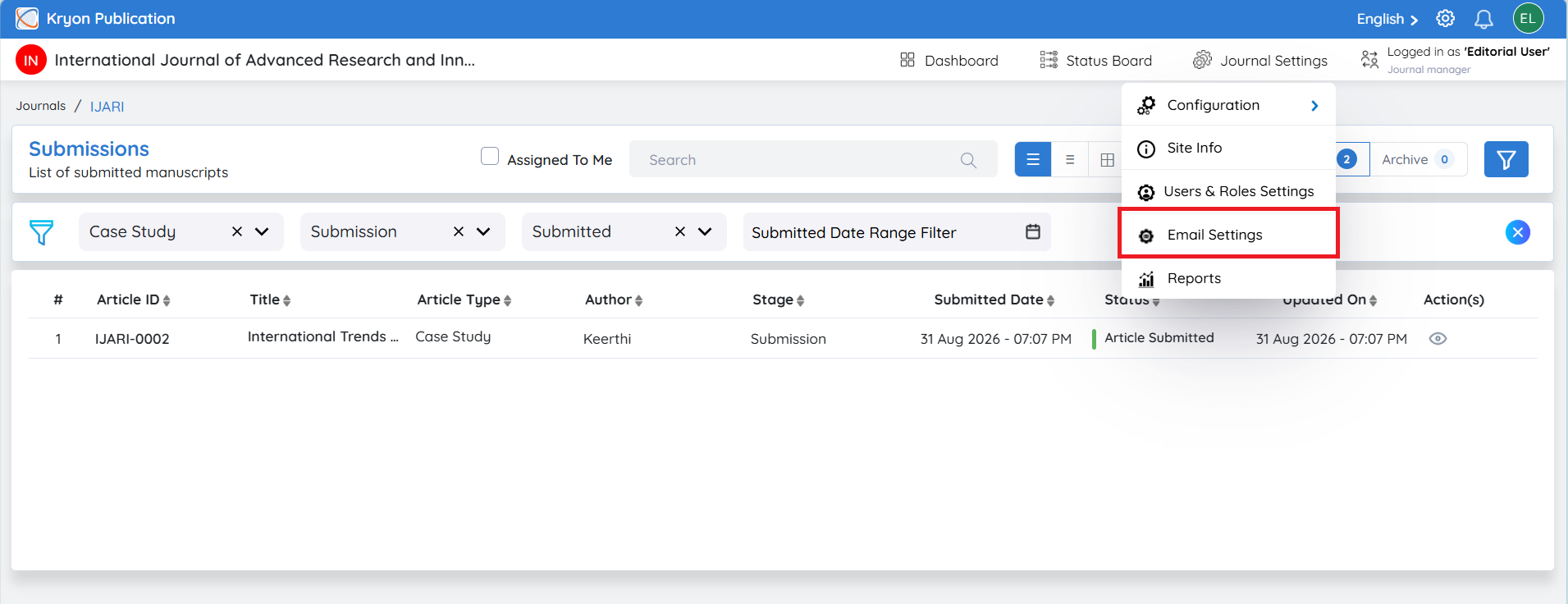
Click Configurations.
-
Select Mail Trigger Configuration.
-
Modify the required reminder settings.
-
Click Save Changes.
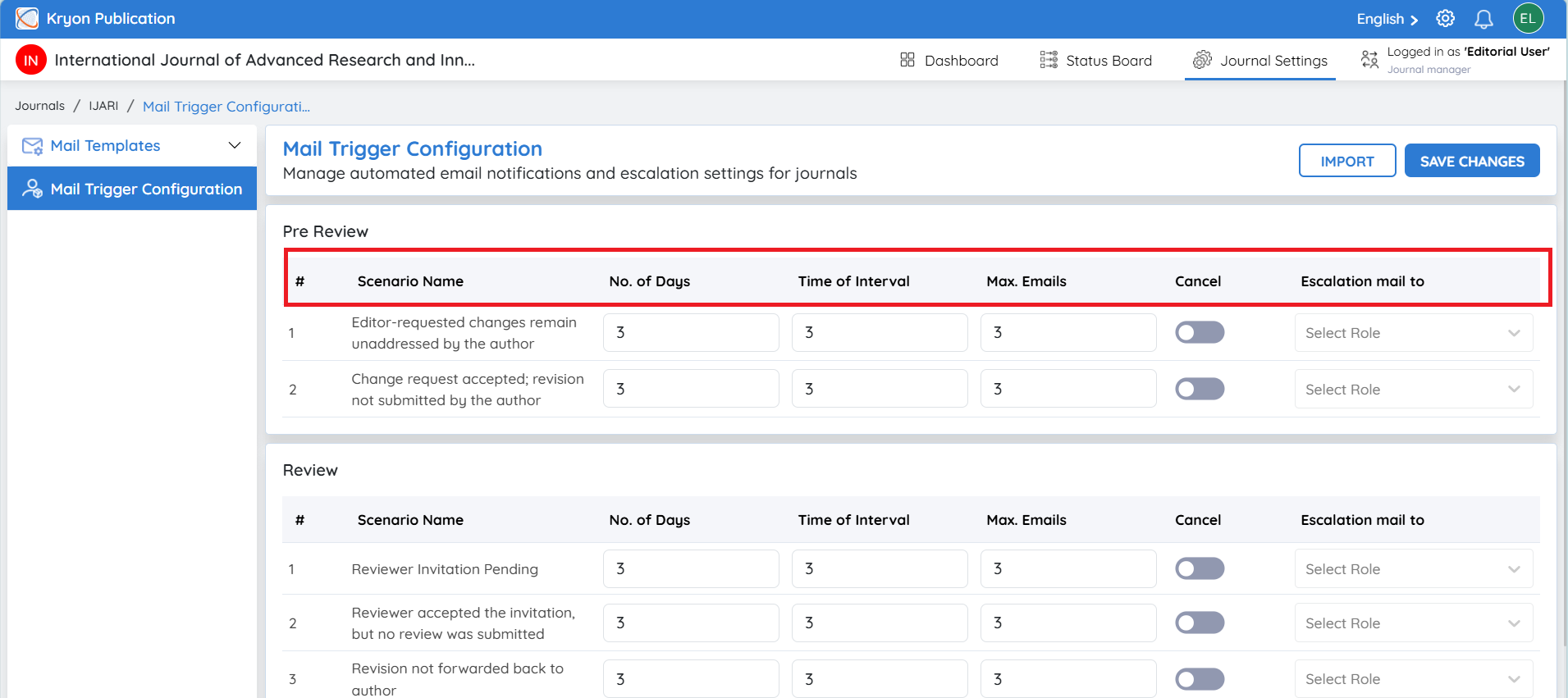
The following settings can be configured for each reminder scenario:
| Field | Description |
|---|---|
Scenario Name | The workflow event for which reminders are configured. |
No. of Days | Number of days to wait before sending the first reminder. |
Time Interval | Interval (in days) between subsequent reminder emails. |
Max. Emails | Maximum number of reminder emails to be sent. |
Cancel | Disable reminders for the selected scenario. |
Escalation Mail To | Select the role that should receive escalation notifications if the action remains pending. |
Benefits
-
Configure reminder settings for an individual manuscript.
-
Override the journal's default reminder schedule when required.
-
Send customized reminders for exceptional cases.
-
Escalate pending actions to designated editorial roles.
-
Improve turnaround time by ensuring timely follow-up.
Changes made in Mail Trigger Configuration apply only to the current submission. They override the journal's default mail trigger settings for this manuscript without affecting other submissions or the journal-wide configuration.