Announcement: We deliver an integrated, real-time platform that’s cost-effective and accessible to all, helping you streamline your workflow.
My Site LogoMy Site Logo
JMSHome
  • Get Started
  • Onboarding
  • Editorial Workflow
  • Multilingual Support
  • Global Organizations Settings
  • Dashboard
  • Journal Settings
  • Site Information
  • User Role Settings
  • Email Settings
  • Reports
  • Author Submission
  • Reviewing
  • Editorial Workflow Managing New Submissions
    • Overview
    • Accessing New Submissions
    • Processing a Submitted Manuscript
    • Pre-Review Discussion
    • Participants
    • Article Lifecycle
    • Letters History
    • Submission Logs
    • Meta Download
    • Mail Trigger Configuration
    • Request Changes from the Author
    • Editorial Decision After Reviewing Revised Manuscript
  • Review Workflow
  • Api Documentation
  • Editorial Workflow Managing New Submissions
  • Meta Download

Meta Download

The Meta Download option allows editors to download the manuscript metadata in a structured format for integration with external systems and publishing workflows.

note

The Meta Download option is available throughout the manuscript workflow, from Submission through Production, allowing editors to download the latest article metadata whenever required.
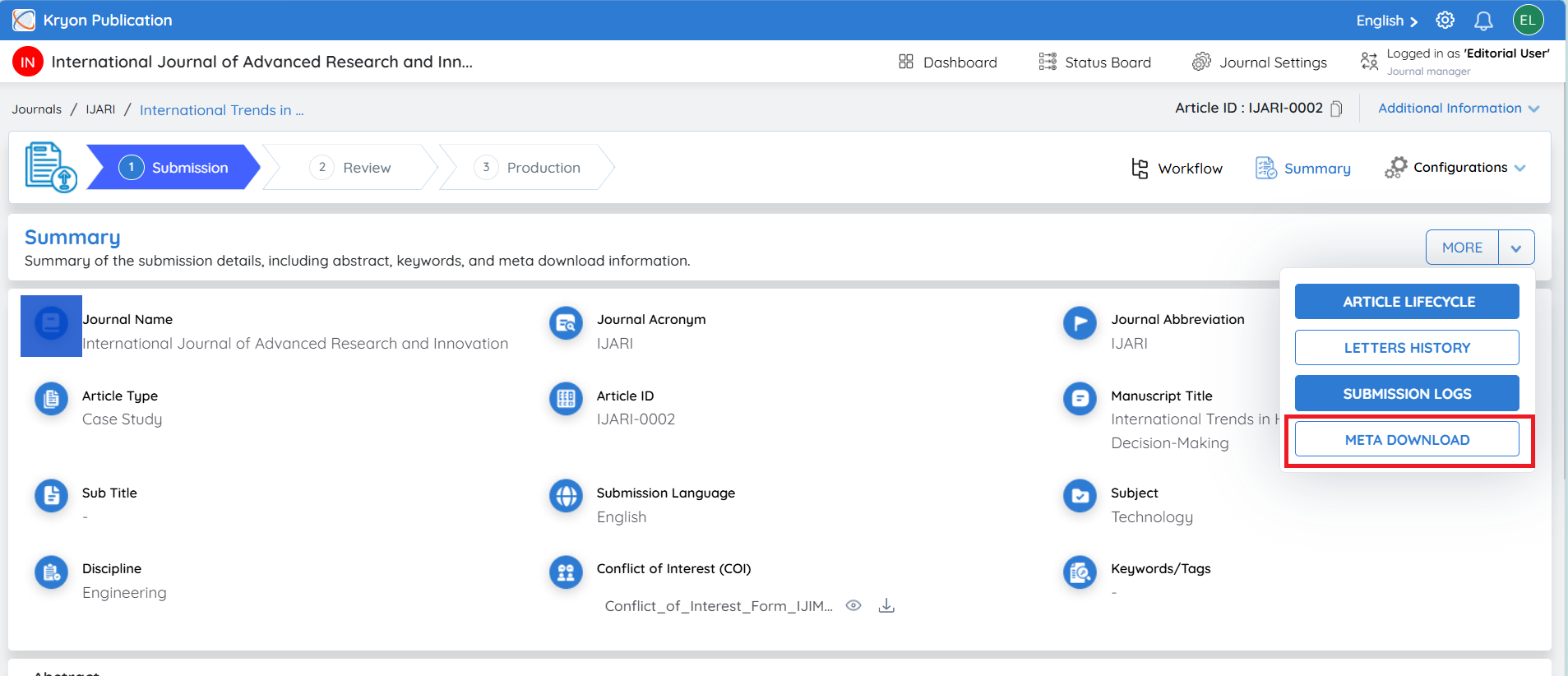
image

Previous
Submission Logs
Next
Mail Trigger Configuration
Kryoni @ 2026 , All Rights Reserved.