Pre-Review Discussion
The Pre-Review Discussion feature provides a secure communication channel for authors and editorial users to discuss the manuscript before it enters the peer review stage.
It functions as an internal discussion forum, allowing participants to clarify questions, request additional information, and resolve submission-related issues without relying on external communication methods such as email.
All discussions are securely stored within Kryoni JMS, ensuring that the complete communication history remains associated with the manuscript.
Discussions are intended only for clarifications, queries, and real-time communication between workflow participants. Official workflow actions such as suploading revised manuscripts or revision files, recording editorial decisions, approving or rejecting submissions, , and other workflow-related updates—must always be performed through the designated workflow options and not through the discussion section.
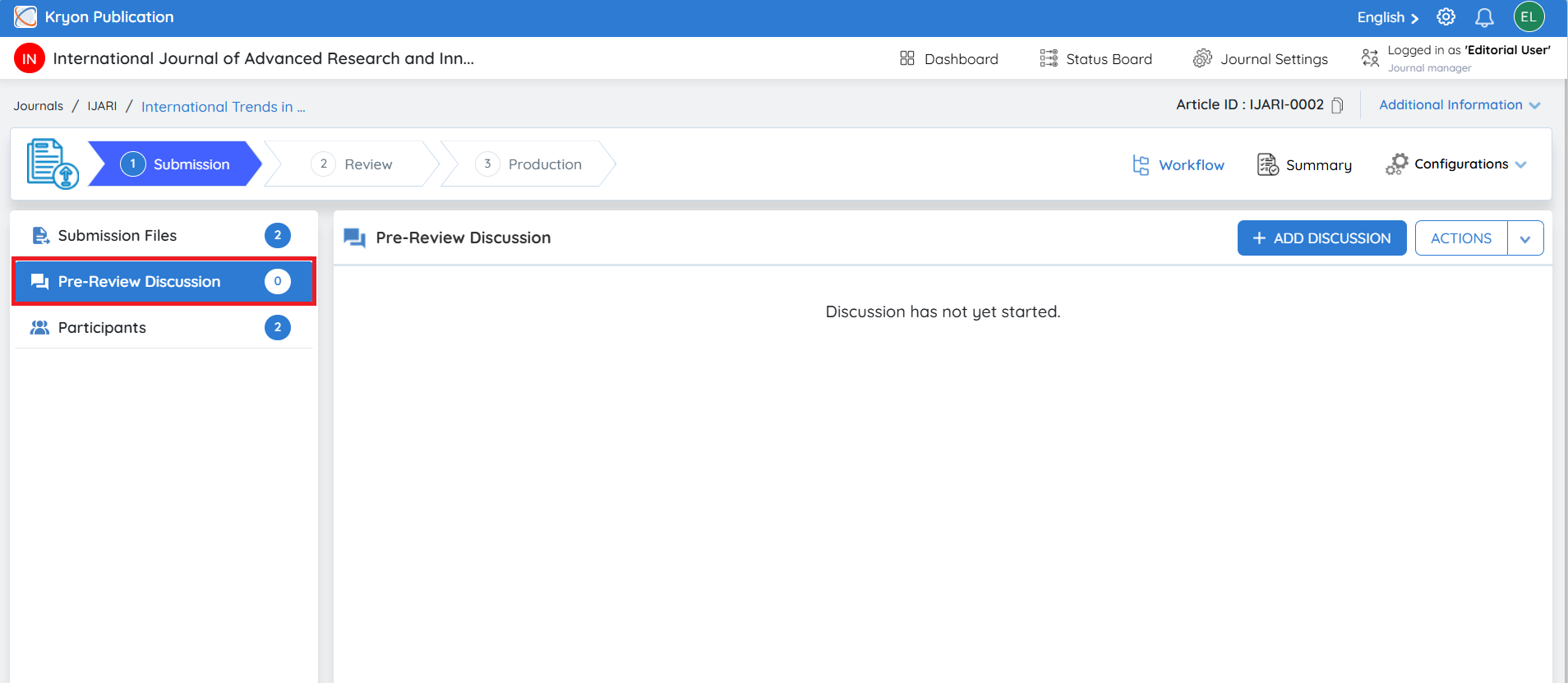
Starting a New Discussion
To initiate a discussion:
-
Click Add Discussion.
-
The Add Discussion window opens.
Complete the following fields:
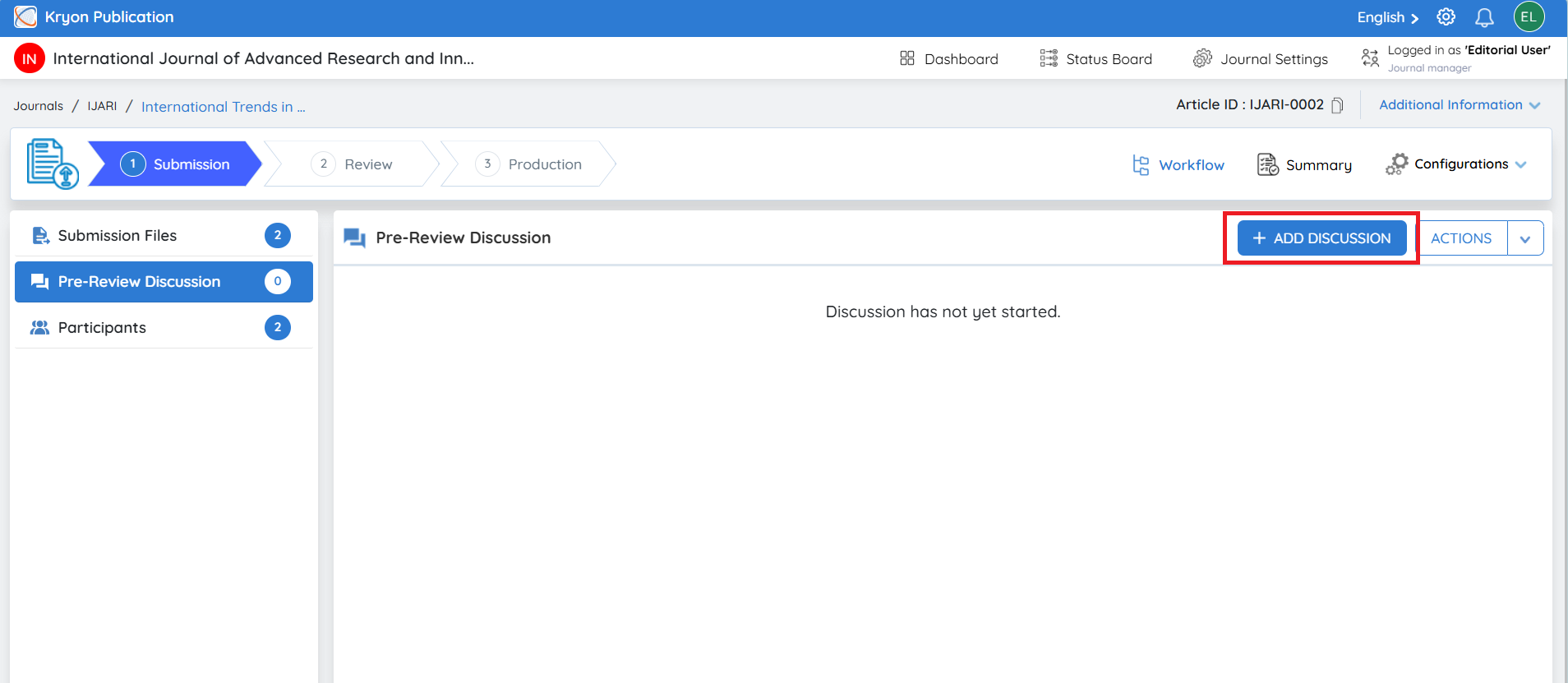
Participants
Select one or more participants who should be included in the discussion.
Participants may include:
-
Author
-
Editorial User
-
Associate Editor
-
Section Editor
-
Journal Manager
-
Other authorized workflow participants
Only the selected participants will have access to the discussion.
Subject
Enter a meaningful subject describing the purpose of the discussion.
Example:
-
Missing Source Files
-
Clarification on Figures
-
Additional Ethics Information Required
Add Your Message
Enter the discussion message or clarification that you want to communicate.
Upload File (Optional)
If supporting documents are required, click Choose Files and upload the relevant file.
Examples include:
-
Annotated manuscript
-
Supporting documents
-
Author instructions
-
Additional reference material
Uploading attachments is optional.
After completing the required information, click Add Discussion.
The discussion is created and becomes available to all selected participants.
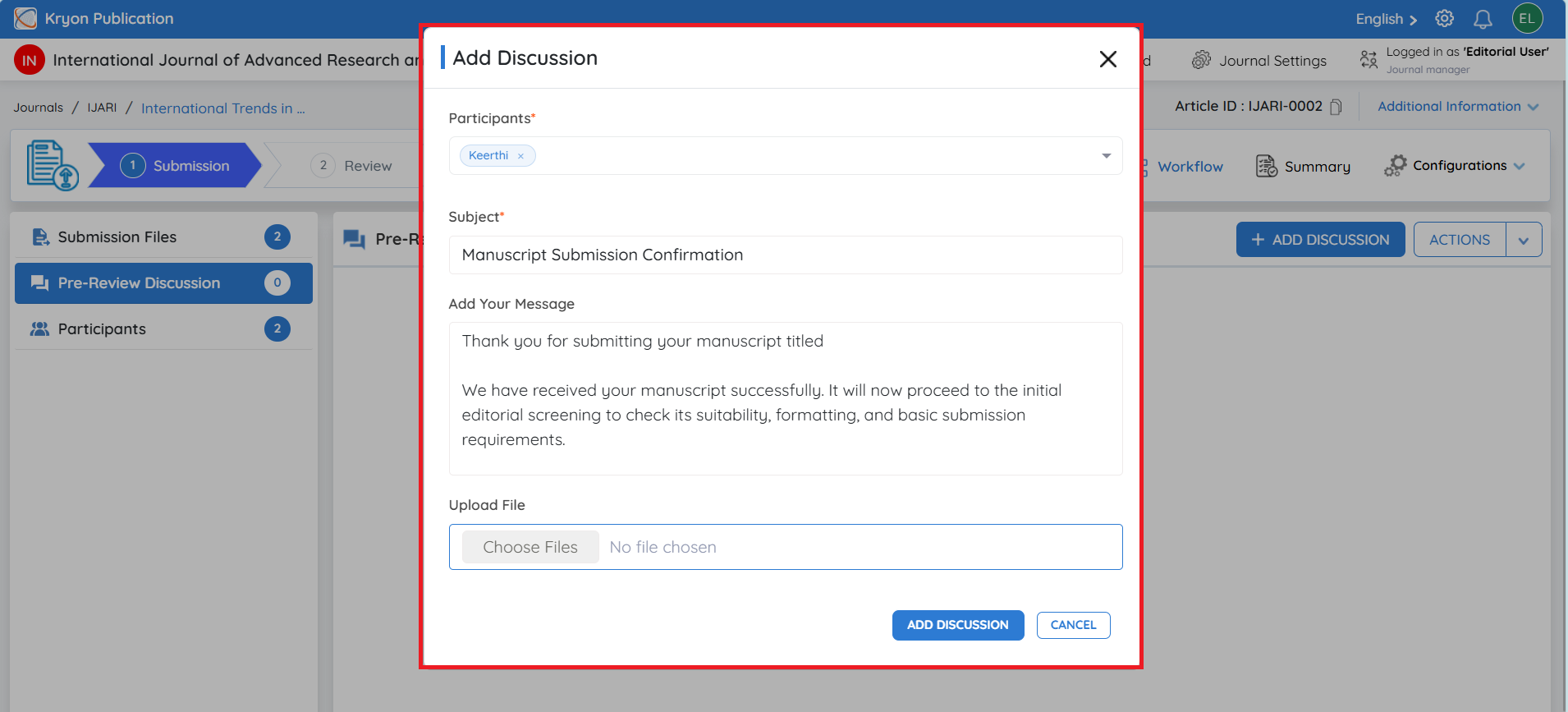
Discussion Notifications
Once a discussion is created:
-
Kryoni JMS automatically sends an email notification to all selected participants.
-
Participants can log in to the system and respond directly within the discussion.
-
All replies are recorded in the same discussion thread, creating a complete communication history for the manuscript.
This centralized communication eliminates the need for external email exchanges and keeps all manuscript-related conversations within the system.
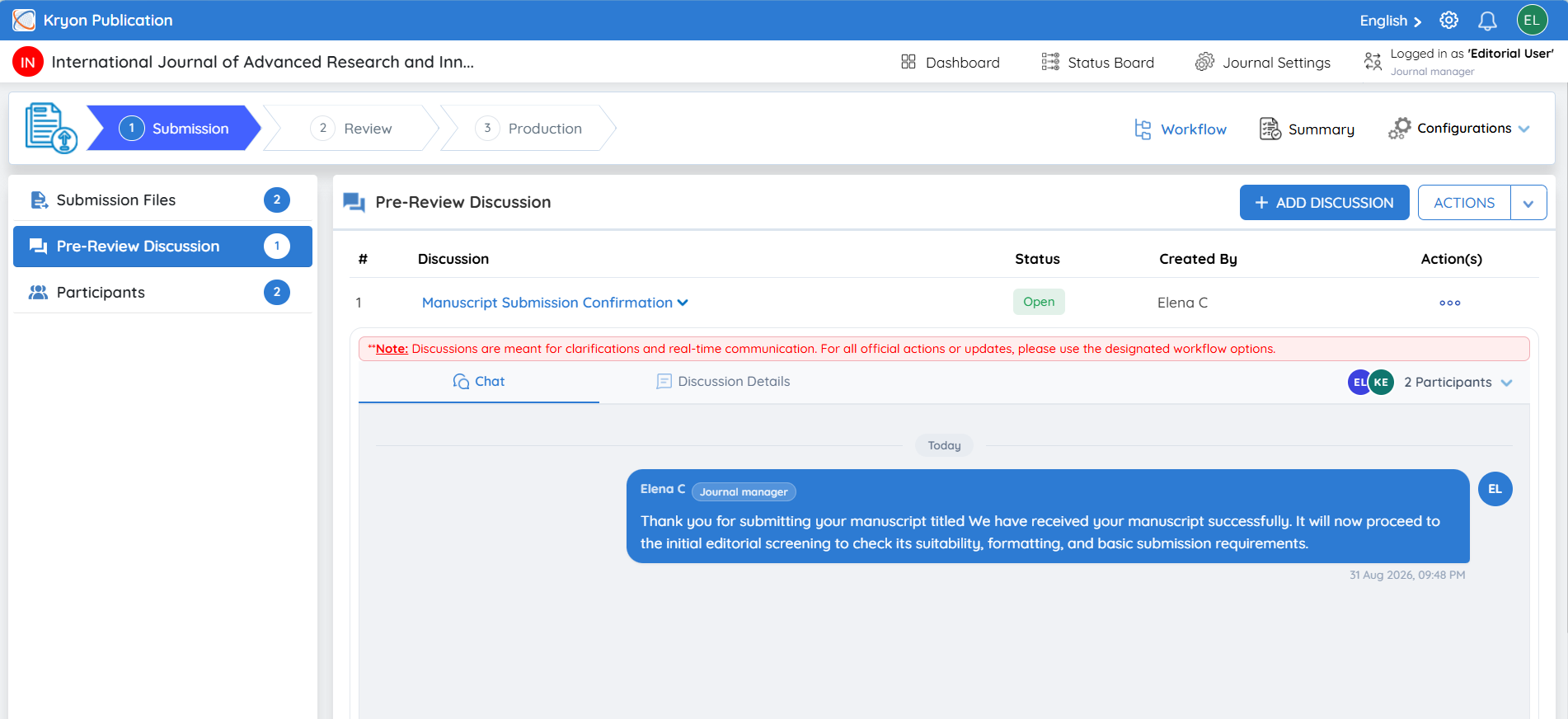
Discussion Window
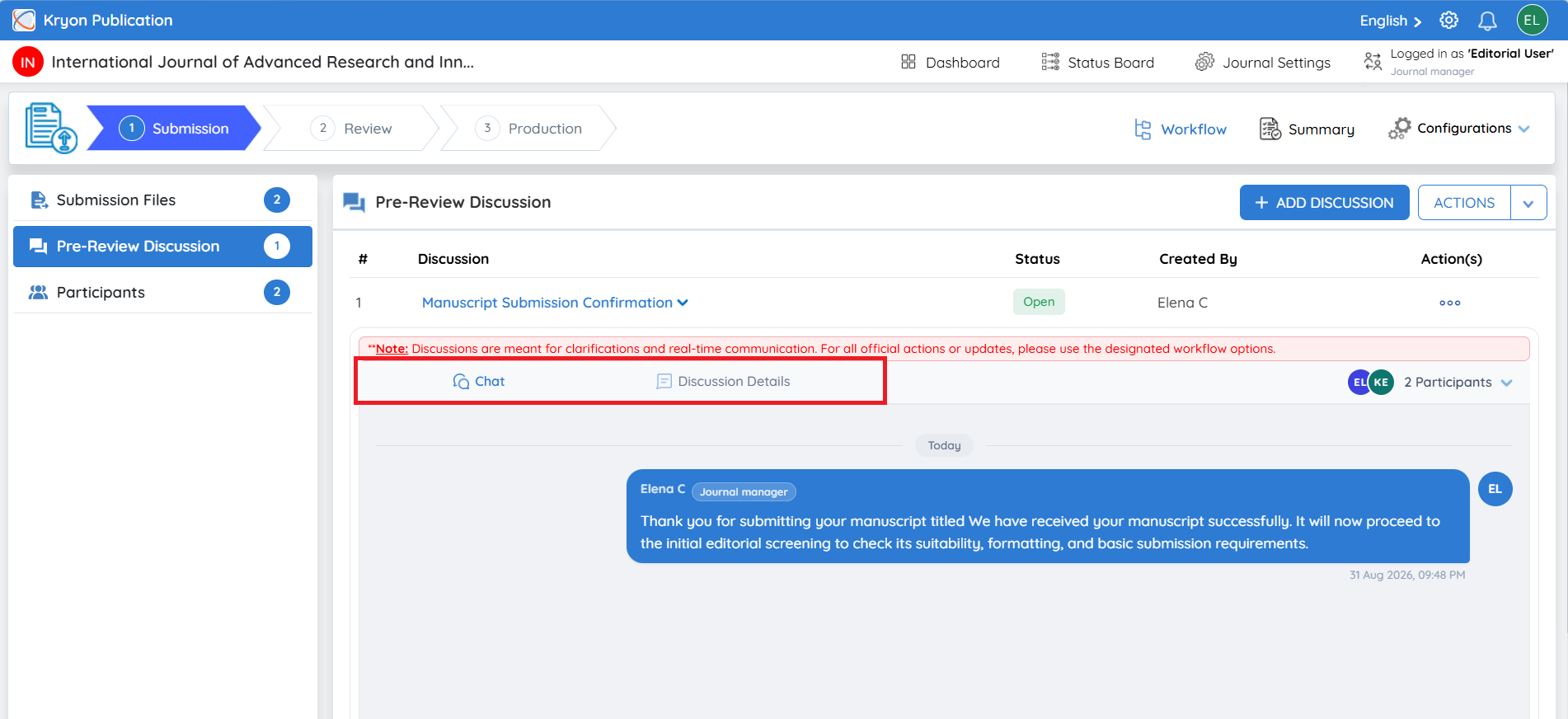
After a discussion is created, the discussion window displays two tabs:
Chat
The Chat tab displays the conversation between all selected participants.
Participants can:
-
Post replies
-
View previous messages
-
Share updates
-
Upload supporting files (if permitted)
All messages are displayed in chronological order.
Discussion Details
The Discussion Details tab displays information about the discussion, including:
-
Created By
-
Last Updated by
Discussion Actions
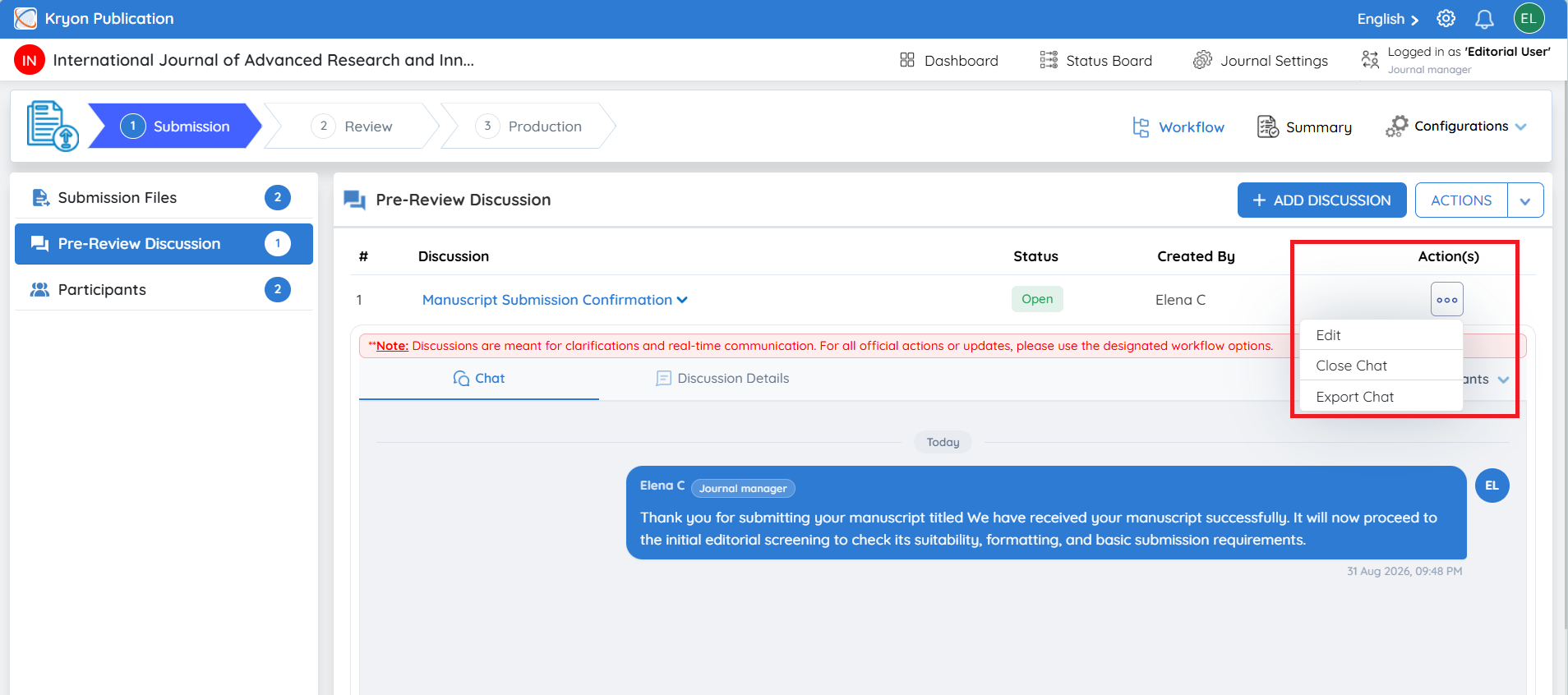
Editors can manage discussions using the Actions menu.
Available options include:
Edit
Modify the discussion details, including:
-
Participants
-
Subject
Existing chat messages cannot be edited.
Close Chat
Marks the discussion as Closed.
Once closed:
-
No additional replies can be added.
-
The discussion remains available for reference.
Export Chat
Downloads the complete discussion history for documentation or audit purposes.
Benefits of Pre-Review Discussion
-
Centralizes all manuscript-related communication within Kryoni JMS.
-
Eliminates the need for external email conversations.
-
Allows authors and editorial users to collaborate securely.
-
Maintains a complete discussion history for future reference.
-
Supports file sharing during the clarification process.
-
Provides a transparent and auditable communication record throughout the submission stage.