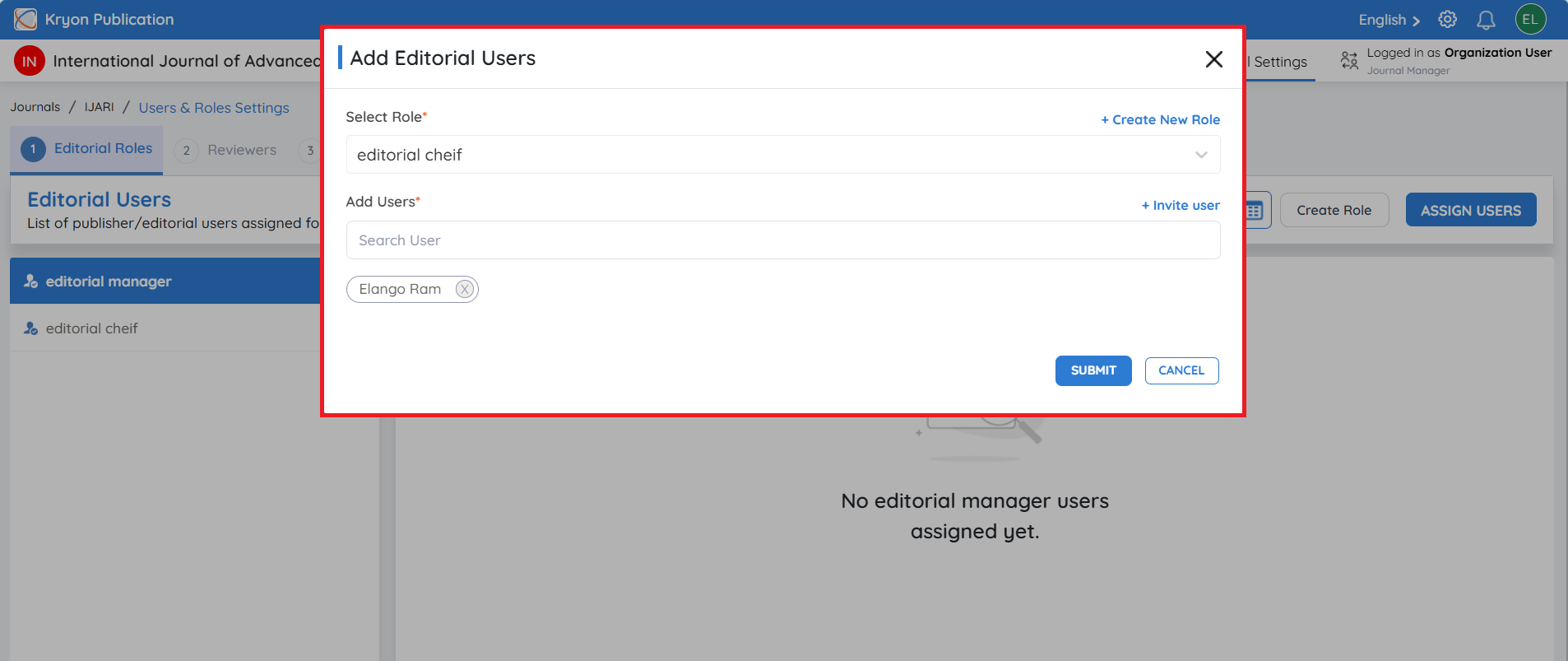
Create Editorial Roles
Editorial roles define the responsibilities of users involved in managing the editorial workflow.
Common editorial roles include:
-
Journal Manager
-
Editor-in-Chief
-
Associate Editor
-
Section Editor
-
Managing Editor
-
Editorial Assistant
To create a new editorial role:
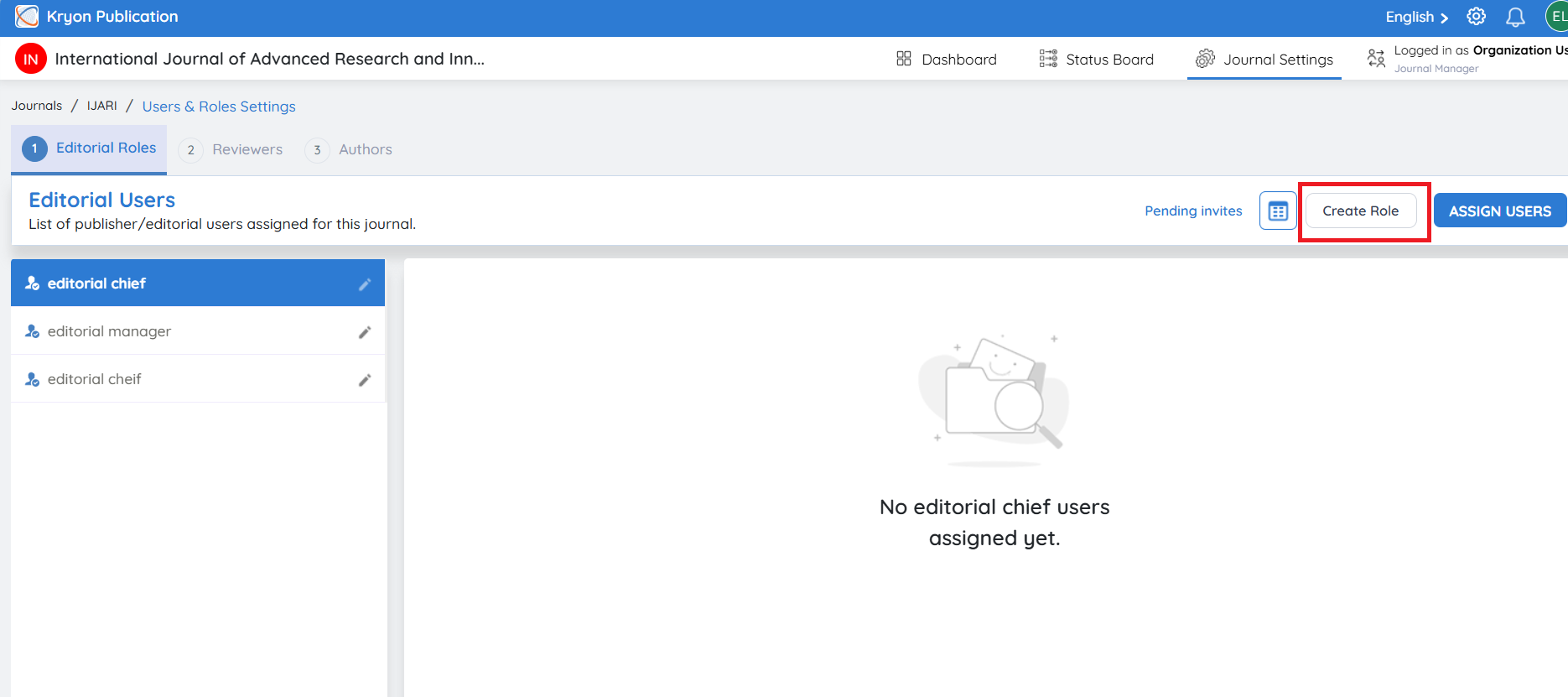
Step 1: Create Role
Click Create Role.
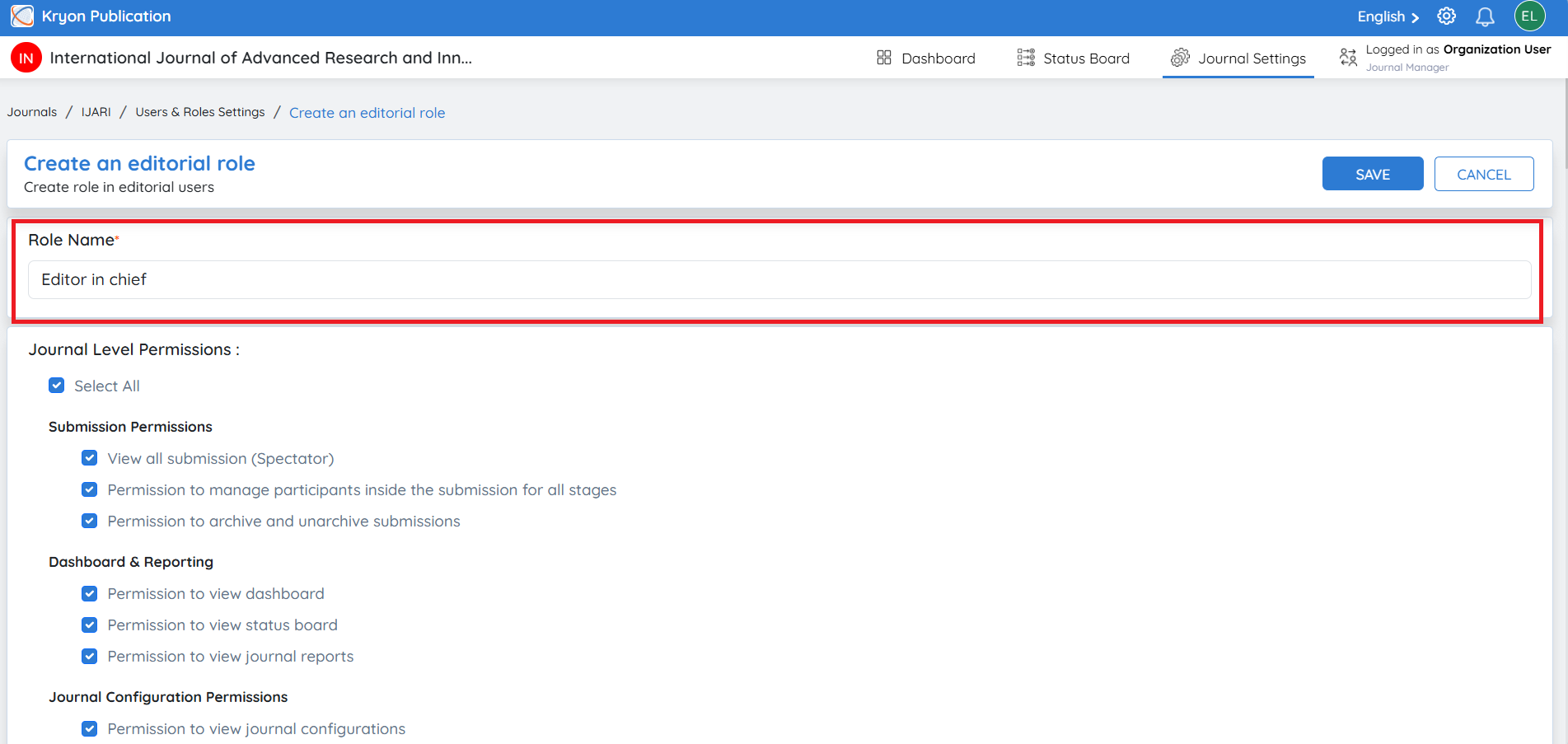
Step 2: Enter Role Details
Enter the Role Name.
Example:
-
Journal Manager
-
Editor-in-Chief
-
Associate Editor
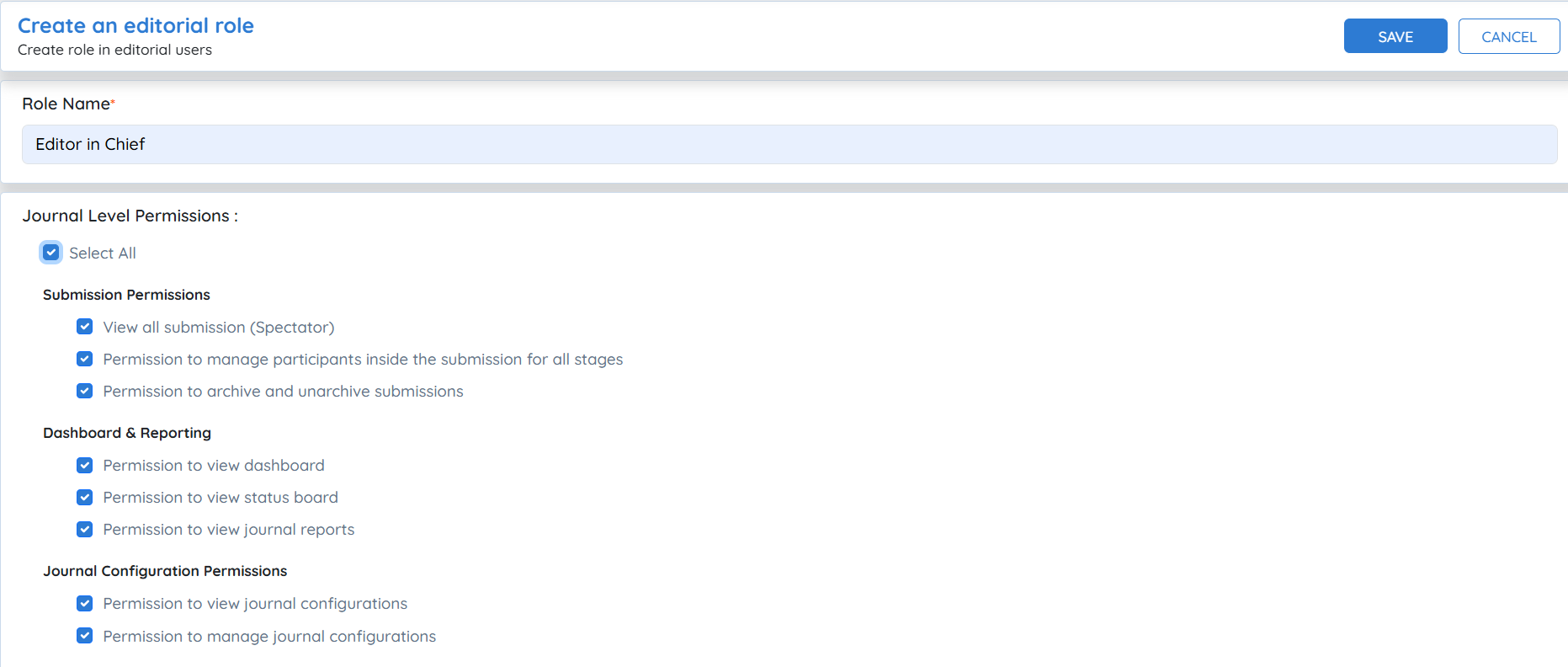
Step 3: Assign Permissions
Select the permissions required for the role.
The detailed explanation of each permission is covered in the next section of this guide.
Step 4: Auto-Include as Participant to Stages
Choose whether users assigned to this role should automatically participate in every new manuscript workflow.
Auto-Include as Participant to Stages
-
Yes – The user is automatically added to all new submissions at the selected workflow stages.
-
No – The user must be assigned manually to individual submissions.
This option is recommended for roles such as Journal Manager or Editor-in-Chief, who oversee all manuscript submissions.
Step 5: Add Users
Click Add New.
You can either:
-
Select an existing user from the list, or
-
Click Invite User to invite a new user.