Add Reviewers
Overview
The Reviewers section allows journal administrators to add, invite, and manage reviewers for the journal. Maintaining an up-to-date reviewer database with detailed expertise information helps editors quickly identify and assign the most suitable reviewer for each manuscript.
To add a reviewer:
-
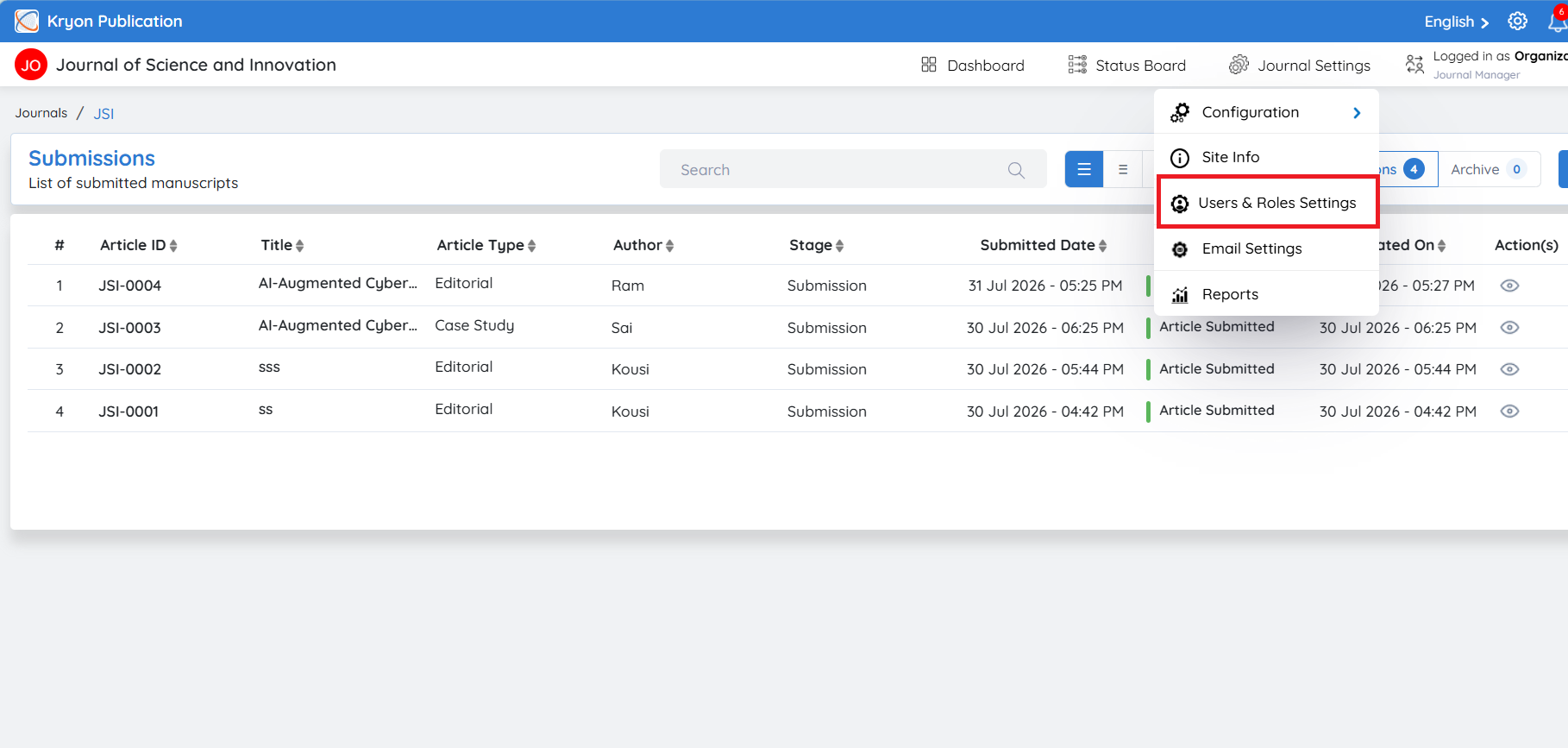
Navigate to Journal Configuration.
-
Click User Roles and Settings.
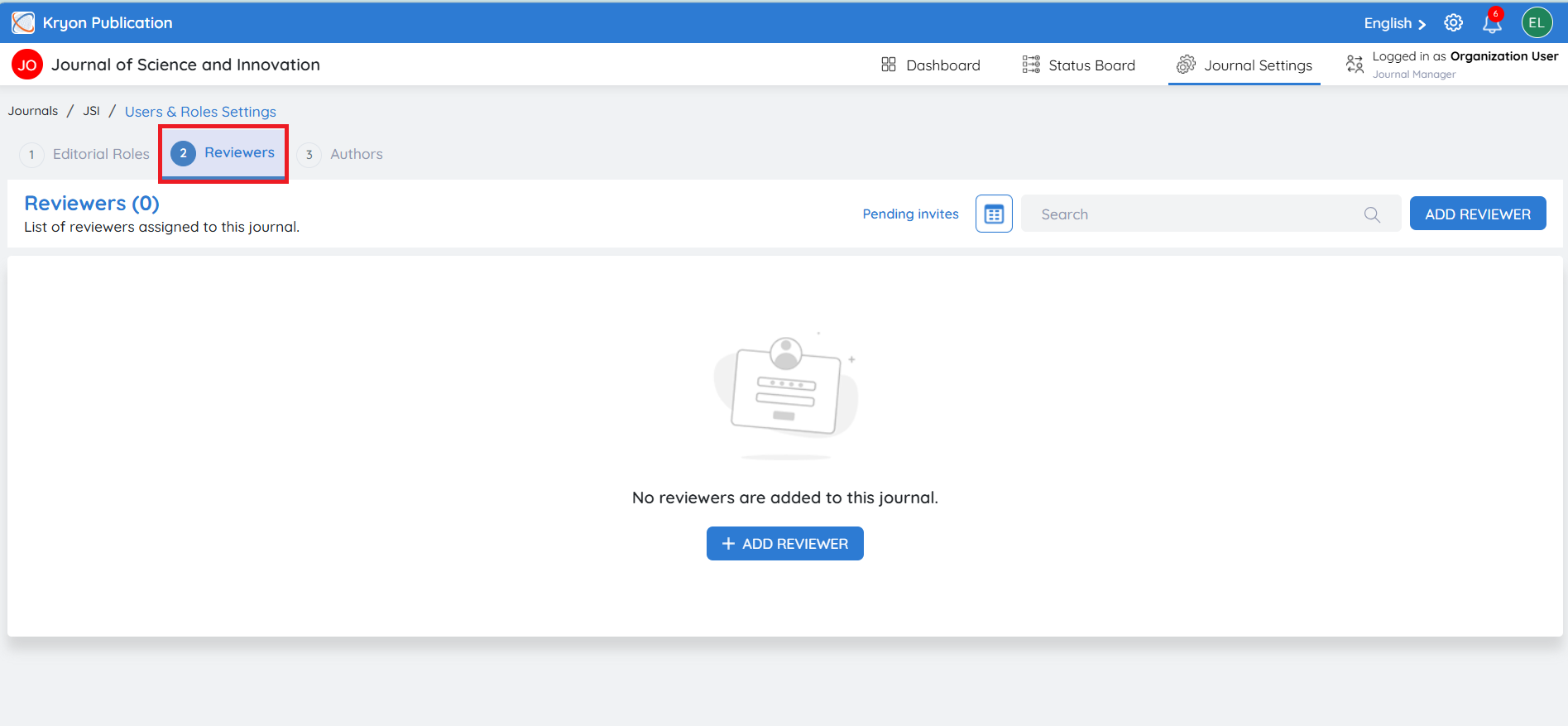
- Select the Reviewers tab.
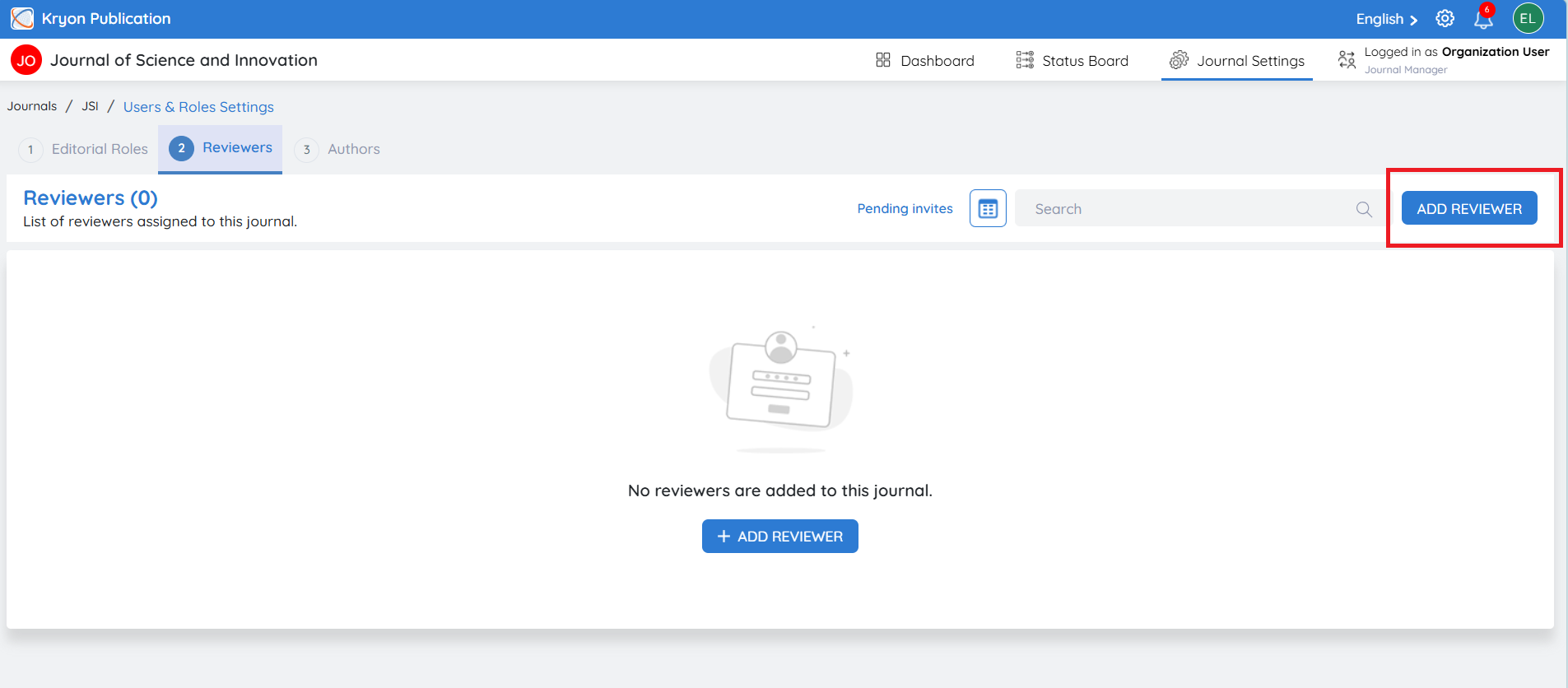
- Click Add Reviewer.
Adding an Existing Reviewer
If the reviewer already exists in the system:
-
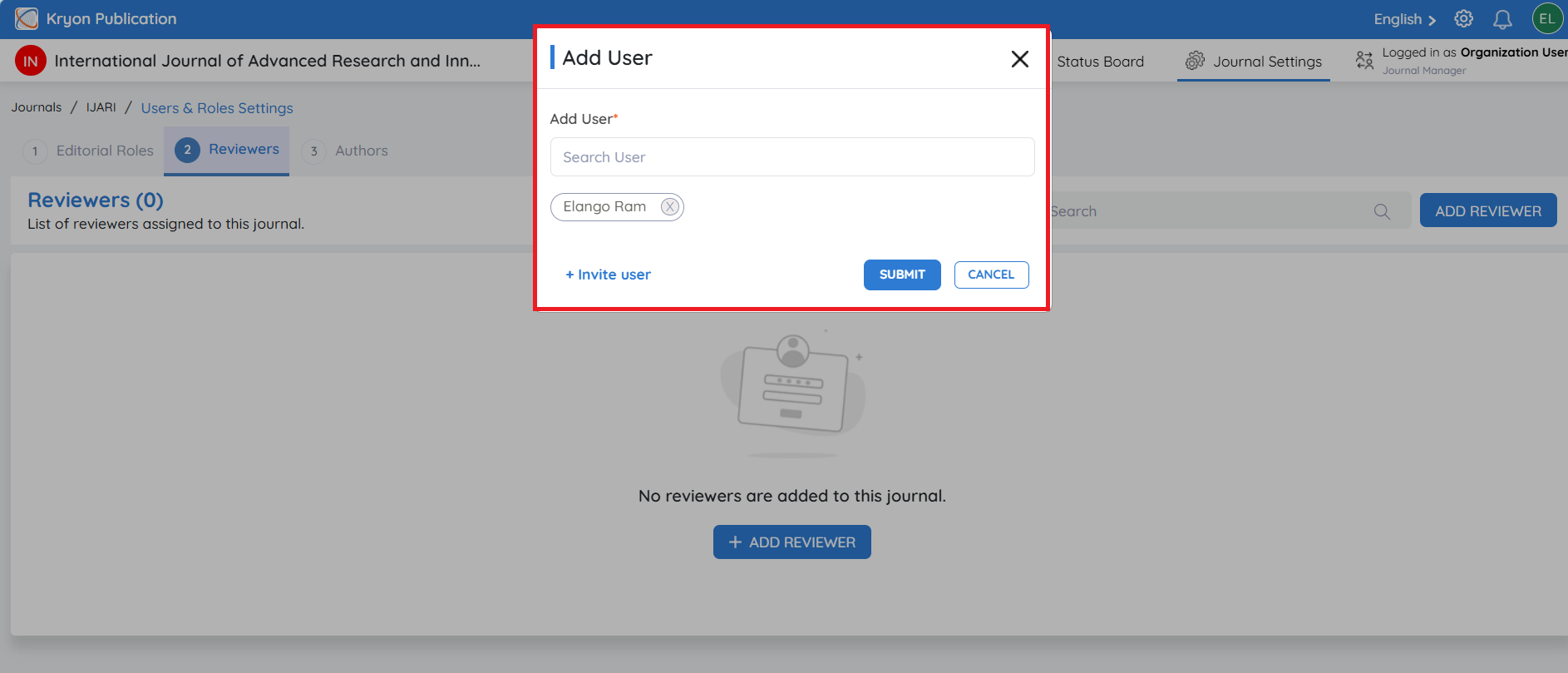
In the search box, enter the reviewer's Name or Email Address.
-
Select the reviewer from the list.
-
Click Submit.
An invitation email is sent to the reviewer. The reviewer can Accept or Decline the invitation.
Once the invitation is accepted, the reviewer is added to the journal and becomes available for manuscript assignments.
Inviting a New Reviewer
If the reviewer is not available in the system:
-
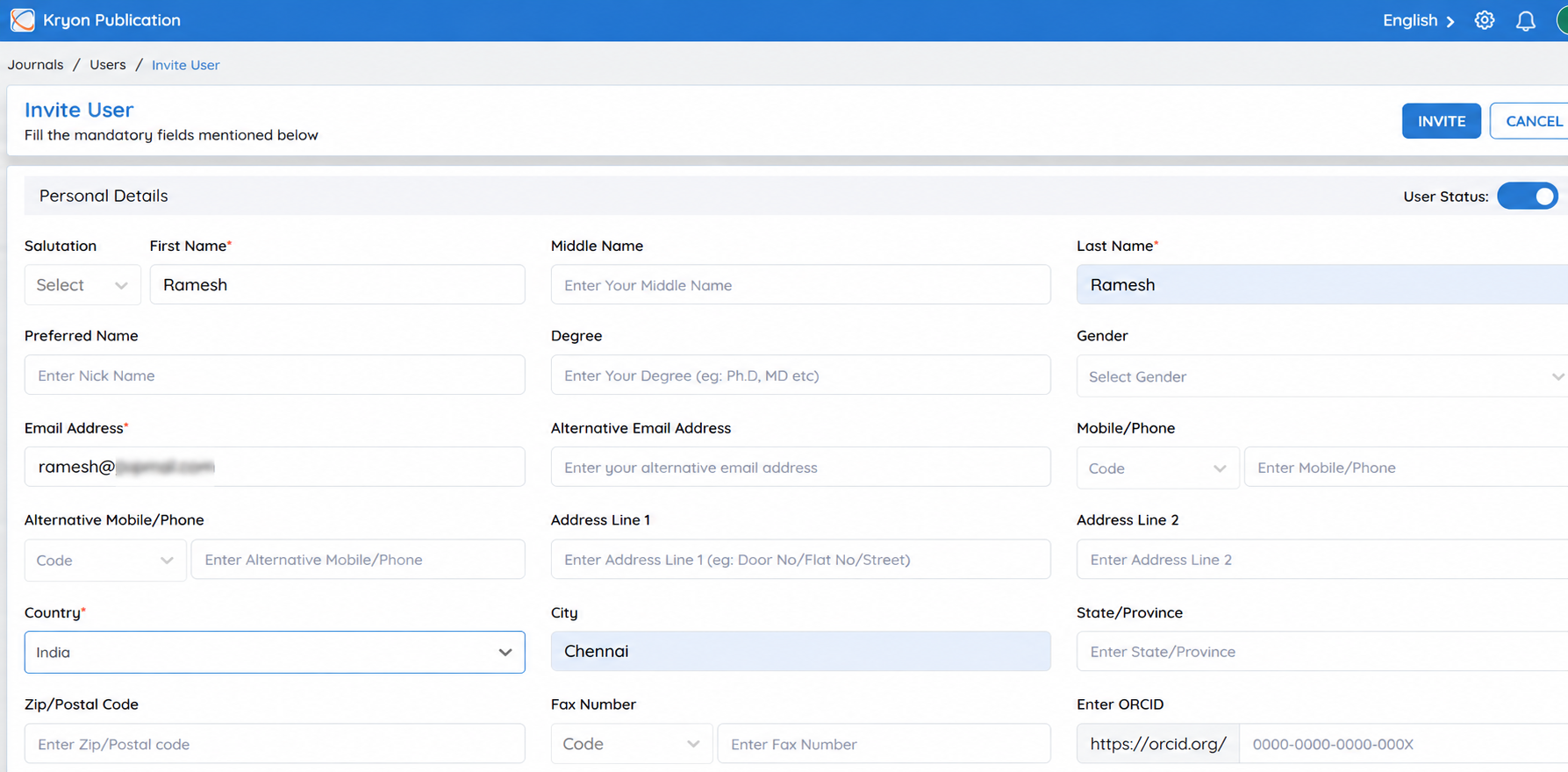
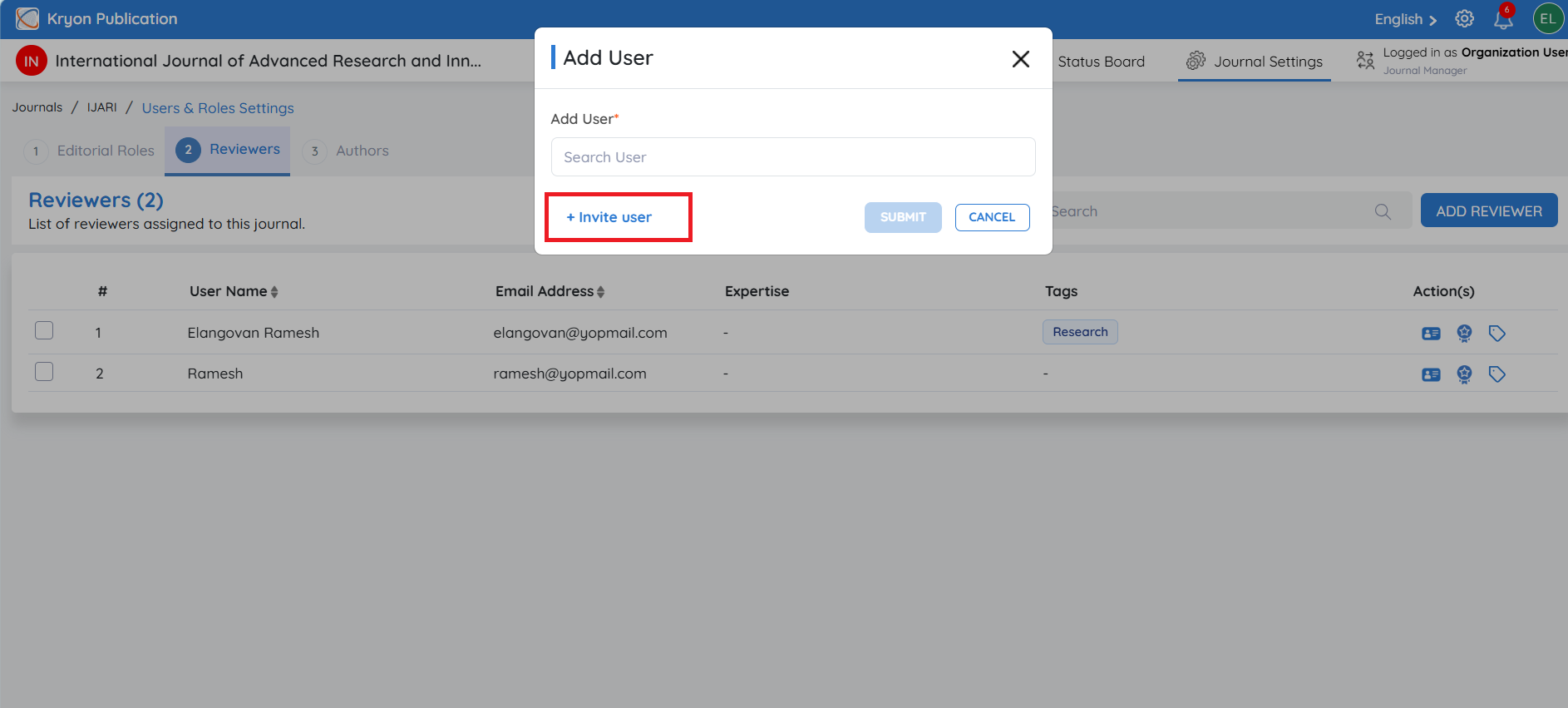
Click Invite User.
-
Complete the reviewer invitation form by entering all the required information.
-
Click Invite.
An invitation email is automatically sent to the reviewer's registered email address.
The reviewer can either:
- Accept the invitation to join the journal, or
- Decline the invitation.
Once the invitation is accepted, the reviewer is added to the journal and becomes available for manuscript assignments.