Publisher Information
Overview
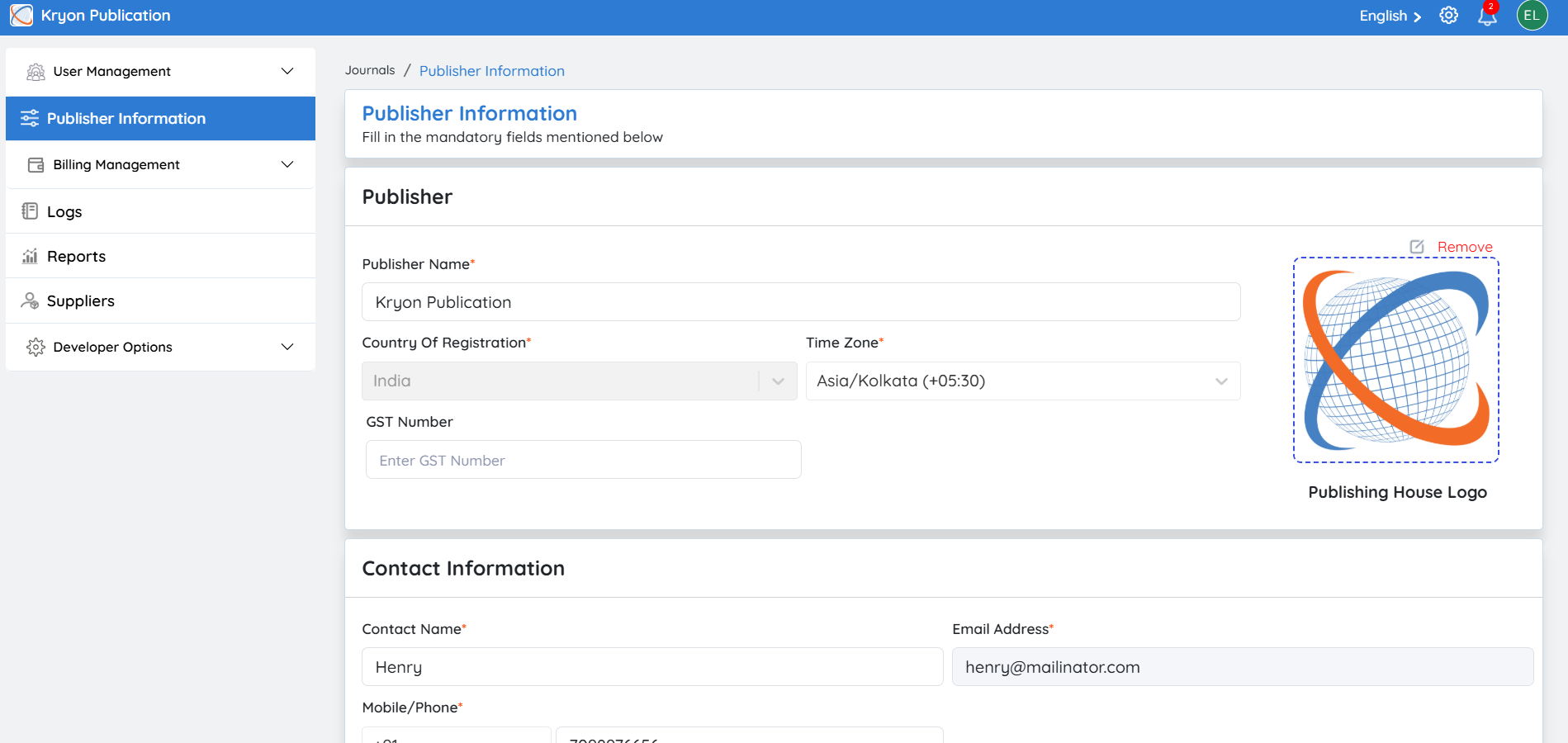
The Publisher Information section allows administrators to view and update the organization's profile and contact information. Keeping these details current ensures accurate communication, proper billing, and consistent branding across all journals managed within the publishing house.
This section contains the information provided during the Publishing House registration and can be updated whenever required.
You can update the following details:
Publishing House Name
Update the official name of your publishing organization.
Contact Information
Maintain your primary email address, phone number, and other contact details.
Mailing Address
Update the organization's mailing or correspondence address.
Billing Address
Maintain the billing address used for invoices and payment-related communications.
Upload Company Logo
You can upload or replace your organization's logo to maintain consistent branding across the platform.
To upload a logo:
-
Click the Image Placeholder or Logo section.
-
Select the logo file from your computer.
-
Save your changes.
The uploaded logo will be displayed throughout the publishing organization within Kryoni JMS.
DOI Configuration
Overview
After configuring your publishing house information, the next step is to configure your DOI (Digital Object Identifier) settings.
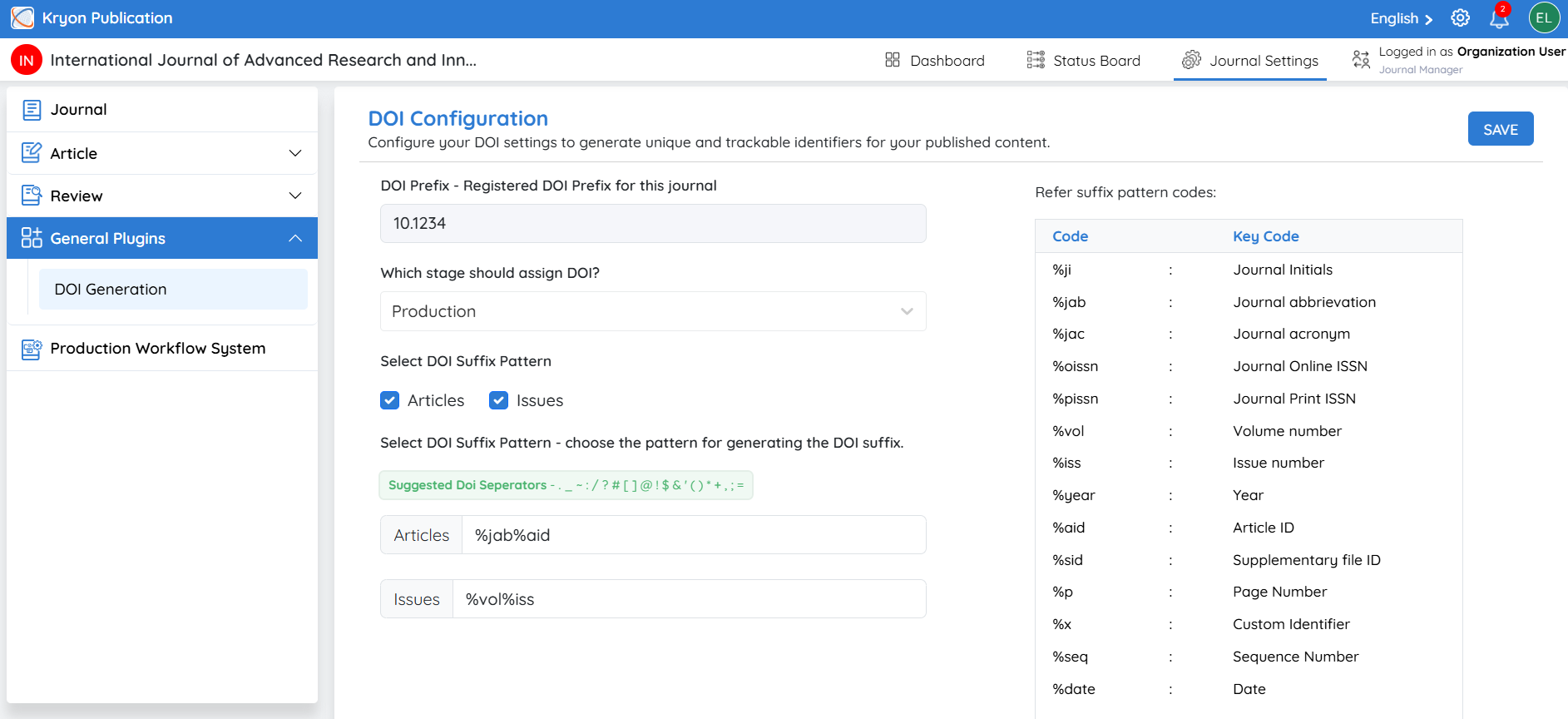
The DOI configuration enables Kryoni JMS to automatically assign unique and permanent identifiers to published articles. DOIs improve article discoverability, citation tracking, and long-term accessibility.
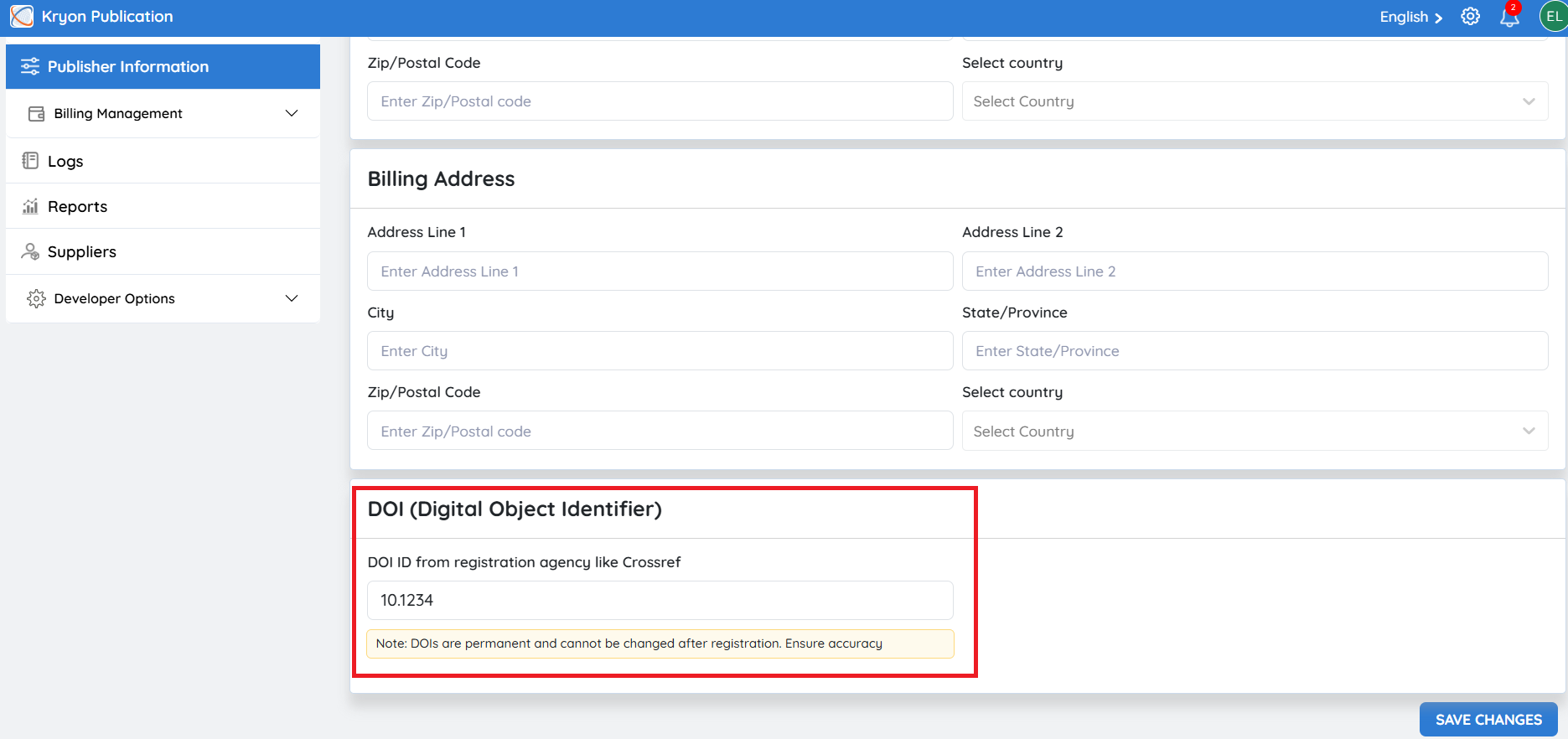
DOI Publisher ID
The DOI Publisher ID (DOI Prefix) is the unique identifier assigned by a DOI registration agency such as Crossref or DataCite.
Example: 10.1234
Configure the DOI Publisher ID
Step 1: Obtain Your DOI Prefix
Register your journal with a DOI registration agency, such as Crossref or DataCite.
Once registration is complete, you will receive a unique DOI Prefix.
Step 2: Enter the DOI Publisher ID
Enter the assigned DOI Prefix in the DOI Publisher ID field.
Example: 10.1234
Step 3: Save
Click Save Changes to store the DOI configuration.
All future published articles will use this prefix when generating DOIs.
DOIs are permanent identifiers. Ensure the DOI Publisher ID is entered correctly before saving.
DOI Structure
A DOI consists of two parts:
-
Prefix – Assigned by the DOI registration agency.
-
Suffix – Generated by Kryoni JMS for each published article.
Example:
-
Prefix: 10.5678
-
Suffix: abc.2025.001
Complete DOI: 10.5678/abc.2025.001
Automatic DOI Assignment
Once the DOI Publisher ID has been configured, Kryoni JMS automatically generates DOIs for published articles based on the configured prefix and the journal's DOI settings. This eliminates manual DOI creation and ensures every published article receives a unique, permanent identifier.