Reviewer Certificate Generation
The Reviewer Certificate Generation plugin automatically generates and issues certificates to reviewers after they successfully complete a peer review.
Enable the plugin to activate automatic reviewer certificate generation. Once enabled, select your preferred certificate template, upload the authorized signature, and save the configuration.
Benefits
-
Automatically generates reviewer certificates.
-
Recognizes reviewer contributions.
-
Reduces manual certificate preparation.
-
Improves reviewer engagement and retention.
-
Maintains a professional record of reviewer participation.
1. Select Certificate Template
Under Select Certification Template, choose your preferred certificate design.
Two certificate templates are available:
-
Basic Certificate
-
Standard Certificate
Select the template that best suits your journal’s requirements.
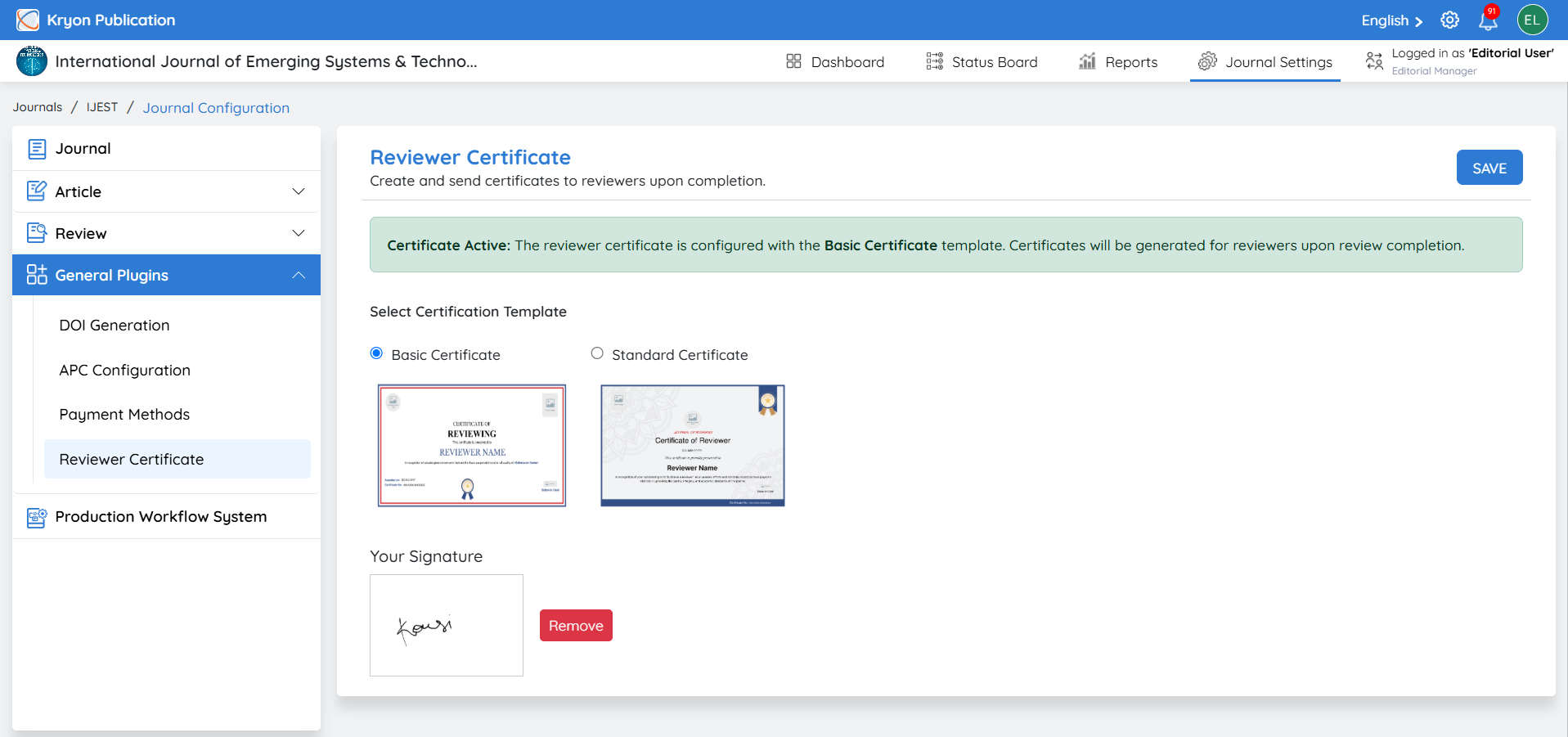
2. Add Your Signature
Under Your Signature, upload the authorized signature that should appear on the reviewer certificate.
3. Save the Configuration
Click Save to apply the selected certificate template and signature.
Once saved, the system will display the active certificate configuration.
Certificate Generation
After the configuration is completed, Kryoni JMS will automatically generate the selected certificate for reviewers when they successfully complete their assigned review.
The certificate will include the relevant reviewer and journal information along with the configured signature.
Certificates will be generated only after the reviewer has successfully completed the assigned review in accordance with the journal’s configured workflow.