Article Processing Charge (APC) Configuration - User Guide
Overview
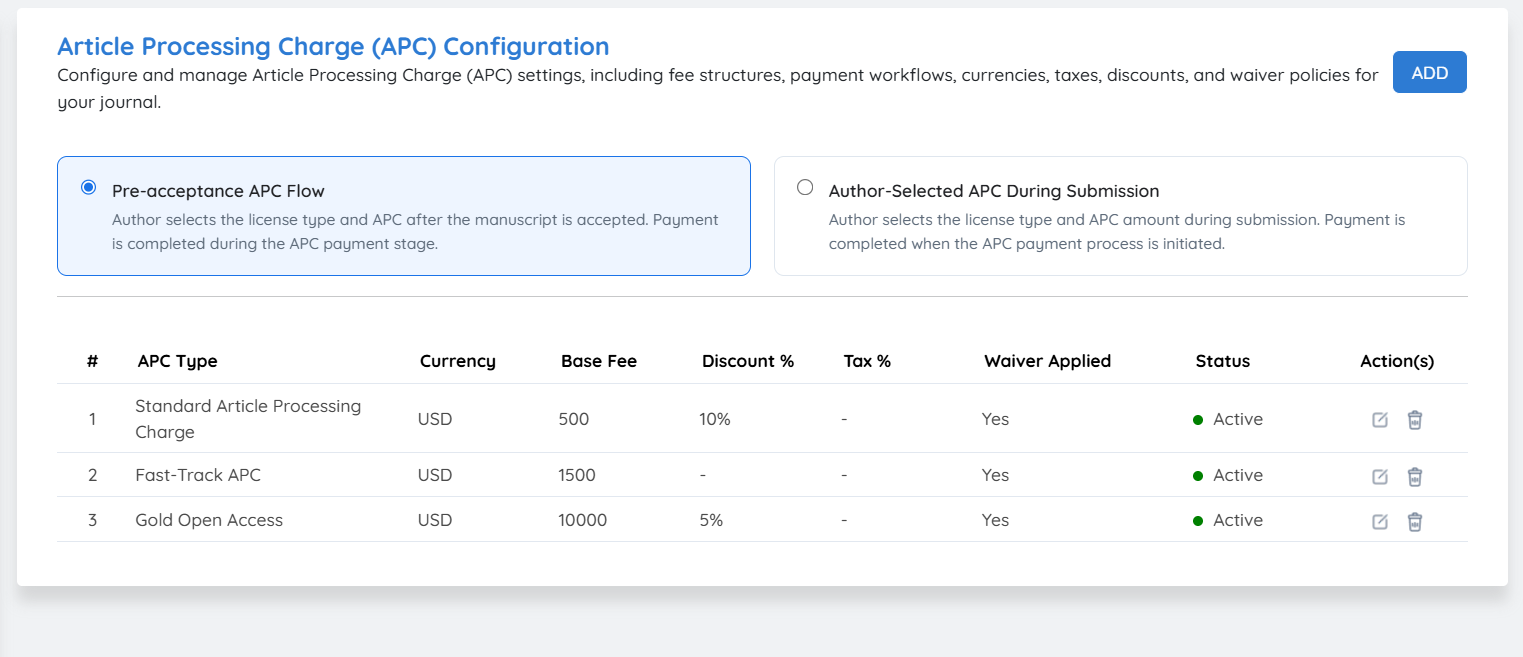
The Article Processing Charge (APC) Configuration allows journals to configure and manage APC settings, including fee structures, payment workflows, currencies, taxes, discounts, waivers, and license options.
Enable the APC plugin to activate Article Processing Charge management for the journal. Once enabled, configure the required APC settings and payment workflow.
1. Pre-Acceptance APC Flow
Select this option when the journal wants the APC and license selection to take place after the manuscript has been accepted.
Workflow - Example
Manuscript Submission → Review → Acceptance → APC & License Selection → Payment → Further Processing
The author does not need to select the APC option during the initial manuscript submission. After acceptance, the author can select the applicable license and APC option and proceed with payment.
2. Author-Selected APC During Submission
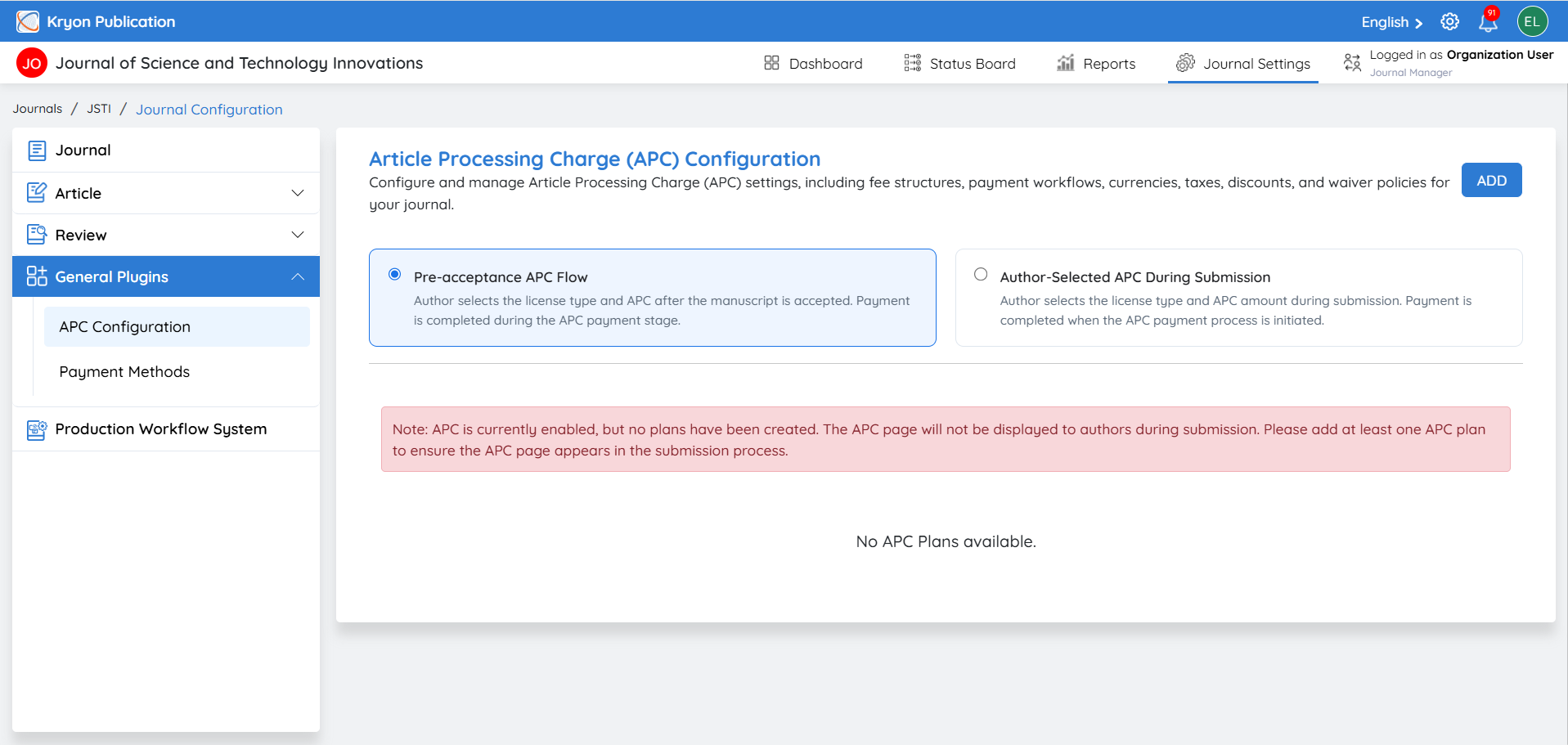
Select this option when the journal requires authors to choose the applicable APC amount and license type while submitting the manuscript.
During the manuscript submission process itself, the author will be presented with the available APC and license options and must select the appropriate option before completing the submission.
APC Setup
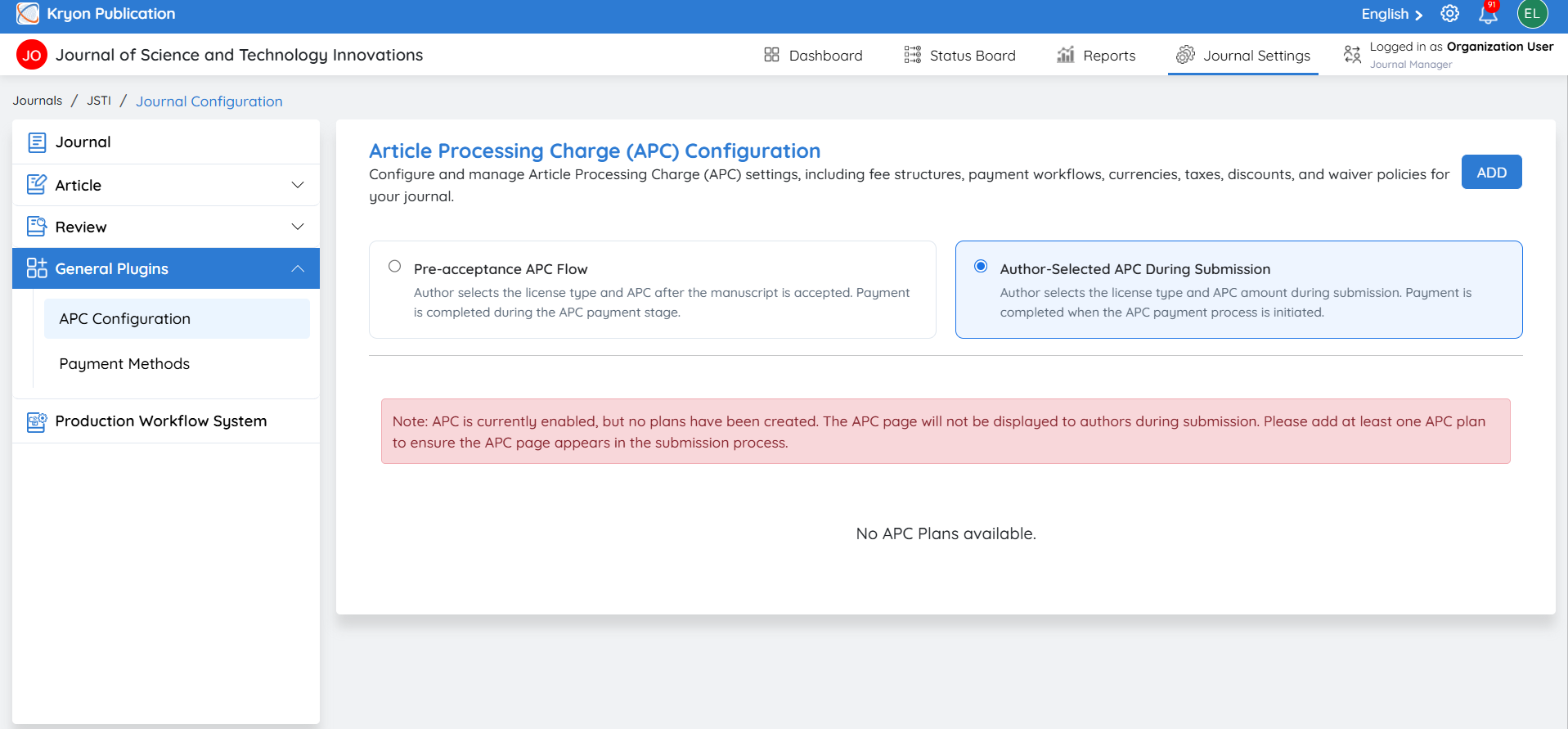
After selecting the required workflow, click Add to configure the APC details. Set the applicable APC amount, currency, taxes, discounts, and waiver options according to the journal's requirements.
This allows each journal to configure its APC process according to its own publication and payment policies.
Create New APC
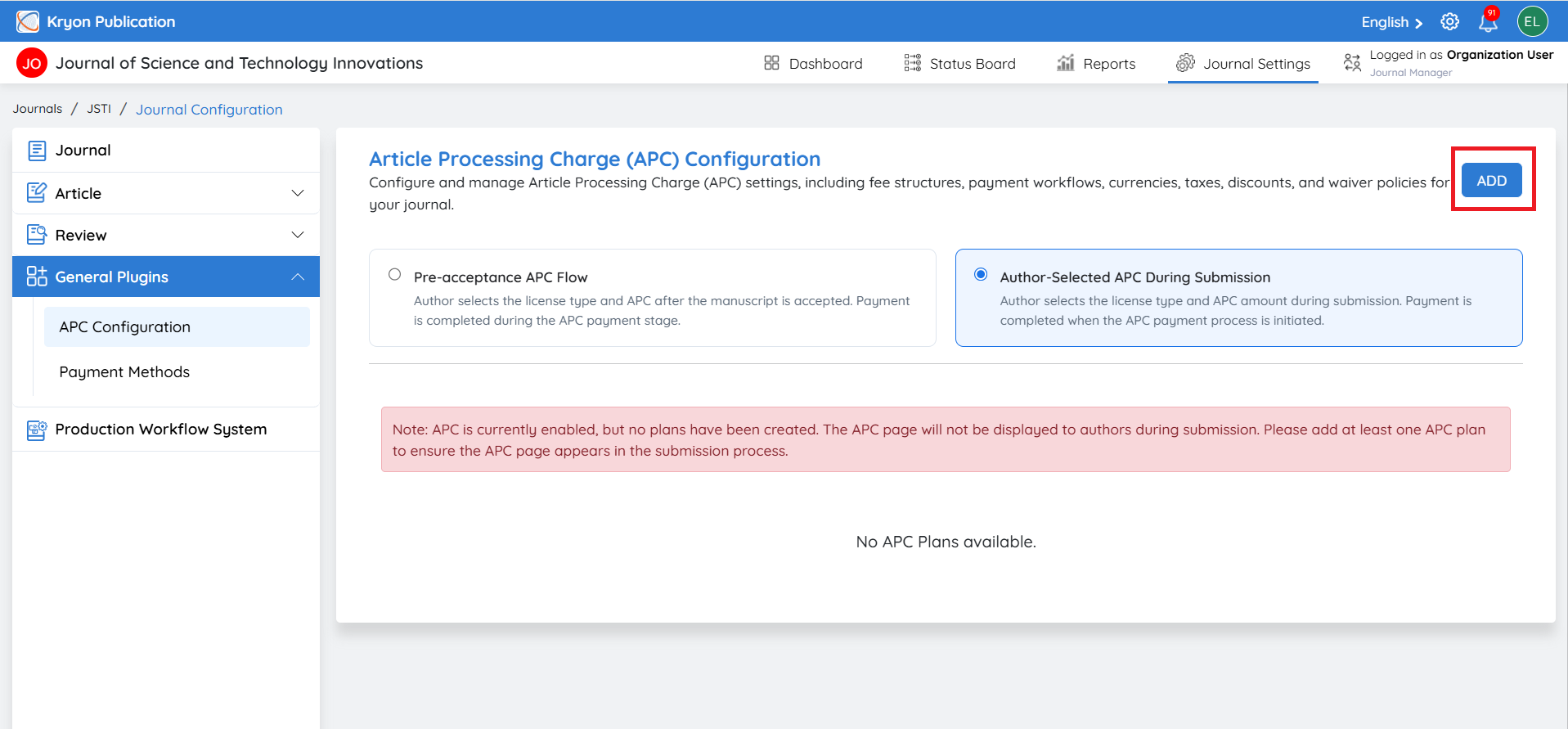
The Create New APC section allows the journal to configure an Article Processing Charge, including the fee, currency, discount, tax, payment stage, waiver option, and accepted payment methods.
Click Add under APC Configuration to open the Create New APC page.
1. Name of the APC Type
Enter a name that clearly identifies the APC type.
Example: Open Access APC
2. Base Fee
Enter the standard APC amount to be charged.
Example: 500
3. Currency
Select the currency in which the APC will be collected.
Example: USD / INR
4. Discount (%)
Enter the applicable discount percentage, if any.
Example: 10%
5. Tax (%)
Enter the applicable tax percentage based on the journal's requirements.
Example: 5%
6. Description
Provide details about the APC, including its purpose or any relevant information that authors should know.
The values above are examples only. Each journal can configure its APC settings according to its own publication, pricing, and payment policies.
APC Payment Workflow
1. Choose a Workflow Stage to Trigger APC Payment
Select the manuscript workflow stage at which the APC payment process should be initiated. Once the manuscript reaches the selected stage, Kryoni JMS will trigger the configured APC process for the author.
This allows the journal to determine exactly when authors should be requested to complete the APC payment based on its editorial and publication workflow.
Example:
If your journal collects the APC only after a manuscript has been accepted during the Review stage, select the appropriate Review stage as the APC payment trigger. Once the manuscript reaches that stage, the APC payment process will be initiated.
2. Can Authors Apply for a Fee Waiver?
This setting determines whether authors are permitted to request a reduction or waiver of the configured APC.
-
Yes: Authors will be provided with an option to apply for an APC fee waiver. The waiver request can then be handled according to the journal's configured APC policy and workflow.
-
No: Authors will not be provided with a fee-waiver option and will be expected to proceed with the applicable APC.
Select the option according to your journal's APC and waiver policy.
3. Block the Article if APC Is Not Paid?
This setting determines whether the manuscript can continue through the journal workflow when the APC payment remains incomplete.
-
Yes: The manuscript will be prevented from proceeding beyond the applicable stage until the required APC payment has been completed.
-
No: The manuscript can continue through the configured workflow even when the APC payment is still pending.
Use this setting based on whether your journal requires APC payment to be completed before further article processing.
4. Accepted Payment Methods
Select the payment methods that authors can use to complete their APC payment.
-
Online: Authors can make the payment through the online payment method configured for the journal.
-
Offline: Authors can complete the payment using the journal's configured offline payment process.
-
Online & Offline: Select both options when the journal provides authors with both online and offline payment choices.
Ensure that the required payment methods are properly configured under Payment Methods before making them available to authors.
Save the APC Configuration
After entering the APC details and configuring the payment workflow, review all settings carefully and click Create to save the APC plan.
Once created and active, Kryoni JMS will apply the configured APC amount, payment trigger, waiver option, payment requirement, and payment methods according to the journal's selected workflow.
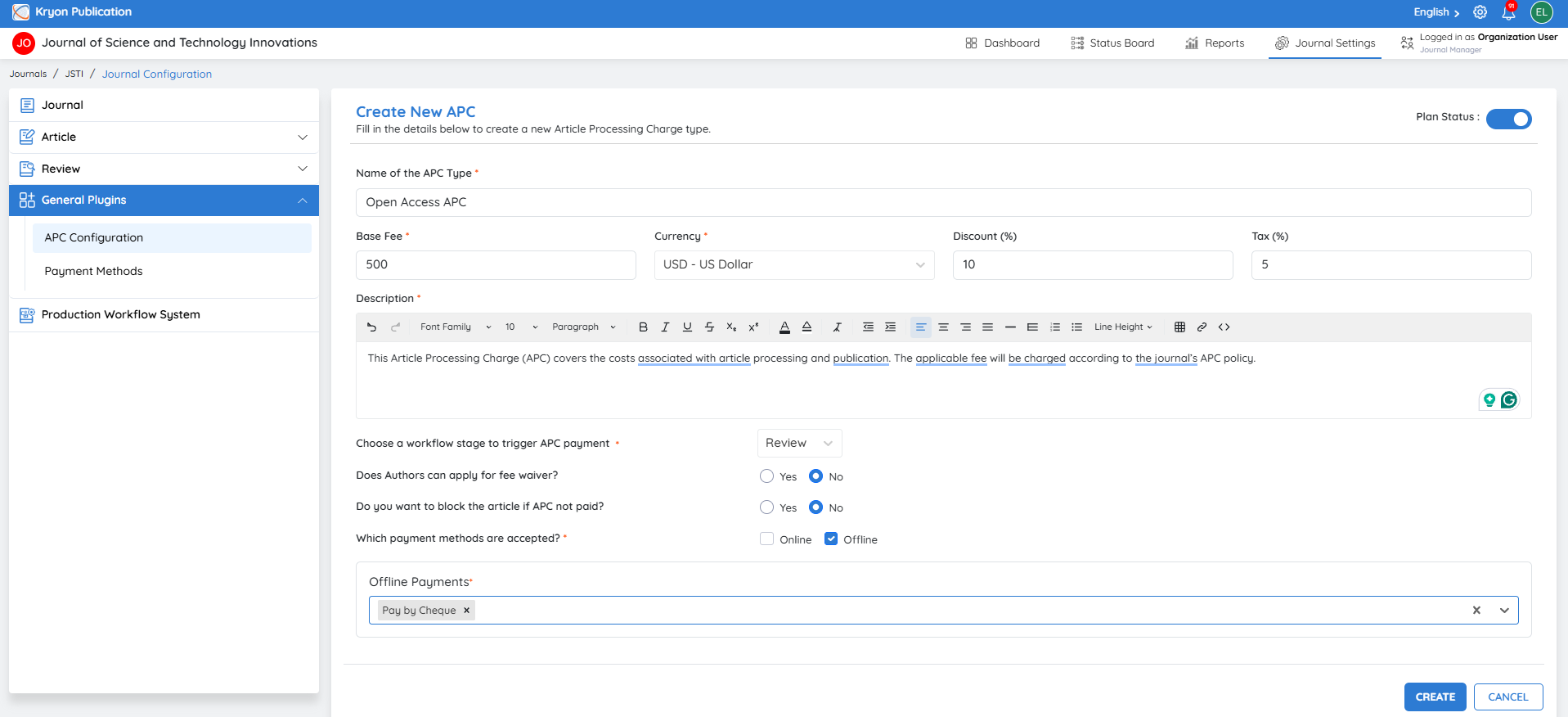
You can create any number of APC plans and add them to the system. All available APC plans will then be displayed to the author, allowing them to select the appropriate plan.