Payment Methods
Overview
Before configuring the Article Processing Charge (APC), you must first configure at least one Payment Method. Payment methods define how authors can pay APC fees and provide the necessary payment instructions for completing the transaction.
Kryoni JMS supports both online and offline payment methods, allowing publishers to offer multiple payment options based on their business requirements.
To access this section:
-
Navigate to Journal Settings -> Plugins.
-
Enable the Payment Methods plugin.
-
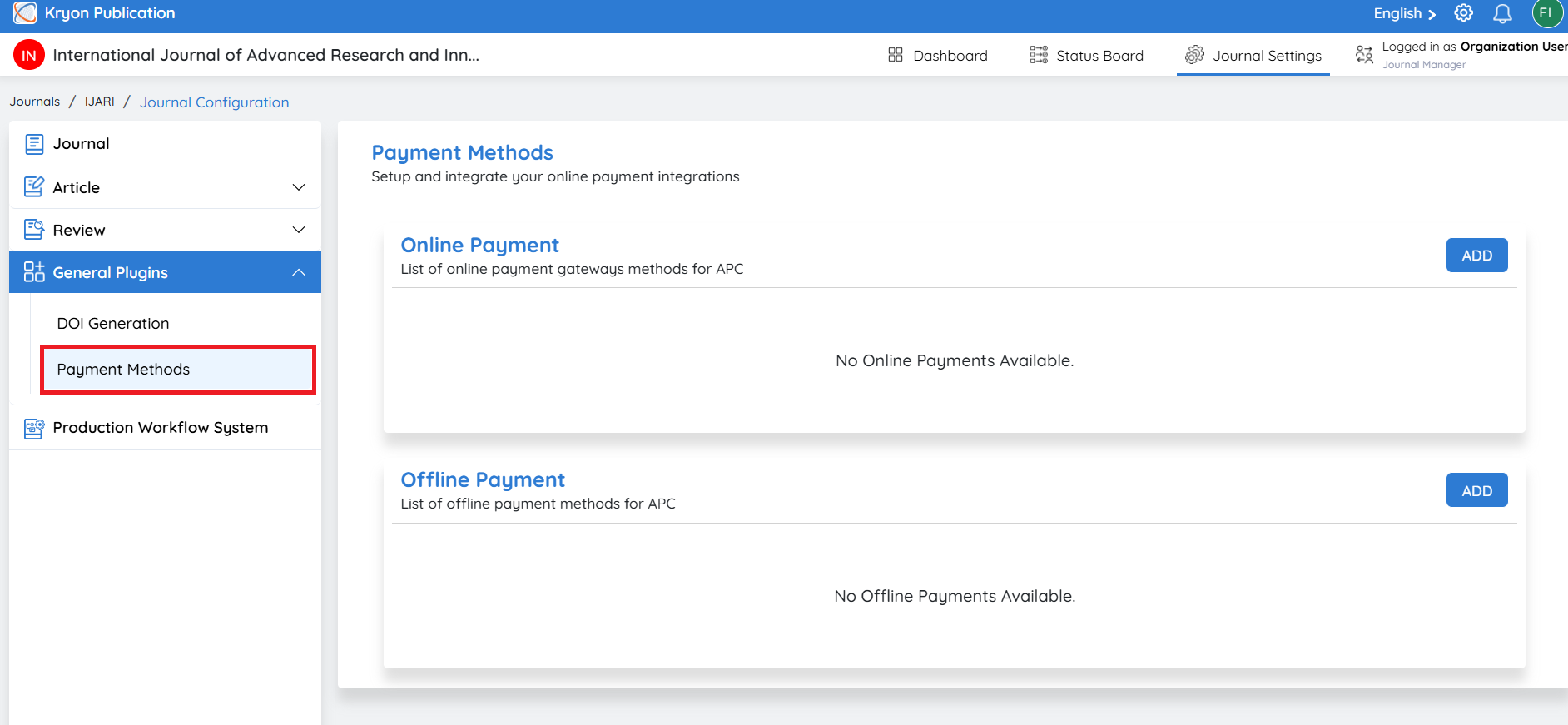
Click Payment Methods from the left navigation menu.
Configuring an Online Payment Method
Online payment methods allow authors to make APC payments securely through an integrated payment gateway.
Step 1: Create an Online Payment Method
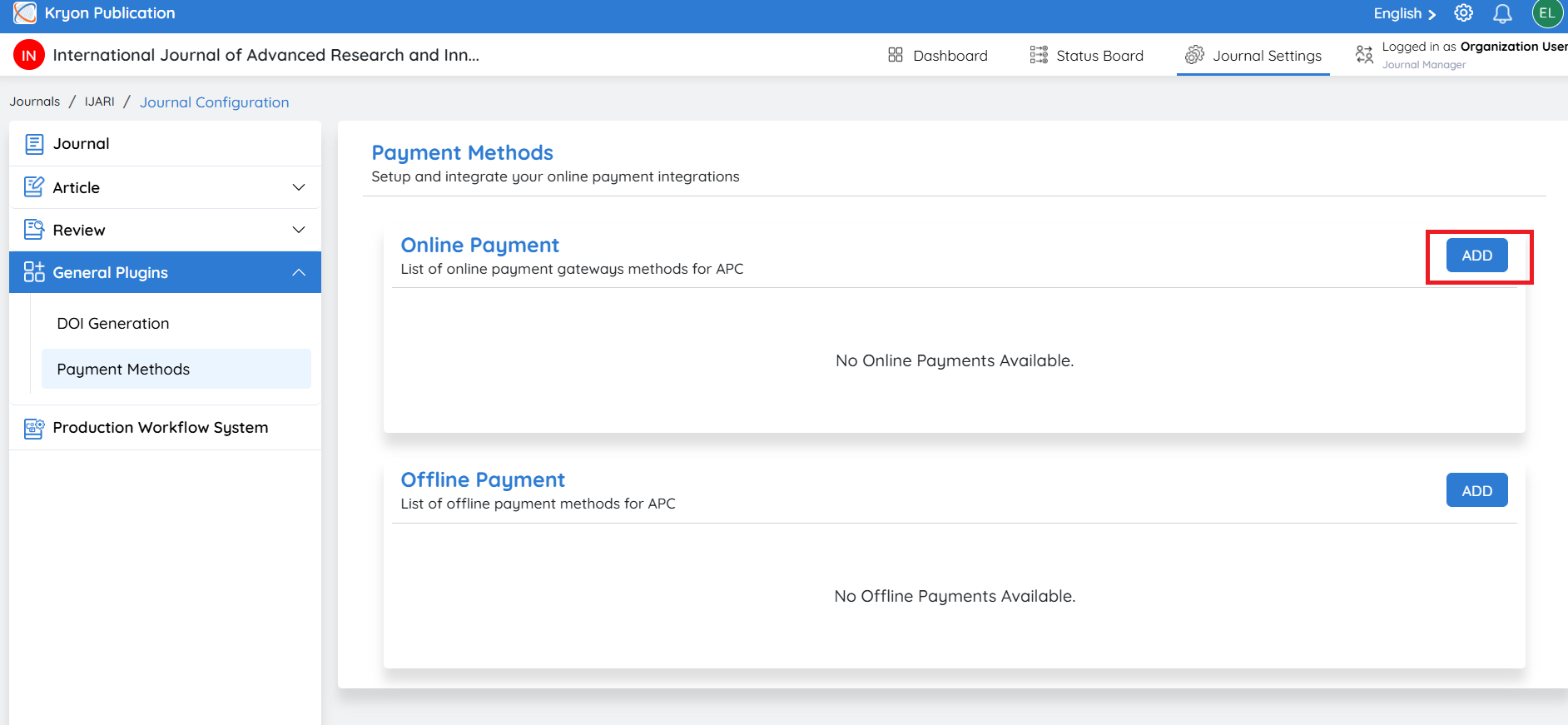
Click add and select Online Payment.
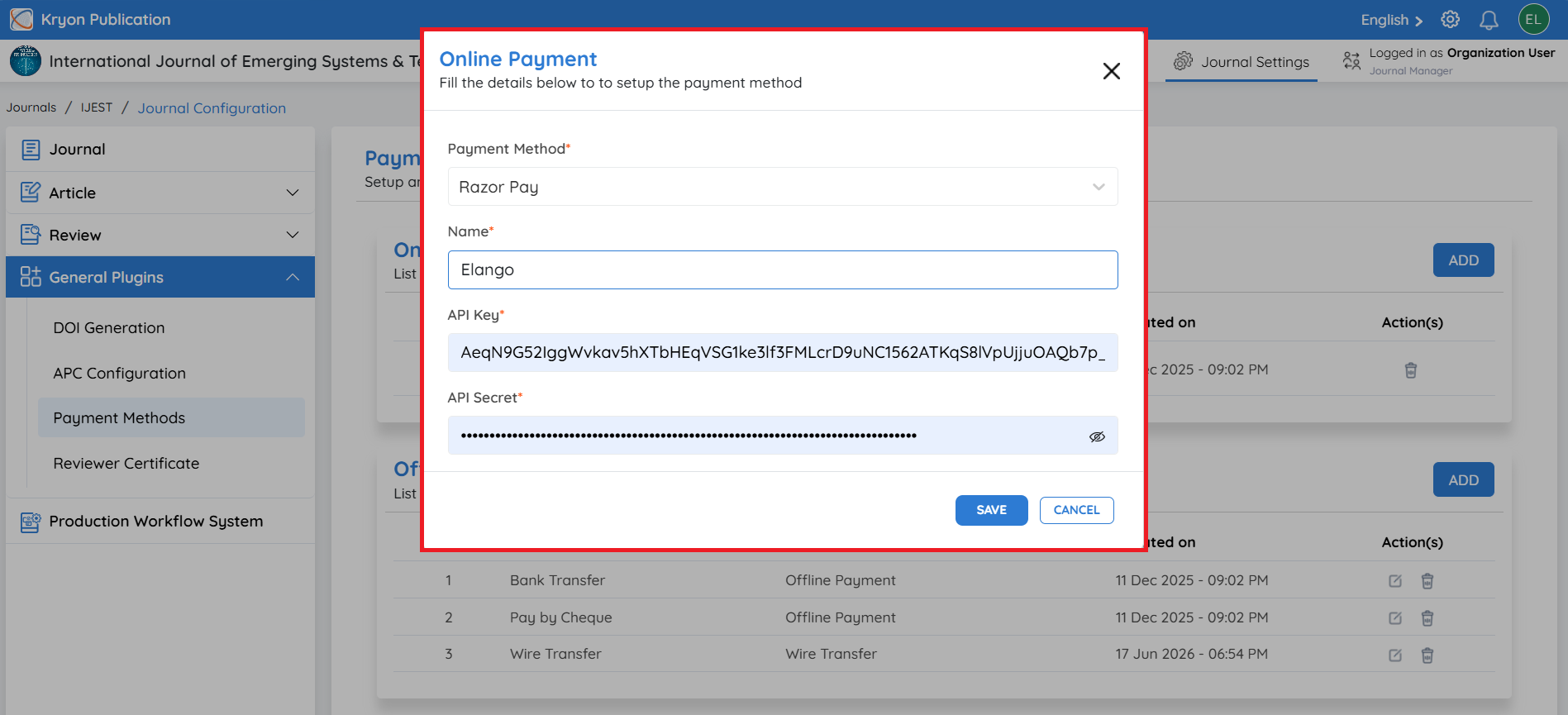
Step 2: Enter Payment Gateway Details
Complete the required information.
Payment Method Select the payment gateway to integrate.
Name Enter a display name for the payment gateway.
Example: PayPal, Razorpay
API Key Enter the Client ID or API Key provided by your payment gateway.
API Secret Enter the Client Secret or API Secret provided by your payment gateway.
Step 3: Save the Configuration
Click Save.
The configured payment gateway will be available for APC payments.
Ensure that the API credentials are valid. Incorrect credentials will prevent successful payment processing.
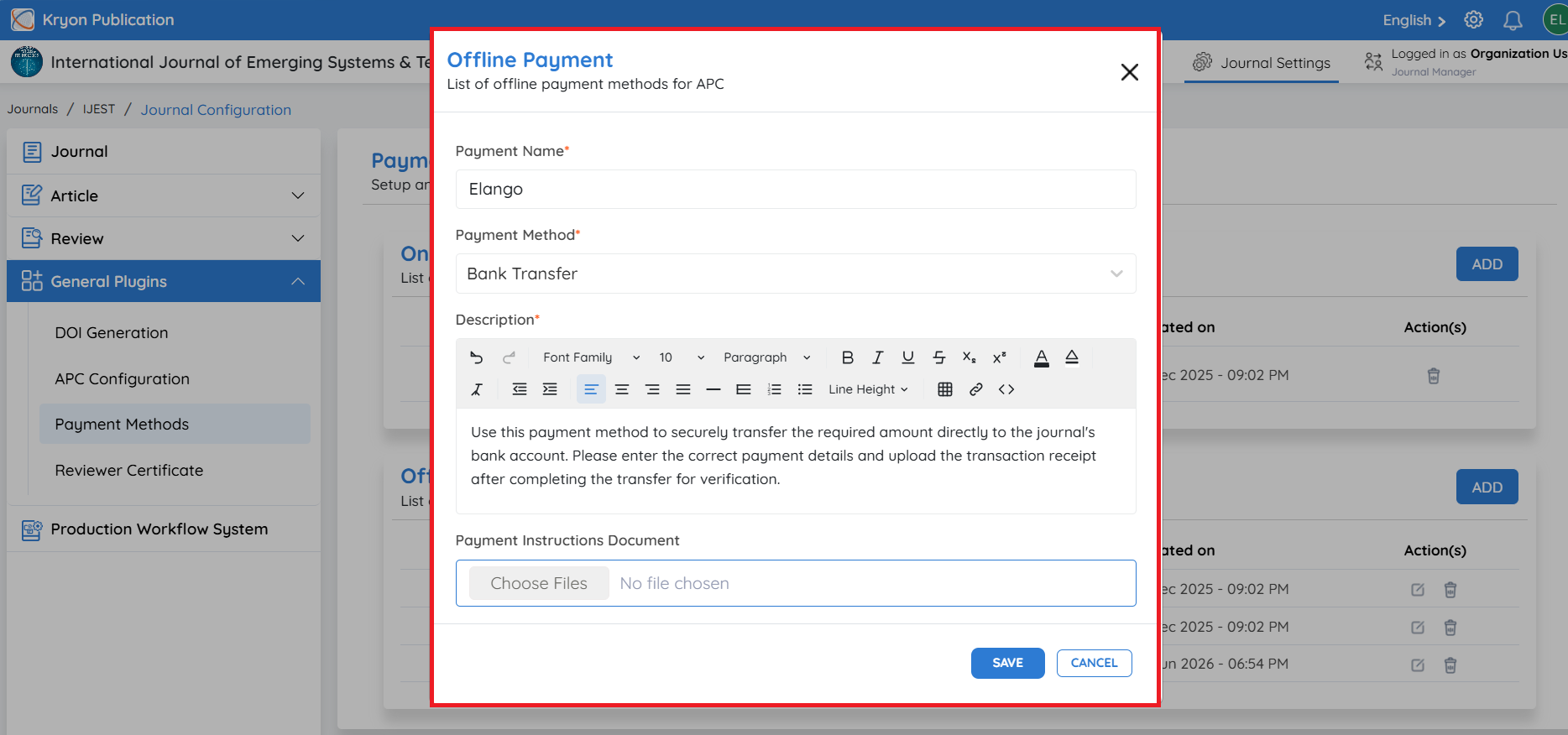
Step 1: Enter Payment Details
Complete the following information.
Payment Name Enter a name for the payment method.
Examples:
-
Bank Transfer
-
Wire Transfer
-
Pay by Cheque
-
Cash
-
Other Payment
Payment Method
Select the appropriate payment method from the drop-down list.
Available options include:
-
Pay by Cheque
-
Bank Transfer
-
Wire Transfer
-
Cash
-
Other Payment
Description
Provide payment instructions for the author.
For example:
-
Bank account details
-
Beneficiary name
Payment Instructions Document
Upload a supporting document containing detailed payment instructions, if required.
Examples include:
-
Bank account information
-
Wire transfer instructions
-
Cheque payment instructions
Step 2: Save the Configuration
After entering all the required information, click Save.
The payment method will be available for authors during the APC payment process.
Important: Kryoni JMS serves as the payment management platform only. For online payments, all payment transactions are processed directly through the configured payment gateway, and funds are deposited into the publisher's configured merchant or bank account. Kryoni JMS does not receive, process, or retain any APC payments. For offline payments, authors follow the payment instructions provided by the publisher, and payment verification is managed by the journal's editorial or finance team.