Making the Review Decision
Once you have completed your evaluation of the manuscript, you can submit your review by clicking Make Decision.
Complete all the required sections before submitting your review.
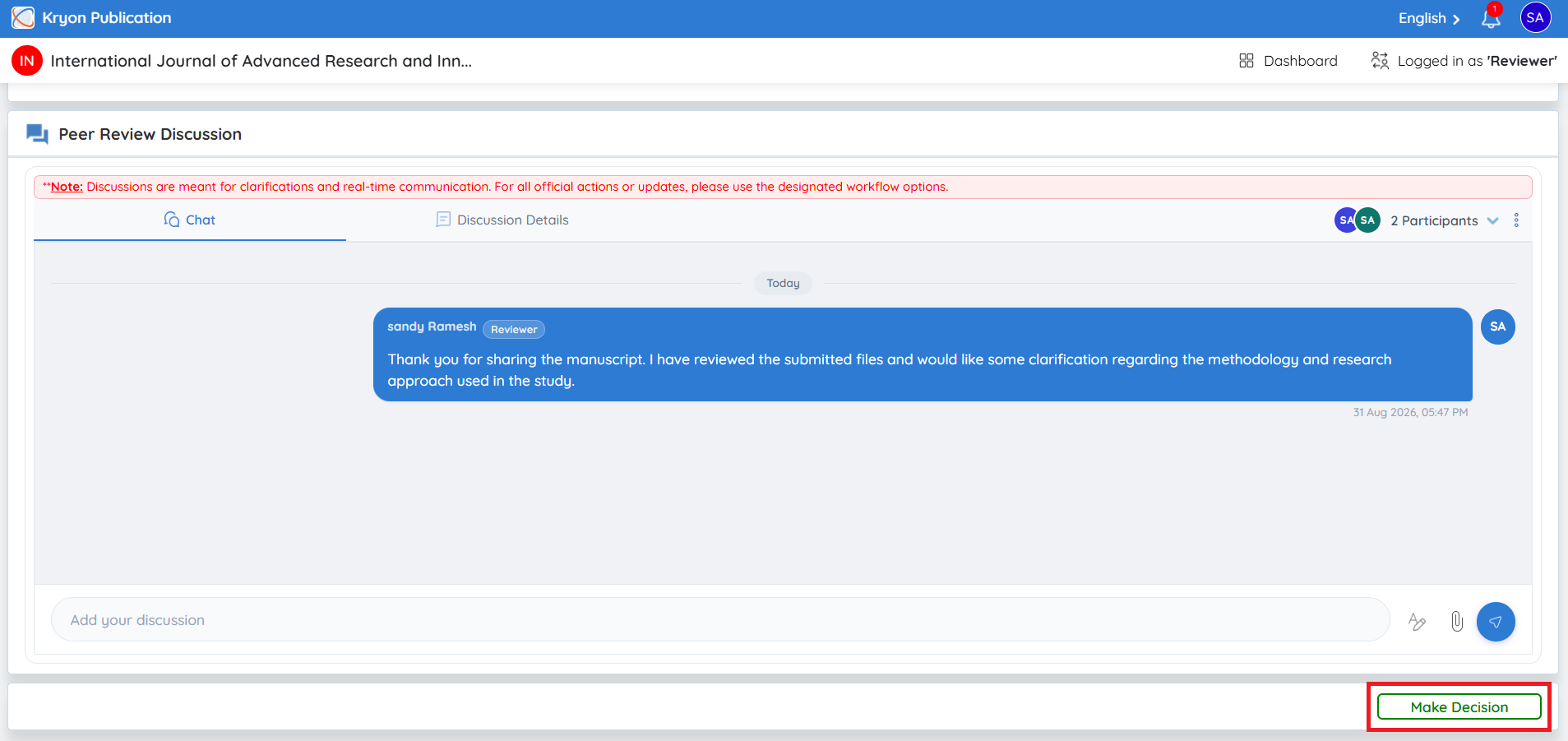
Upload Reviewer Form
If the journal uses an External Review Form, upload the completed review form.
To upload the review form:
-
Click Browse or drag and drop the completed review form.
-
Select the completed file from your computer.
-
Upload the file.
This field is mandatory only if the journal is configured to use an External Review Form.
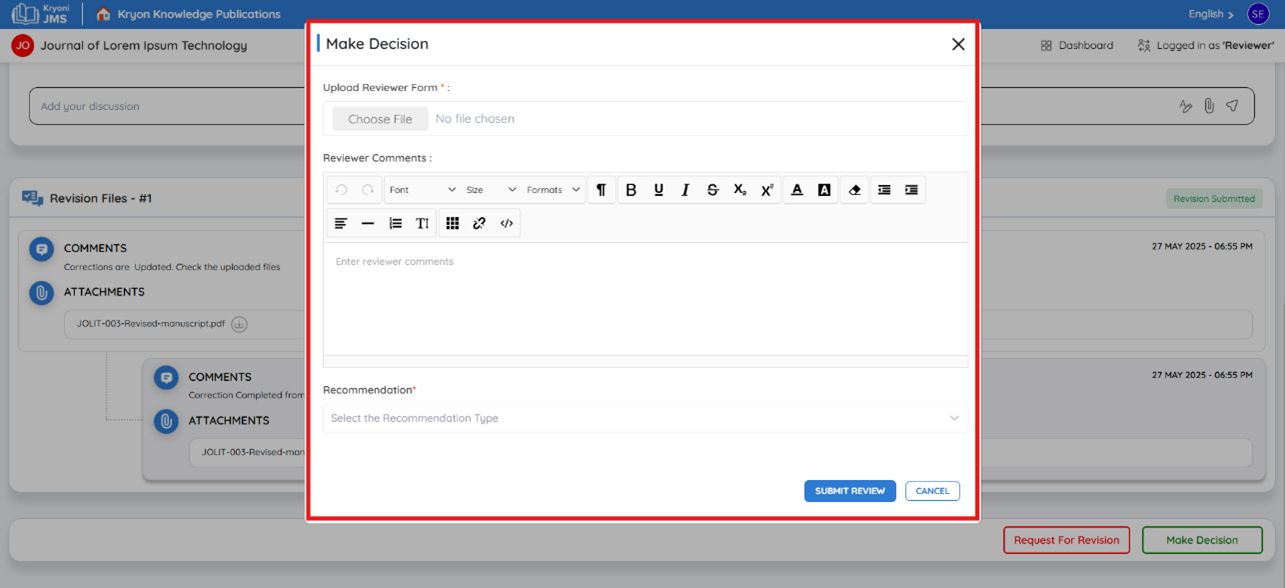
Dynamic Review Form
If the journal uses a Dynamic Review Form, the review questionnaire is displayed directly within Kryoni JMS.
Click – Fill review form
Complete all the required questions by entering the requested information
All mandatory fields must be completed before you can submit your review.
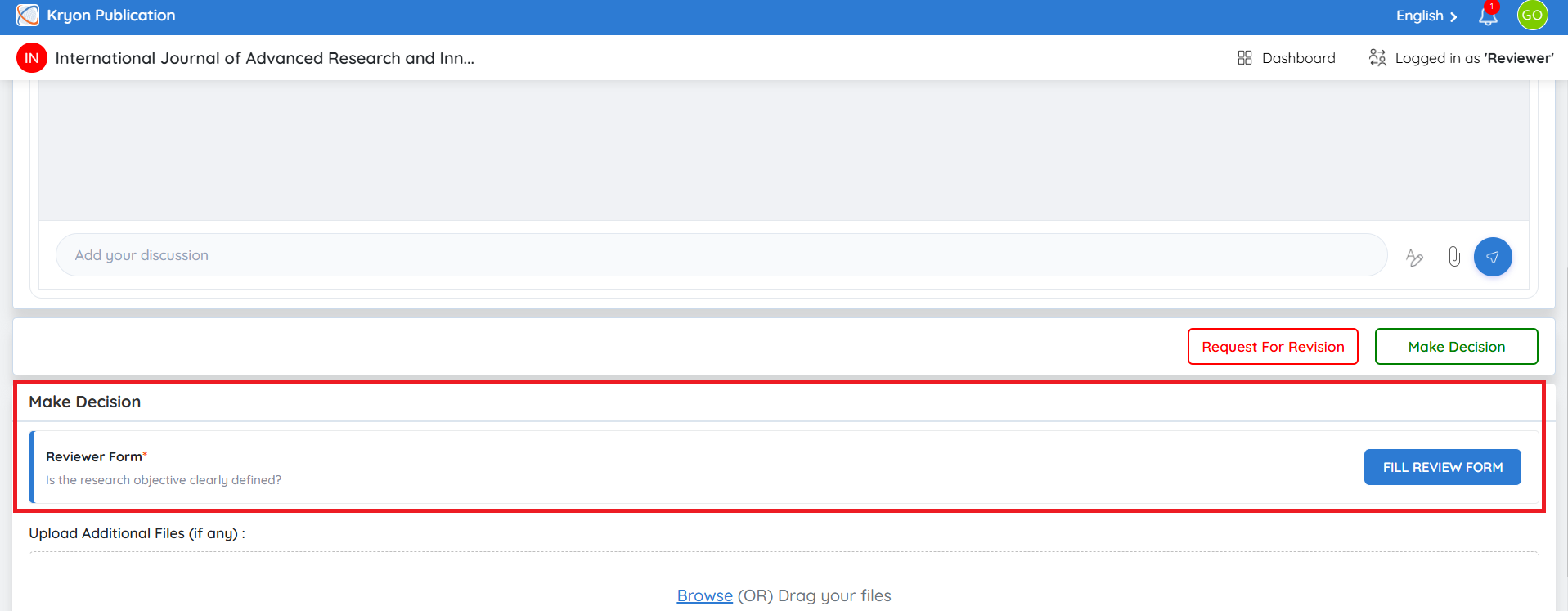
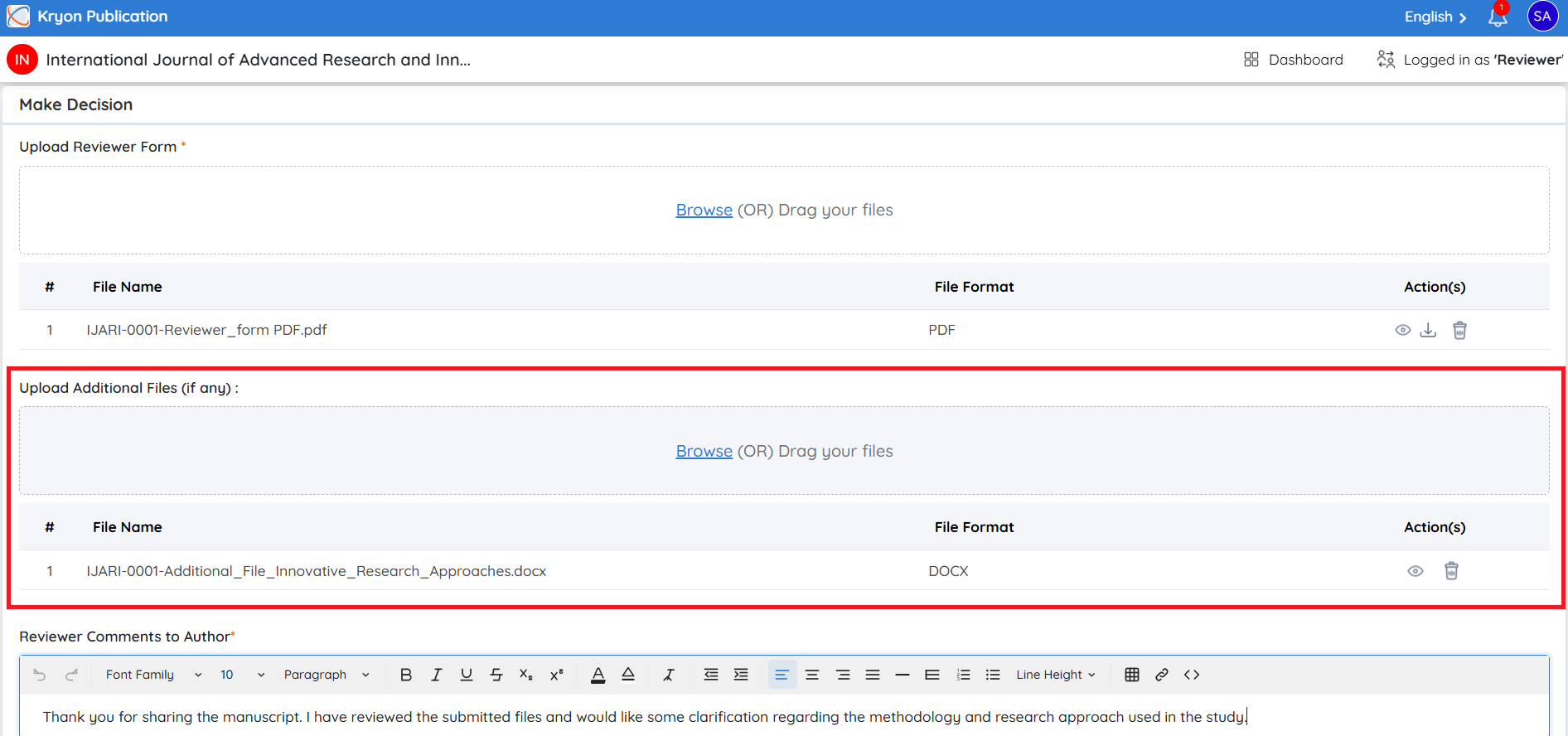
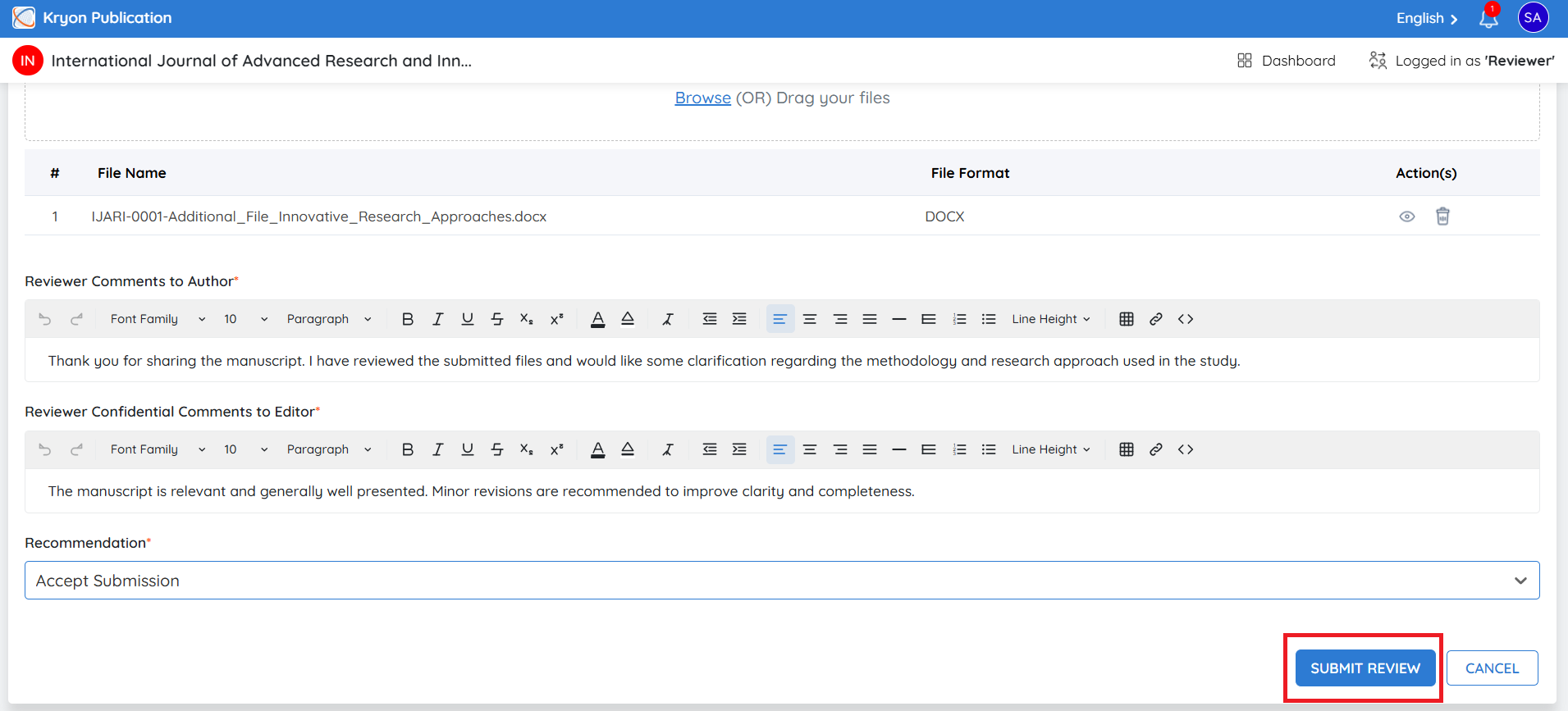
Upload Additional Files (Optional)
If you have any supporting documents, you may upload them here.
Examples include:
-
Annotated manuscript
-
Marked PDF
-
Supporting review documents
-
Additional review comments
To upload additional files:
-
Click Browse.
-
Select the required file.
-
Upload the file.
Uploading additional files is optional.
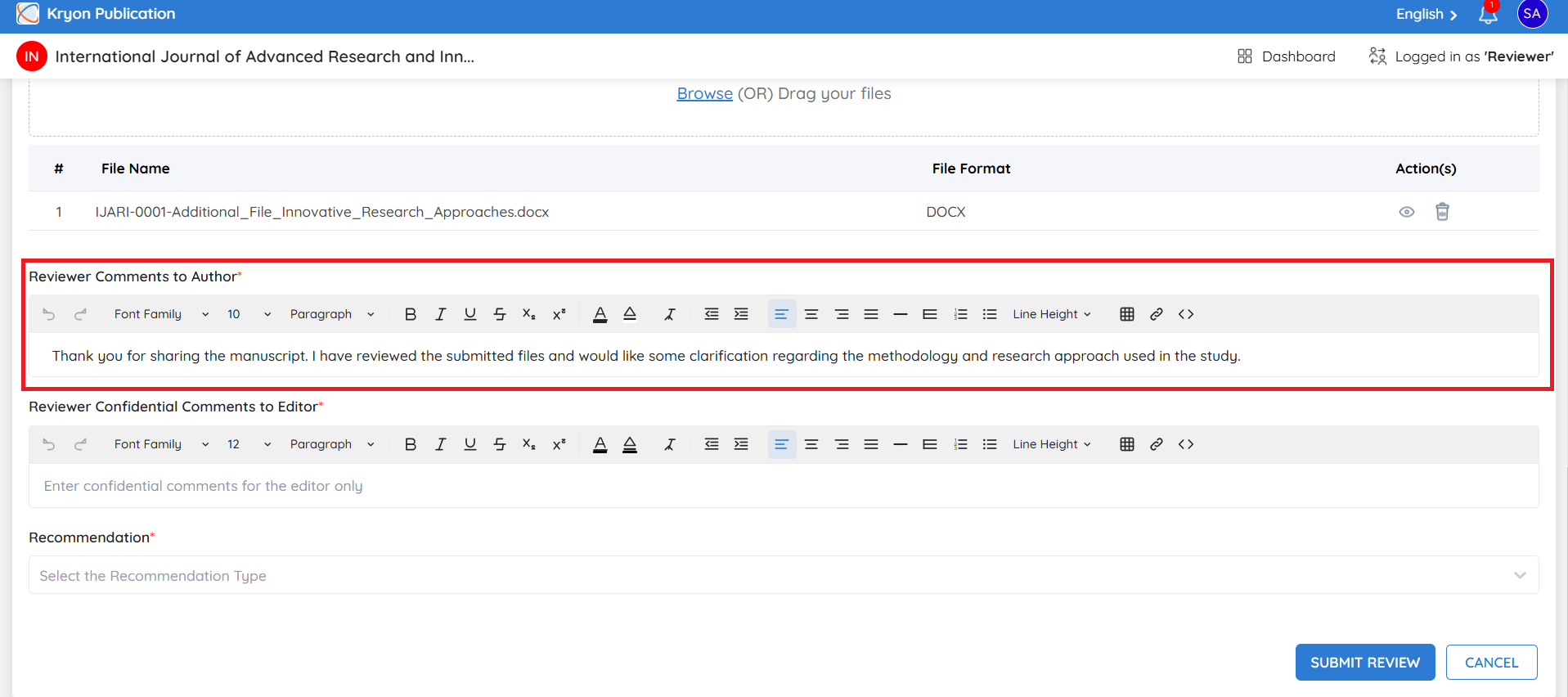
Reviewer Comments to Author
Enter comments that will be shared with the author after the editorial office processes your review.
These comments should:
-
Highlight the strengths of the manuscript.
-
Identify areas that require improvement.
-
Provide constructive suggestions.
-
Maintain a professional and objective tone.
Reviewer comments are not sent directly to the author. They are reviewed by the editorial team and shared with the author as part of the editorial decision process.
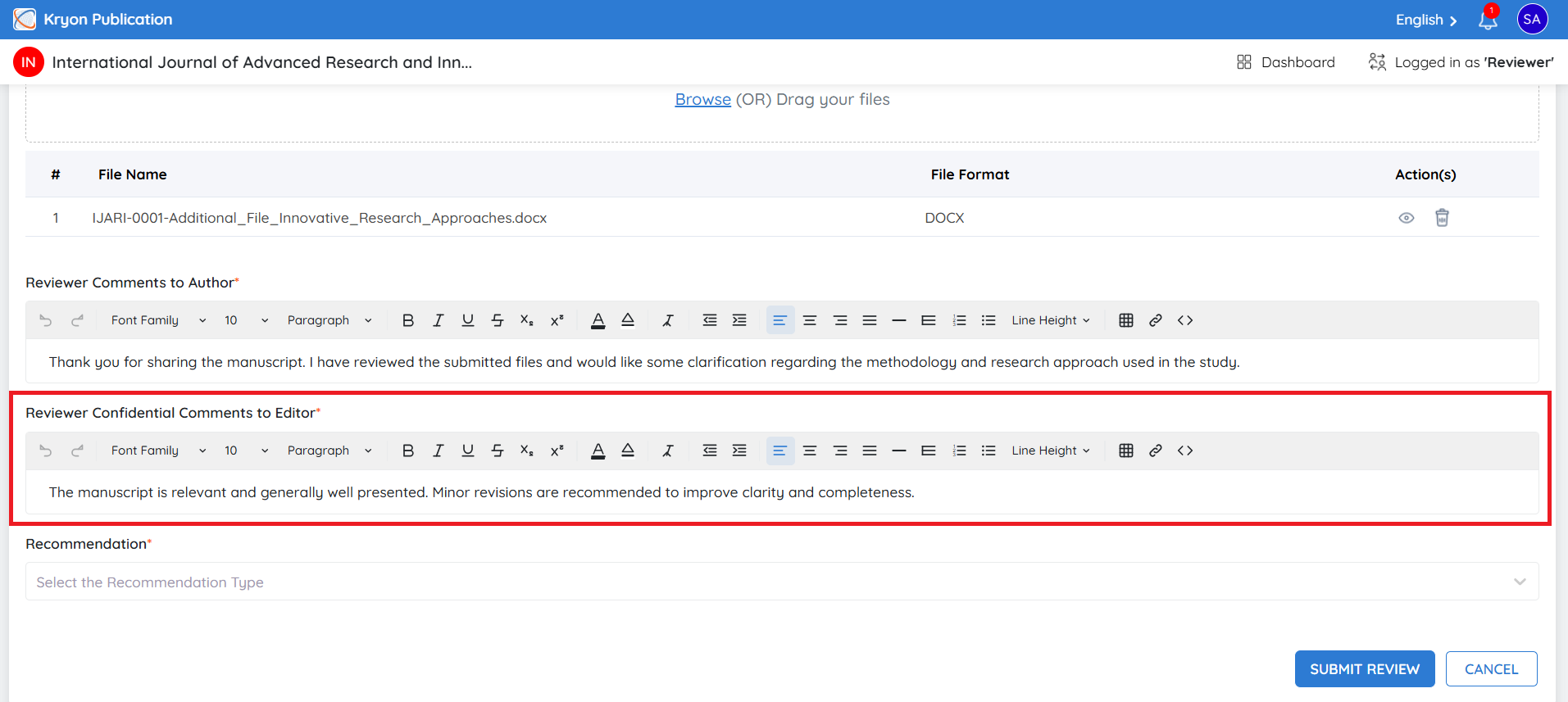
Reviewer Confidential Comments to Editor
Use this section to provide comments that are visible only to the editorial team.
Examples include:
-
Ethical concerns
-
Suspected plagiarism
-
Potential conflicts of interest
-
Recommendation rationale
-
Comments that should not be shared with the author
Confidential comments are never visible to the author.
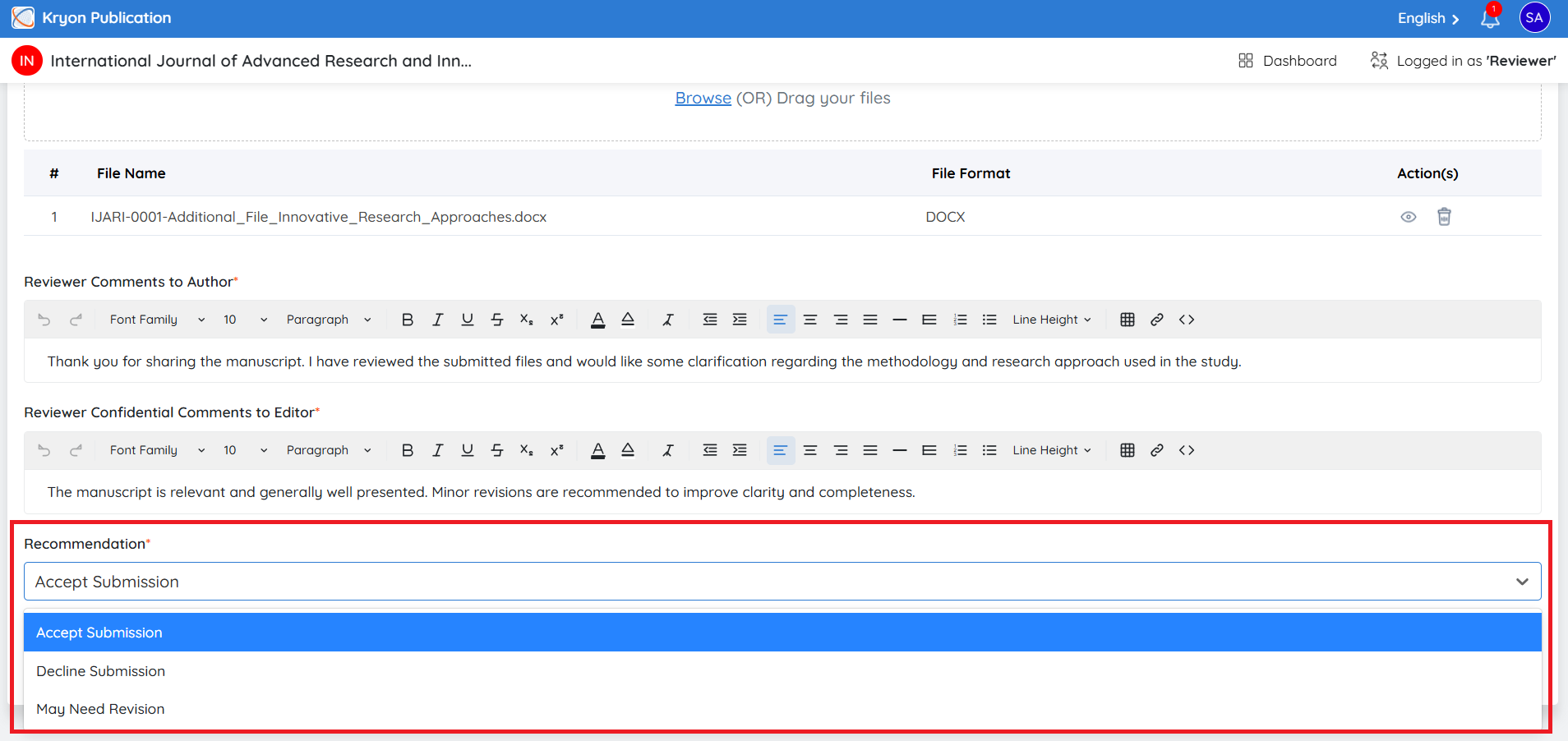
Recommendation
Select your recommendation from the Recommendation drop-down list.
The available recommendations are configured by the journal and may include:
-
Accept Submission – The manuscript is suitable for publication without further changes.
-
Decline Submission – The manuscript is not suitable for publication.
-
May Need Revision – Minor improvements are recommended before publication.
-
Revision Required – Significant revisions are required before the manuscript can be reconsidered.
-
No Comments – No specific recommendation is provided.
The available recommendation options may vary depending on the journal's review workflow and configuration.
Submit the Review
After completing all the required fields:
-
Verify the uploaded review form and supporting files (if applicable).
-
Review your comments and recommendation.
-
Click Submit Review.
Your review is submitted to the editorial office for further evaluation and editorial decision-making.
Once a review has been submitted, it cannot be edited unless the editorial team reopens the review assignment.
Review Completion
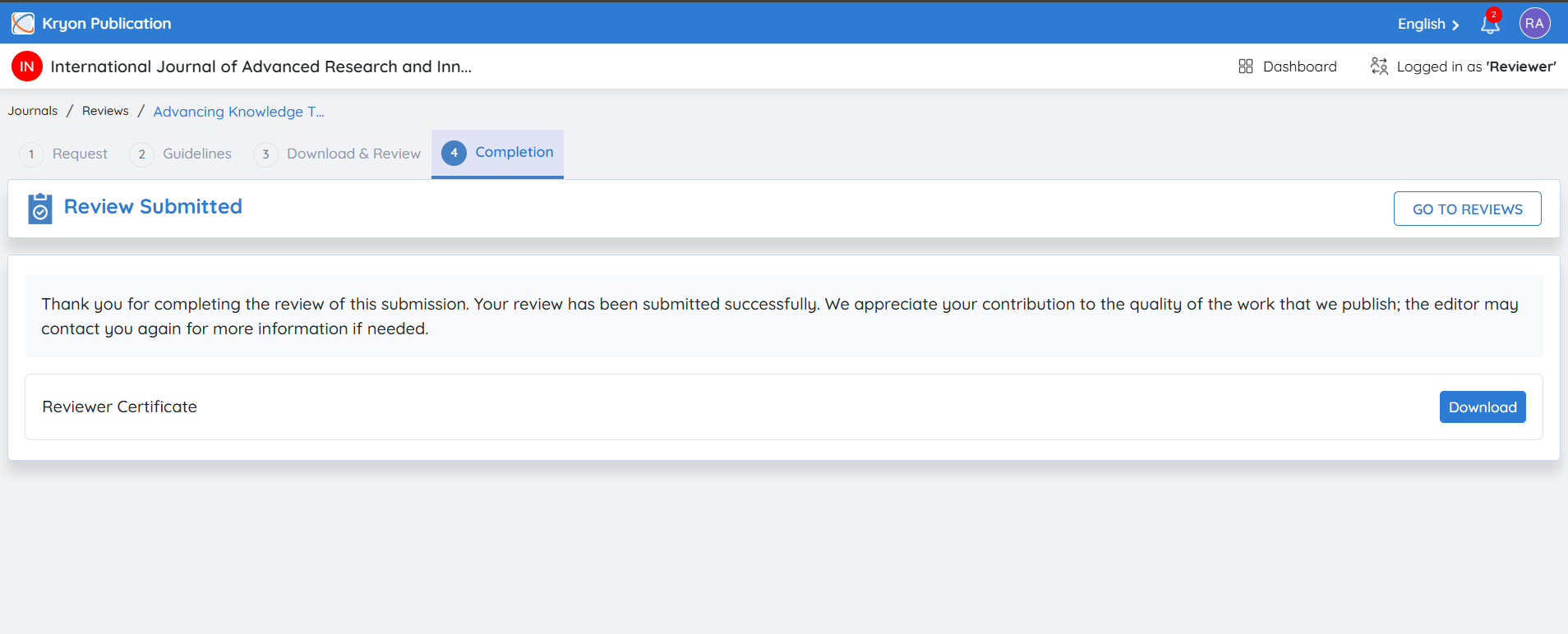
After submitting your review, the Completion page confirms that the review has been successfully submitted to the journal.
A confirmation message is displayed, indicating that your review has been received and thanking you for your contribution to the journal's peer review process.