Download and Review the Manuscript
After accepting the Reviewer Guidelines, you will be redirected to the Download & Review page.
This page allows you to download the manuscript, communicate with the editor, complete the review, and submit your recommendation.
Review Files
The Review Files section contains all files made available for review.
Each file displays:
-
File Name
-
Article Type
-
File Type
Available Actions
You can perform the following actions:
-
View – Preview the manuscript without downloading it.
-
Download – Download an individual file to your computer.
-
Download All – Download all review files in a single action.
Download Review Form
The review method available to the reviewer depends on how the journal has been configured by the Journal Administrator or Journal Manager.

Kryoni JMS supports two types of review forms:
1. External Review Form
If the journal uses an external review template:
-
Click Download Review Form.
-
Download the reviewer evaluation form.
-
Complete the review form offline.
-
Upload the completed review form in the Upload Reviewer Form section while submitting your review.
This option is commonly used when journals require reviewers to complete a predefined evaluation template.
2. Dynamic Review Form
If the journal uses a Dynamic Review Form, the review form is displayed directly within Kryoni JMS.
The reviewer can complete the evaluation online by answering all the configured questions, such as:
-
Rating criteria
-
Multiple-choice questions
-
Yes/No questions
-
Text comments
-
Overall recommendation
Once all mandatory fields are completed, the reviewer can proceed with submitting the review without downloading or uploading a separate review form.
In this guide, both the External Review Form and Dynamic Review Form workflows are explained.
The availability of the review form and the type of review form (External or Dynamic) are configured by the Journal Administrator or Journal Manager based on the journal's review workflow.
Peer Review Discussion
The Peer Review Discussion section provides a secure communication channel for reviewers and editors during the peer review process. It is intended for exchanging clarifications, discussing manuscript-related queries, and resolving workflow-related questions.
Only the assigned reviewers and the editorial participants (such as the Editor-in-Chief, Associate Editor, or Handling Editor) can participate in these discussions. Authors do not have access to this discussion section.
The discussion feature can be used to:
-
Request clarification about the manuscript.
-
Ask questions related to the review process.
-
Communicate with the editor regarding review-related matters.
-
View the complete discussion history for the review assignment.
Important: The Peer Review Discussion section should not be used to submit reviewer recommendations, evaluation comments, or the final review outcome. All official reviewer comments, confidential comments to the editor, uploaded review files, and recommendations must be submitted through the designated Make Decision workflow.
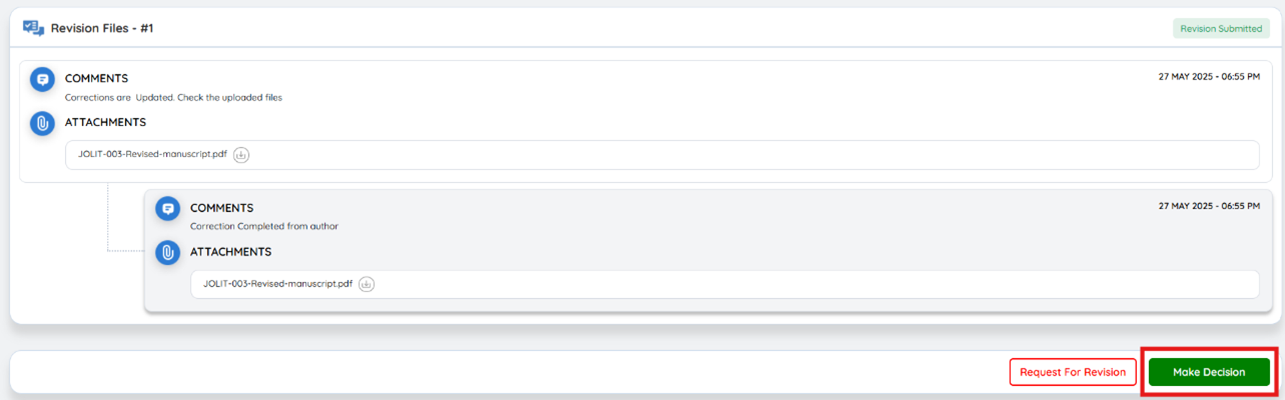
Discussions are intended for clarifications and real-time communication only. For all official review actions, decisions, and updates, always use the designated review workflow.