Accessing the Journal
Once you have successfully logged in:
-
Click the Journal assigned to you from the Journals list.
-
The reviewer dashboard for the selected journal opens.
Accessing Pending Review Invitations
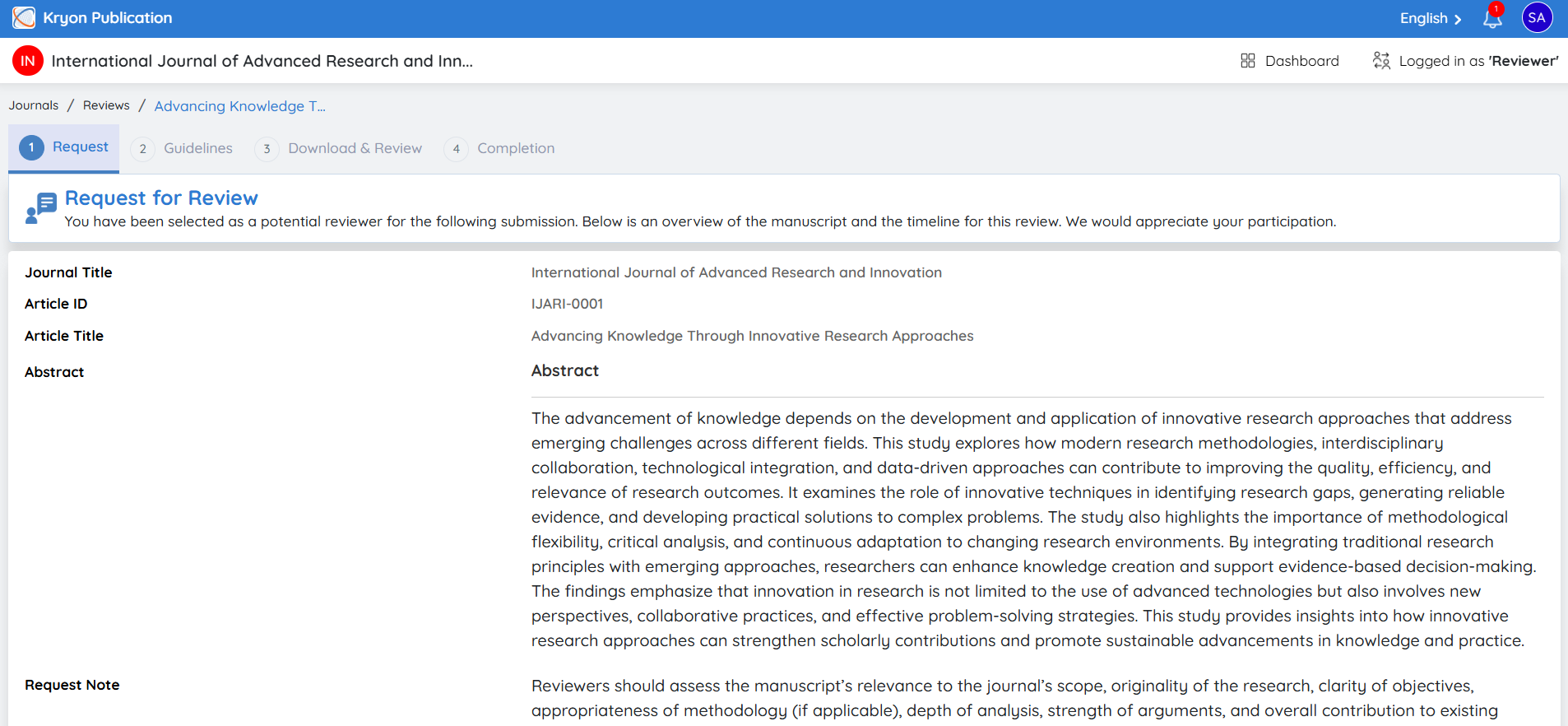
To view review invitations:
-
Navigate to Pending Invitations from the reviewer dashboard.
-
A list of all pending review requests assigned to you is displayed.
-
Click the View icon under the Actions column to review the invitation details.
Review Request Details
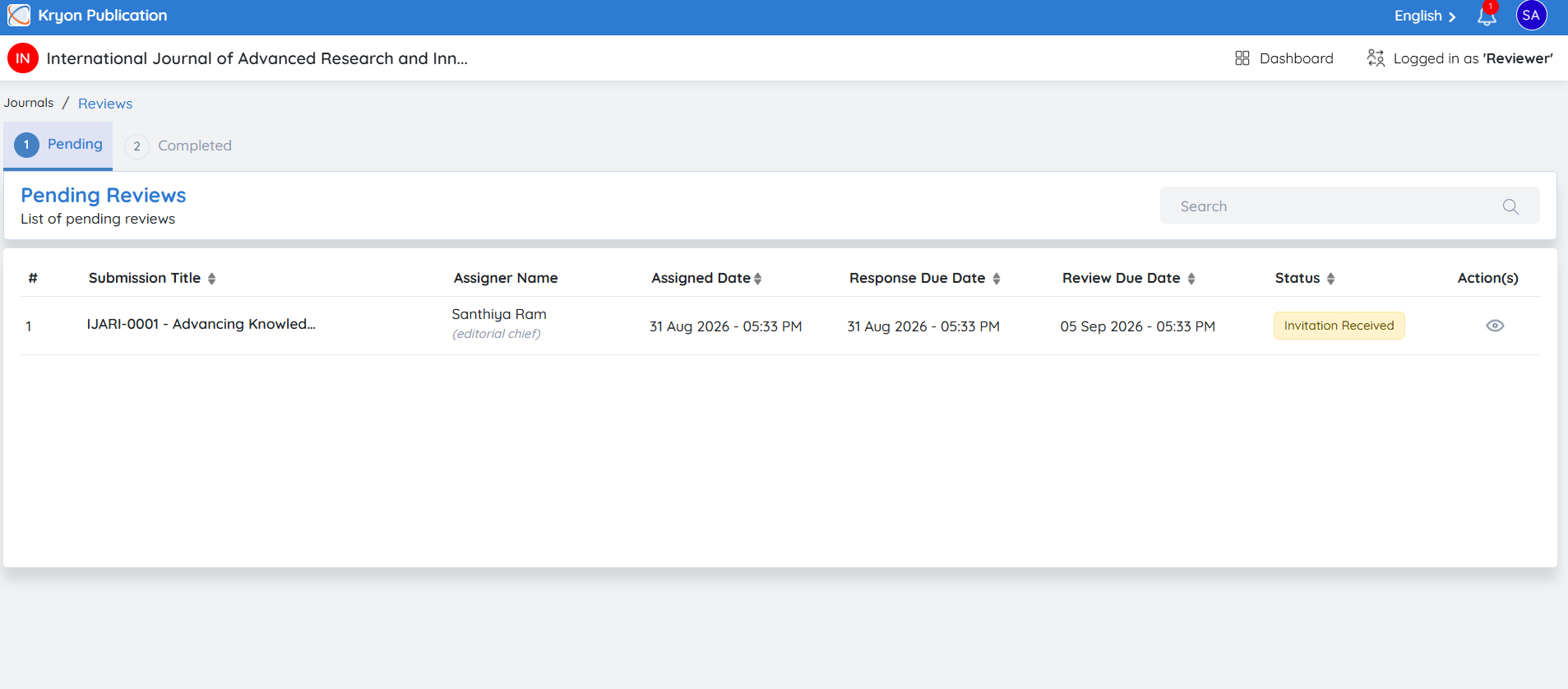
The Request for Review page provides all the information required before accepting or declining the review invitation.
The following details are displayed:
-
Journal Title
-
Article ID
-
Article Title
-
Abstract
-
Editor's Request Note
-
Review Type (e.g., Single Blind, Double Blind)
-
Editor's Request Date
-
Response Due Date
-
Review Due Date
Carefully review the manuscript information, review type, and submission deadlines before making your decision.