Announcement: We deliver an integrated, real-time platform that’s cost-effective and accessible to all, helping you streamline your workflow.
My Site LogoMy Site Logo
JMSHome
  • Get Started
  • Onboarding
  • Editorial Workflow
  • Multilingual Support
  • Global Organizations Settings
  • Dashboard
  • Journal Settings
  • Site Information
  • User Role Settings
  • Email Settings
  • Reports
  • Author Submission
    • Overview
    • Accessing the Submission Portal
    • Author Dashboard
    • Create a New Submission
    • Managing Change Requests During Submission
    • Managing Revision Requests During Peer Review
  • Reviewing
  • Editorial Workflow Managing New Submissions
  • Review Workflow
  • Api Documentation
  • Author Submission
  • Author Dashboard

Author Dashboard

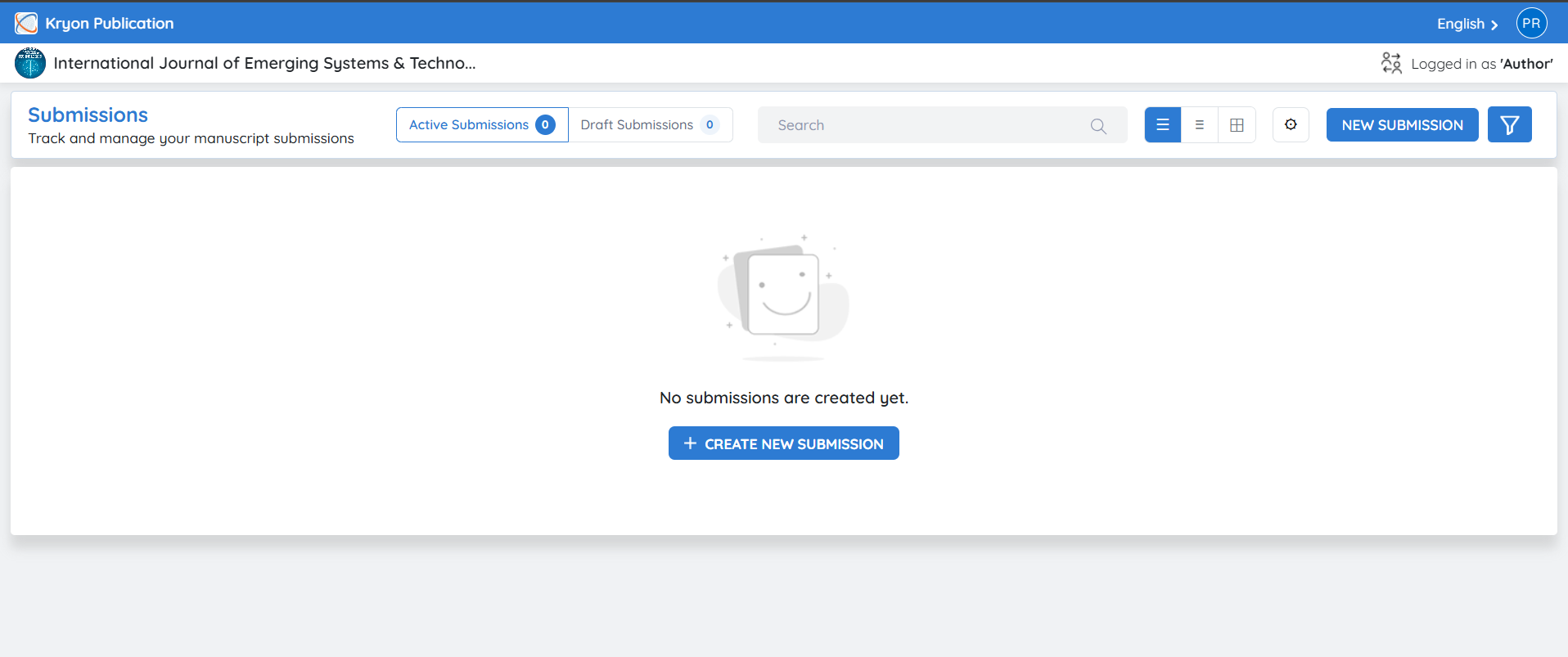
After successfully logging in, the author is redirected to the Author Dashboard.

The dashboard displays:

  • Publishing House Name

  • Journal Name

  • Active Manuscript Submissions with title, article type, stage, submitted date, status, updated on and action

  • Notifications

image

Previous
Accessing the Submission Portal
Next
Create a New Submission
Kryoni @ 2026 , All Rights Reserved.