Accessing the Submission Portal
Authors can access the manuscript submission portal directly from the journal's website.
The journal website typically contains a Submit Manuscript button or submission link that redirects authors to the Kryoni JMS submission portal.
Example Submission URL
https://jms.kryoni.com/kryonpublication/jms-login/685/JSK
Clicking the submission link opens the journal's public landing page for submission
The landing page provides authors with important journal information before beginning the submission process.
The page may include:
-
Journal Name
-
Journal Logo
-
Welcome Message
Other helpful resource links configured by the journal administrator
On the right side of the page, authors can:
- Login
Login as an author – Refer this link
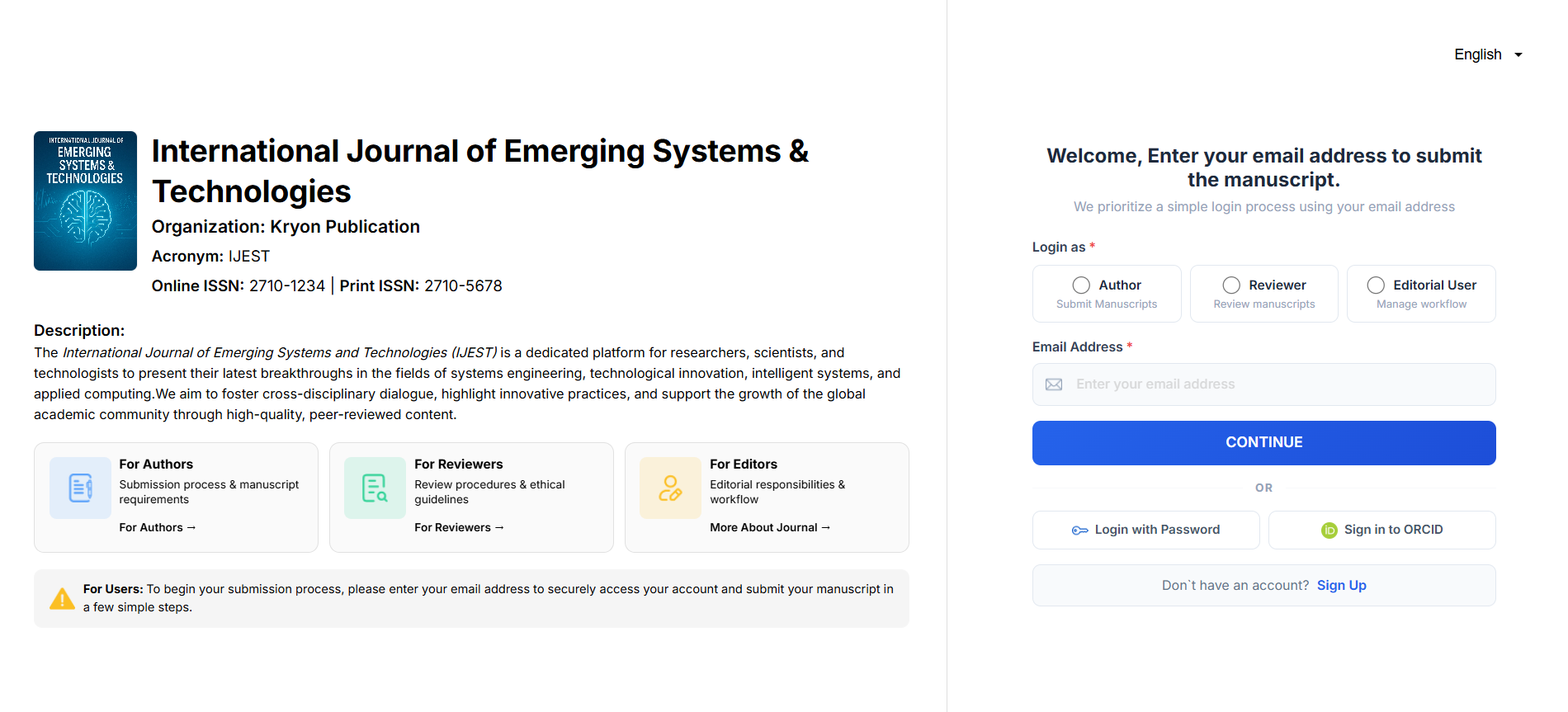
New users must complete author registration before submitting a manuscript. Existing users can sign in using their registered email address and password.