Journal Level Dashboard
The Journal Dashboard provides a comprehensive overview of the editorial and publishing activities for an individual journal. It presents real-time statistics, workflow summaries, recent submissions, reviewer activity, and production progress, enabling editors and journal administrators to monitor the journal's performance from a single interface.
-
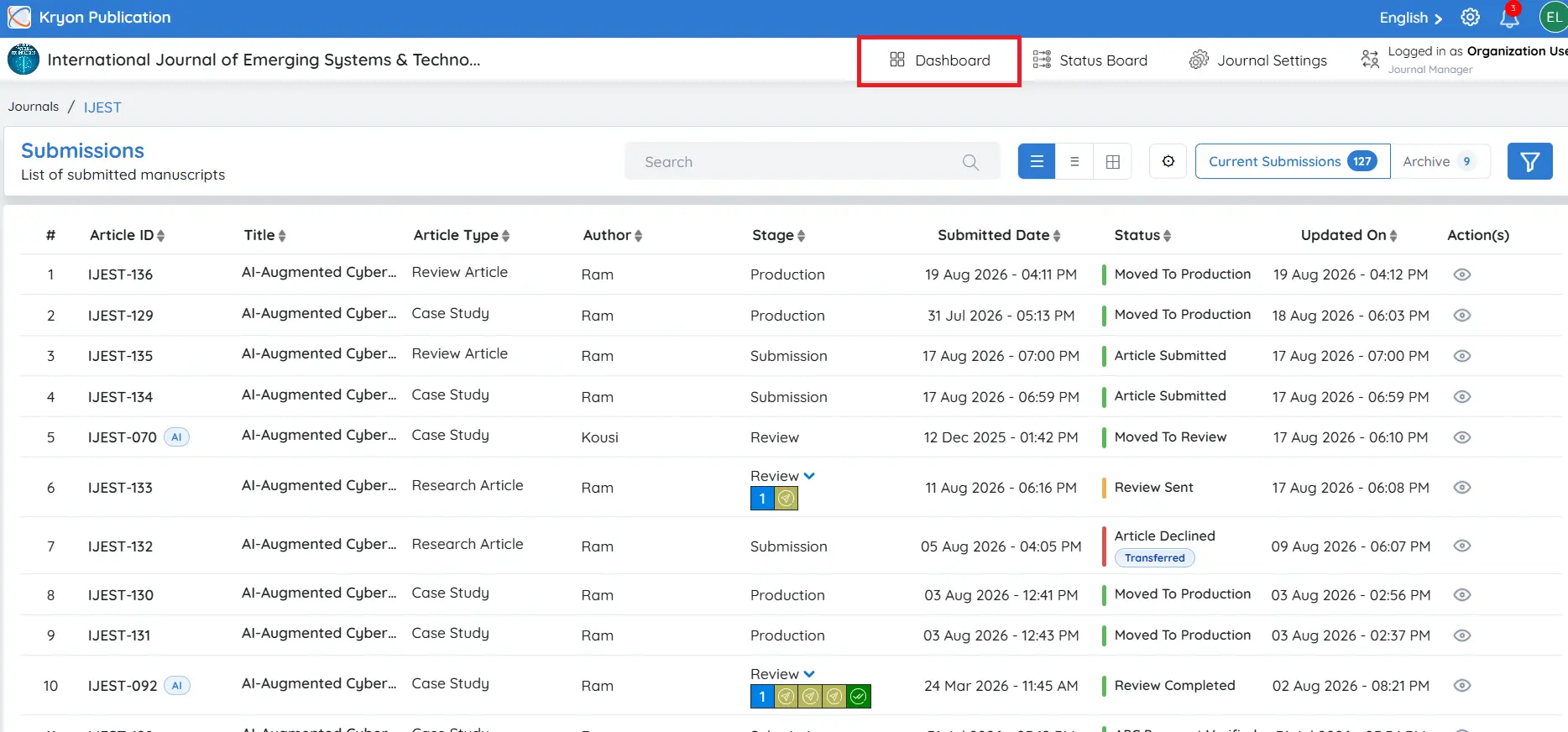
Click the Journal Name you want to manage.
-
The selected journal's dashboard will open, displaying journal-specific metrics and workflow information.
Filtering Dashboard Data
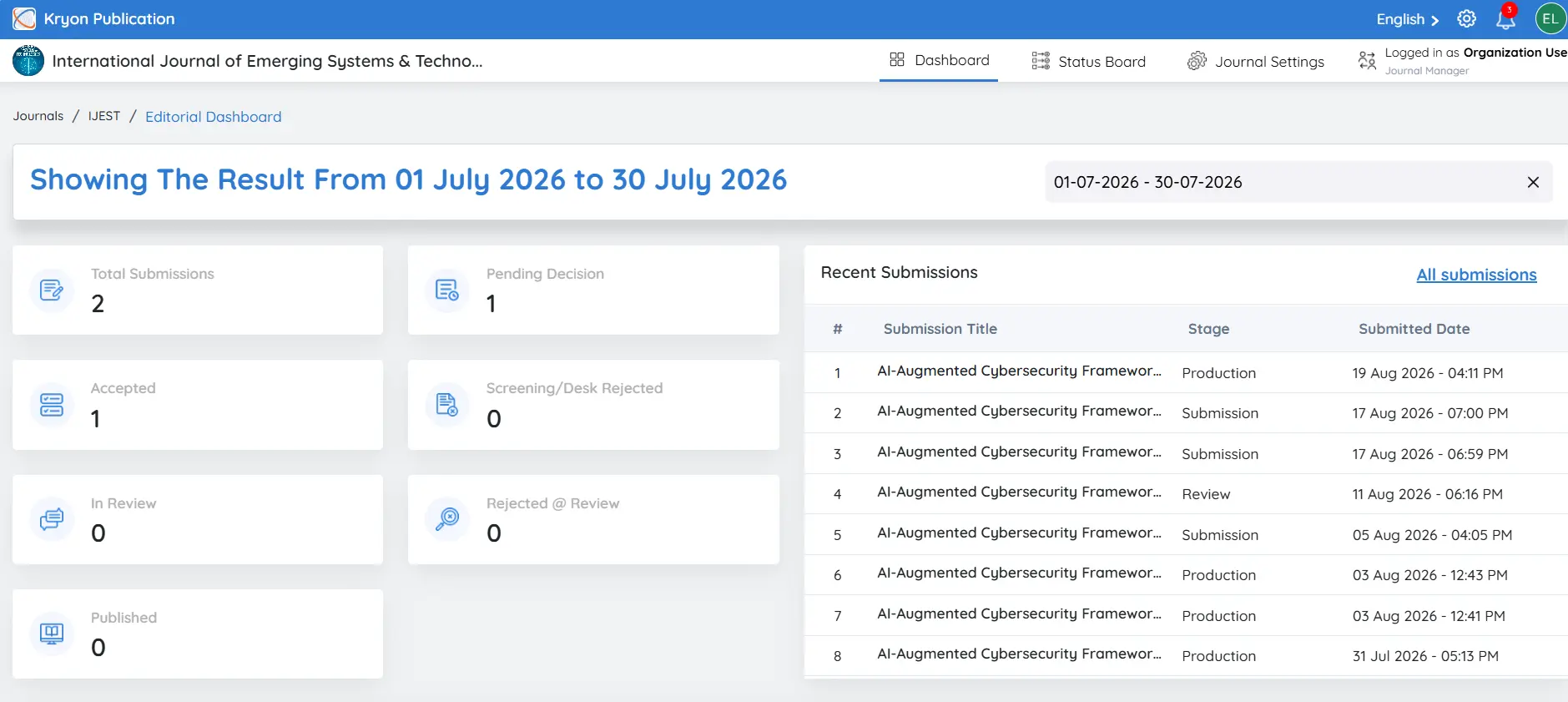
Use the Date Range selector to filter dashboard statistics for a specific reporting period.
Journal Performance Metrics
The top section of the dashboard provides an overview of the journal's manuscript workflow.
Total Articles
Displays the total number of manuscripts submitted to the journal during the selected period.
Decision Pending
Shows the number of manuscripts awaiting an editorial decision.
Screening / Desk Rejected
Shows the number of manuscripts rejected during the initial editorial screening before peer review.
In Review
Displays the number of manuscripts currently undergoing peer review.
Rejected at Review
Shows the number of manuscripts rejected after the peer review process.
In Production
Displays the number of accepted manuscripts currently in the production stage, such as copyediting, typesetting, XML conversion, proofreading, or quality assurance.
Completed
Shows the number of manuscripts that have successfully completed the publishing workflow.
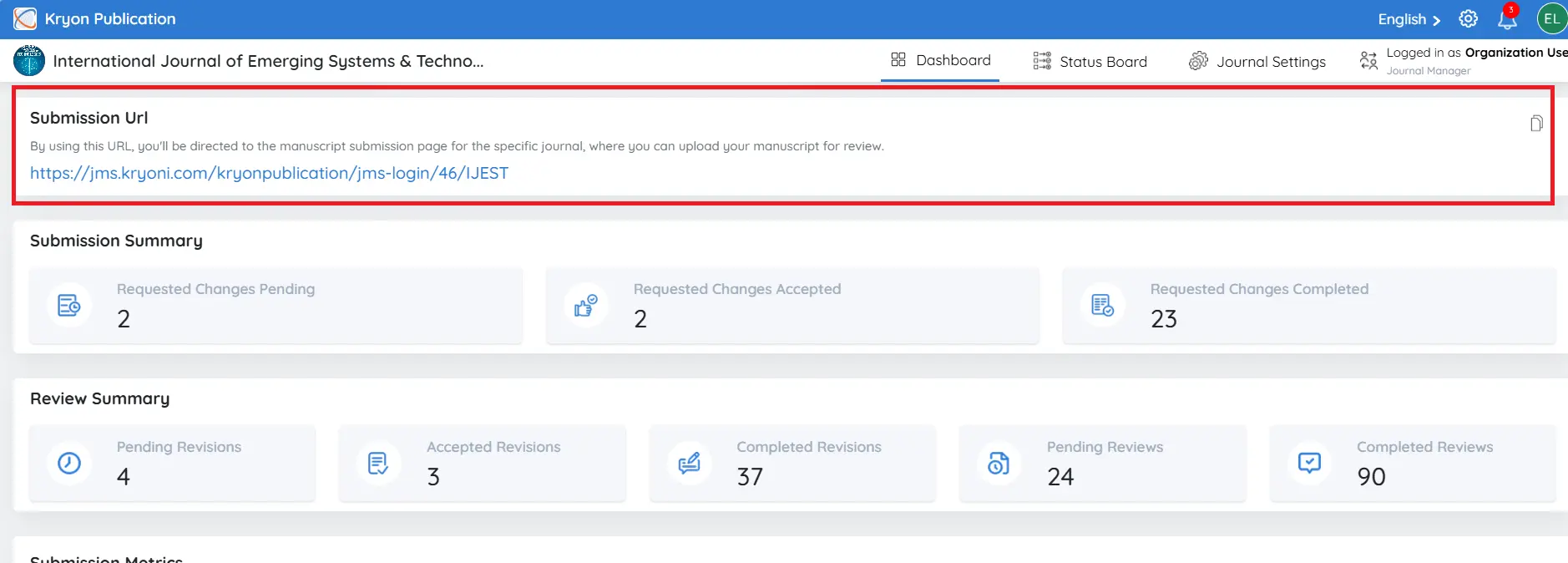
Submission URL
Each journal has a unique Submission URL that authors can use to submit manuscripts directly to that journal.
Click the Copy icon to copy the submission link.
You can share this URL on your:
-
Journal website
-
Author Guidelines
-
Call for Papers
-
Email communications
-
Promotional materials
Authors accessing this link will be taken directly to the journal's manuscript submission page.
Recent Submissions
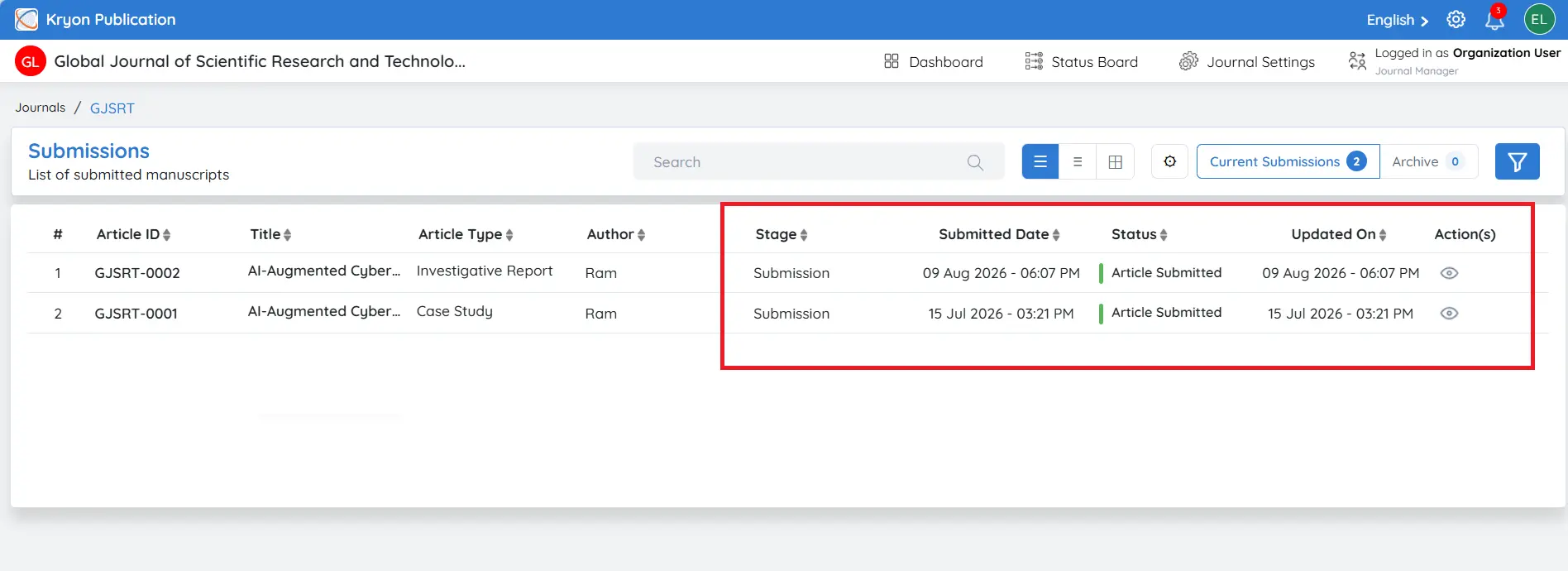
The Recent Submissions section lists the latest manuscripts submitted to the journal.
The table includes:
-
Submission Number
-
Submission Title
-
Current Workflow Stage
-
Submission Date and Time
This allows editors to quickly review newly submitted manuscripts and monitor their current status.
Submission Summary
The Submission Summary provides an overview of manuscripts that require author action following editorial review.
The dashboard displays:
-
Requested Changes Pending: Number of submissions with change requests awaiting author response.
-
Requested Changes Accepted: Count of change requests accepted by authors.
-
Requested Changes Completed: Changes that authors have fully addressed and resubmitted.
Review Summary
The Review Summary provides insights into the peer review process.
The dashboard displays:
Pending Reviews
Displays the number of reviews that are assigned to reviewers but have not yet been completed.
Completed Revisions
Shows the reviews that have been revised by authors based on reviewer feedback and have been completed by the reviewers.
Pending Revisions
Indicates the reviews that are awaiting revisions from authors. These submissions are under revision and need further action based on reviewer comments.
Completed Reviews
Lists the reviews that have been fully completed, with all stages of the review process finalized.
Submission Metrics
The Submission Metrics section provides a detailed, month-wise breakdown of manuscript submissions for the journal. This feature allows you to track and analyse submission trends over time, offering insights into the volume of articles submitted during each month.