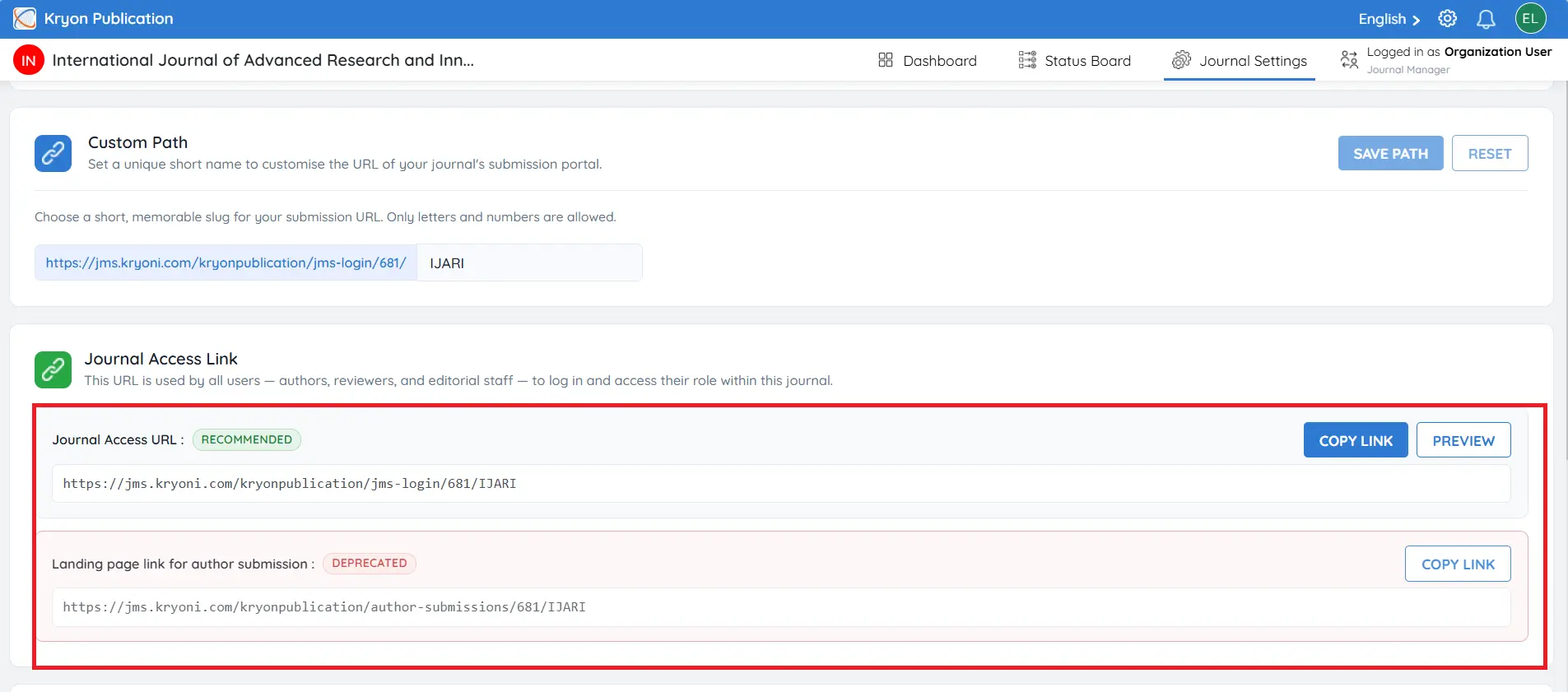
Overview
The Site Information section allows journal administrators to configure the journal's public access links and landing page information. It includes the Primary Submission Link, optional resource links for authors and reviewers, and HTML snippets that can be embedded into the journal website.
By configuring these settings, publishers can provide authors, reviewers, and editorial users with quick and convenient access to the journal's submission portal and supporting resources.
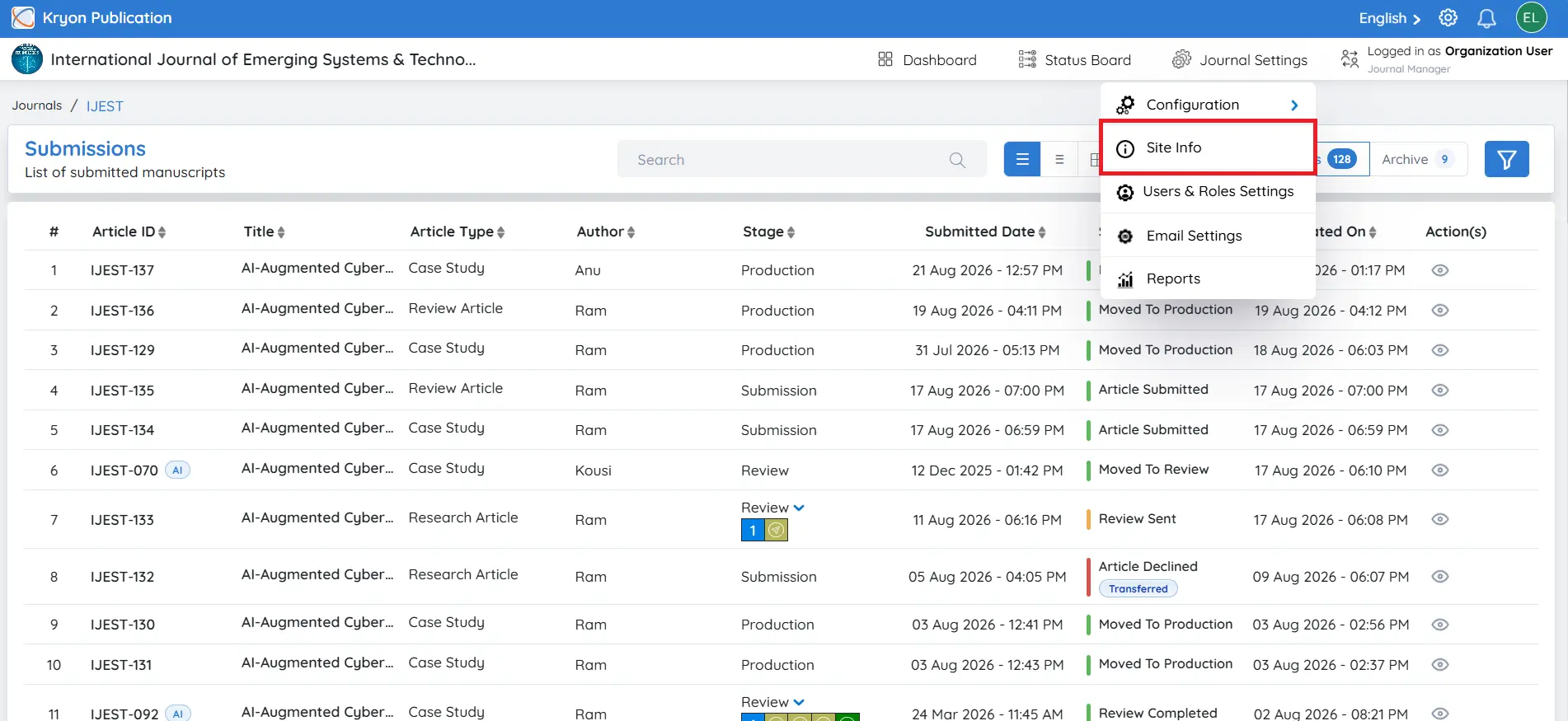
To access this section:
-
Navigate to Journal Settings.
-
Click Site Info
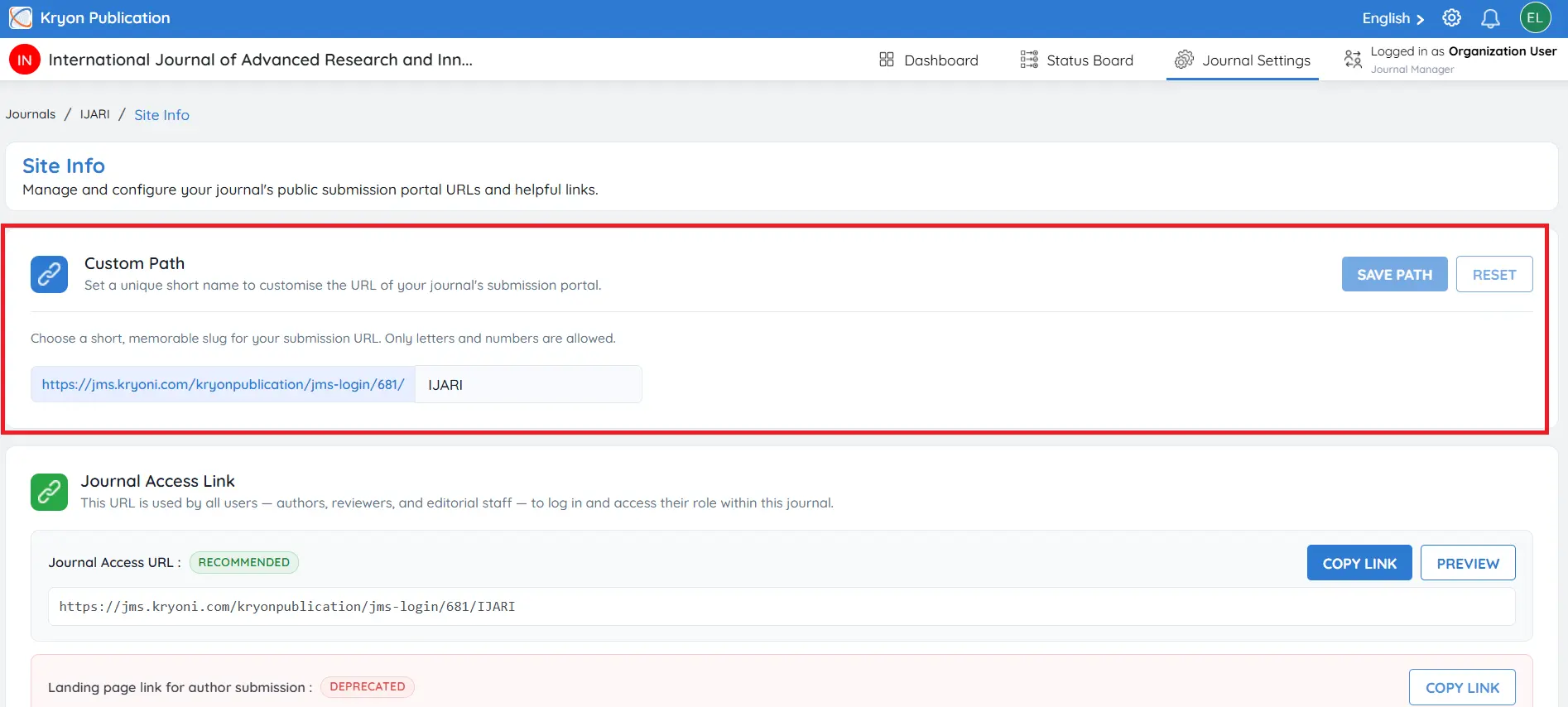
Custom Path
The Custom Path allows you to create a unique, user-friendly URL for your journal's submission portal. This makes the submission link easier to remember and share with authors.
Choose a short and meaningful identifier using letters and numbers only.
Example: JSI
If required, you can edit the Custom Path at any time. After saving the changes, the submission URL will be updated automatically.
If the Custom Path is modified, update any existing submission links published on your journal website or shared with authors.
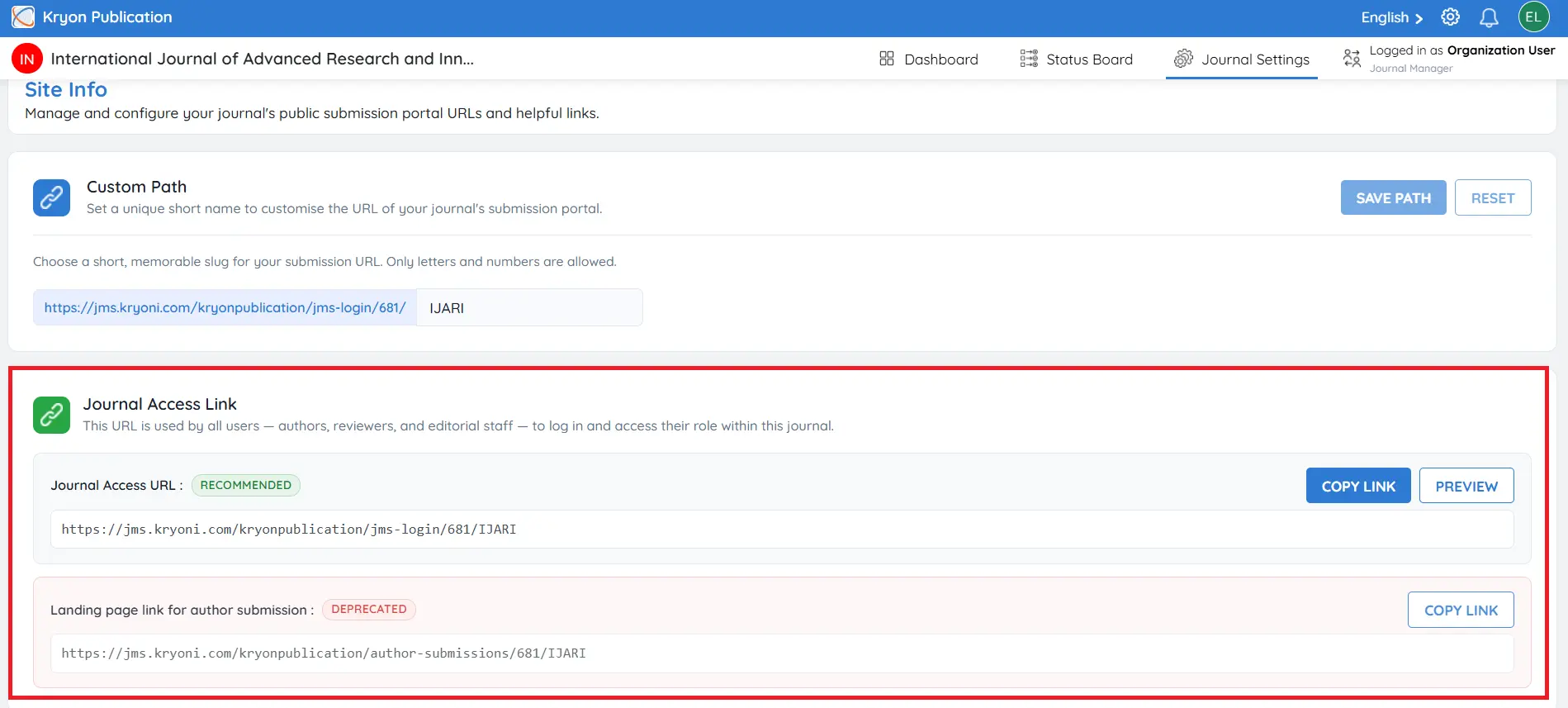
Journal Access Link
The Journal Access Link is the primary login URL for the journal.
This link is used by all journal users, including:
-
Authors
-
Reviewers
-
Editorial Users
-
Journal Managers
Users can access their respective dashboards by logging in through this URL.
Example
https://jms.kryoni.com/kryonpublication/jms-login/685/JSI
You can click Copy to copy the URL and share it with users.
Click Preview to view how the journal landing page and submission portal will appear to authors, reviewers, and visitors before publishing or sharing the link.
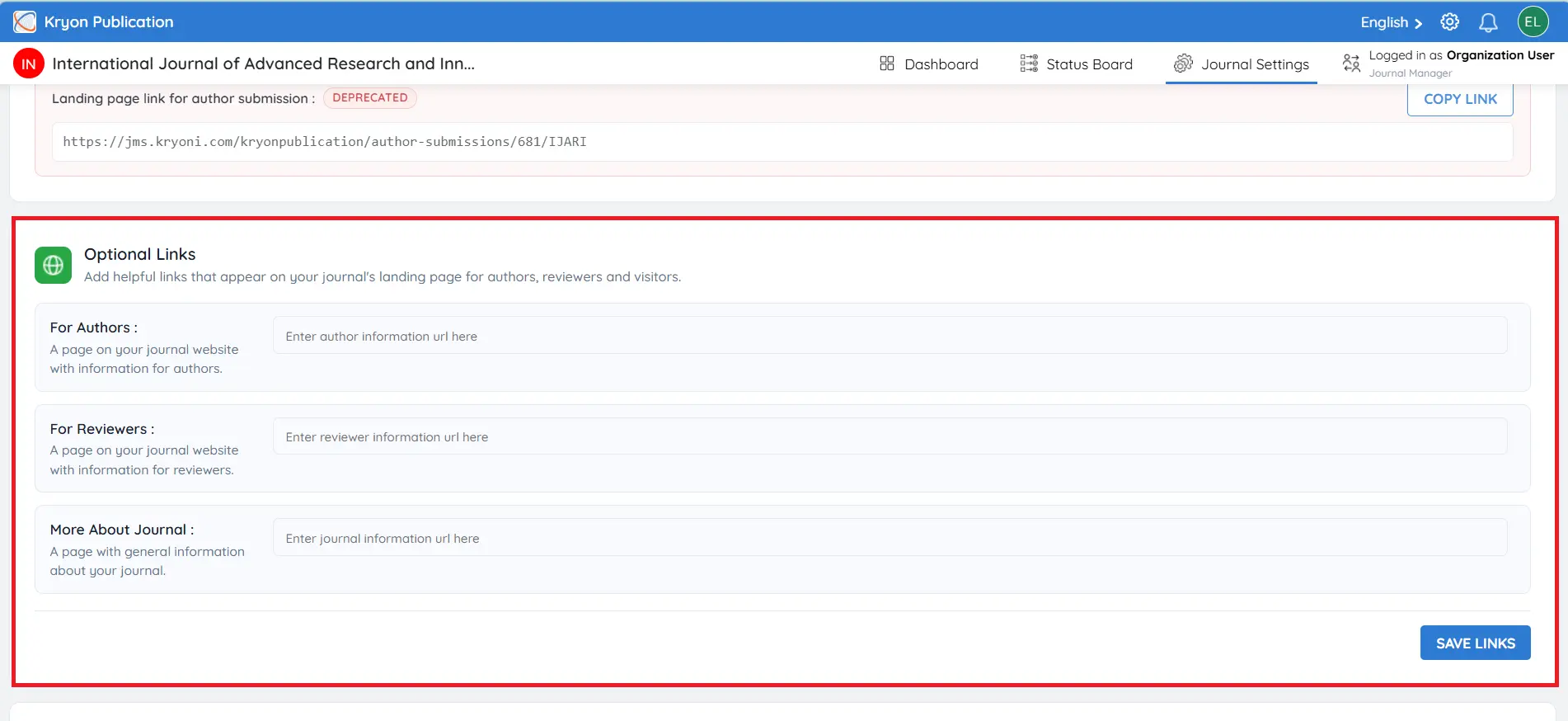
Optional Links
The Optional Links section allows you to add useful resources to your journal's landing page. These links provide quick access to important information for authors, reviewers, and visitors.
For Authors
Example: Enter the URL of your Author Guidelines or Submission Instructions page.
For Reviewers
Example: Enter the URL of your Reviewer Guidelines page.
More About Journal
Example: Enter the URL of a page containing general information about the journal.
Embedding the Submission Link
Kryoni JMS automatically generates ready-to-use HTML code snippets that can be embedded into your journal website.
The following options are available:
-
HTML Link – Displays a standard text hyperlink, such as "Submit Your Manuscript."
-
HTML Button – Displays a styled "Submit Manuscript" button for improved visibility and user engagement.
To embed the submission link:
-
Copy the required HTML code snippet.
-
Paste it into your journal website where you want the submission link or button to appear.
-
Publish the changes on your website.
Authors clicking the embedded link or button will be redirected directly to the journal's manuscript submission portal.
Important: If you modify the Custom Path, Kryoni JMS automatically generates a new submission URL. You must update the embedded HTML link or button on your journal website to use the new URL. Otherwise, the previously embedded (old) link will no longer direct authors to the correct submission portal and may result in a broken or inaccessible submission link.